May 29, 2026
How to Find Online Work Opportunities with No Experience — A Practical Guide
Start with public sources that already surface fresh leads, like r/RemoteJobs, r/forhire, We Work Remotely, Remote.co, Wellfound, and LinkedIn Jobs. Sort by New, look for [Hiring] flair, and apply to simple roles where the scope is clear. If you want a calmer way to track fresh leads without tab chaos, Sidequestboard helps you save and revisit opportunities faster.
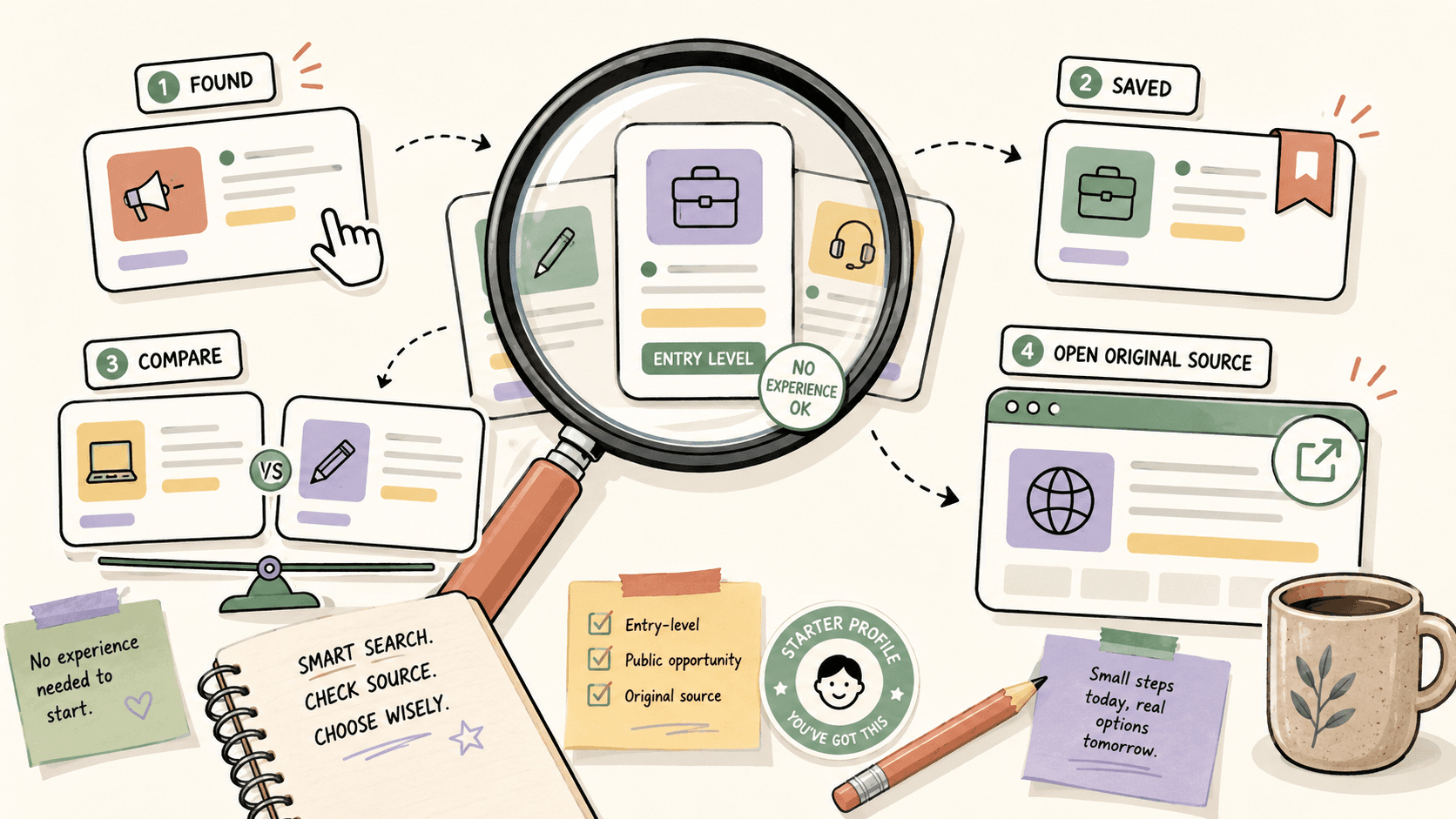
What kind of online work can you realistically start with no experience?
The easiest entry points are jobs and gigs where the buyer cares more about reliability than a long resume. That usually includes simple admin support, customer support, basic research, social media assistance, content formatting, junior design tasks, and small one-off creative pieces.
A practical benchmark helps here. If you are going after design work, the market is broad: graphic design often lands in the $30-100/hour range, UI design can run $50-150/hour, logo design projects commonly range from $200-2000+, and illustration can pay $50-500+ per illustration. You do not need to compete for the highest end on day one. You need to prove you can deliver one clear deliverable.
If you have no portfolio, start by offering one narrow service. For example, instead of saying “I do design,” say “I can make 3 social media banners in Canva” or “I can clean up a one-page PDF into a polished template.” Now open a notes doc and write down one skill you can package into a simple offer.
Where should you actually look for beginner-friendly online work?
Use places where opportunities are already public and fresh, not hidden in private networks.
r/RemoteJobs
This subreddit has about 500K members and is one of the better places to spot remote work discussions and actual postings. The workflow is simple: sort by New, filter for the [Hiring] flair, and open posts that link directly to application pages. Because the posts move fast, the “New” sort matters more than the top posts.
r/forhire
With about 1.3M members, r/forhire is useful when you want smaller freelance or contract opportunities. Search for terms like “designer,” “remote,” or the exact skill you can do. Look for [Hiring] posts and read the scope carefully before you reply.
r/designjobs
This subreddit has around 150K members and is especially useful if you are aiming at creative work. Check for [Hiring] flair and skim the comments for follow-up questions, rate signals, or project details.
r/digitalnomad
With 2.5M members, this community is not a pure job board, but it often surfaces job leads and practical strategies for location-independent work. I use it to spot patterns, like which roles are being discussed repeatedly in comments.
We Work Remotely and Remote.co
We Work Remotely is free to browse and organized by category such as Programming, Design, and Marketing. Remote.co is also free and lets you browse remote listings across categories. Both are useful because they cut out a lot of the noise you see in social feeds.
Wellfound and LinkedIn Jobs
Wellfound is good for startup roles, and you can filter by Remote and apply directly to startups. LinkedIn Jobs is still one of the easiest places to set alerts, filter for Remote, and use your network for referrals. If you have no experience, a referral or a warm connection can matter more than a perfect resume.
If you want a starting list, open r/RemoteJobs, We Work Remotely, and LinkedIn Jobs in three tabs, then save any posting that has a clear description and a direct application path.
How do you tell a legit opportunity from a bad one?
Use a simple screening checklist before you invest time.
Red flags to watch for:
- No company name or website provided
- Requires upfront payment or an equipment purchase
- Unusually high pay for a vague description
- Pushes you to encrypted chat immediately with no details
- No written scope, rate, or next steps
A listing with no company name and a vague “easy online work, great pay” pitch is usually not worth your time. On the other hand, a post that names the company, states the role, and links to an application page is much easier to trust.
When I screen a post, I look for three things: who is hiring, what the task is, and how they want the next response. If I cannot answer all three in 30 seconds, I skip it. Open one listing now and check those three points before you do anything else.
How do you apply when you have no experience?
You do not win by pretending to be senior. You win by making it easy to say yes to a small task.
Use this structure for your first reply or application:
- One sentence on what you can do
- One short proof point, even if it is a personal project
- One direct next step
Example reply for a design gig on r/forhire:
“Hey, I can help with simple social graphics and clean Canva layouts. I made a few sample post templates for a local event page and can turn around 3 drafts quickly. If you want, I can send a mini portfolio and a same-day test concept.”
That works better than a long bio because it matches the size of the opportunity. For a small posting, your message should feel small and confident, not overbuilt.
If you have no portfolio, make one today in Notion, Google Drive, or a simple PDF. Include 3-5 samples, even if two of them are self-initiated. A single clean folder link is enough to start.
What is a practical search workflow that saves time?
Here is a workflow I would actually use if I were starting from zero.
Walkthrough 1: finding a first remote gig on Reddit
- Open r/RemoteJobs.
- Sort by New.
- Filter for [Hiring] posts.
- Open any post with a real company name and direct link.
- Check whether the role is entry-level or task-based.
- Save the post in a Notion list or browser bookmark.
- Apply right away while the listing is still fresh.
Why this works: fresh posts give you a better shot before the thread gets buried. On Reddit, timing often matters more than polish.
Walkthrough 2: finding beginner-friendly creative work
- Search r/forhire for “designer” or “remote.”
- Open [Hiring] posts that mention a clear deliverable, like logos, banners, or social graphics.
- Compare the ask to the market. A logo project can range from $200-2000+, while a graphic design task may sit in the $30-100/hour range.
- If the scope is vague, ask one clarifying question before you pitch.
- Send a short response with a sample link.
If you are using a board like We Work Remotely or Remote.co, do the same thing: scan categories, open the listings with the clearest scope, and apply directly from the original source. Spend 20 minutes, not two hours, on the first pass.
Should you pay for FlexJobs if you are just starting out?
FlexJobs can be worth testing if you want vetted remote listings and fewer scammy posts. It is a paid service, priced at $9.95 per week or $24.95 per month, and every listing is hand-screened for legitimacy.
That price makes sense if you are serious and want to reduce noise. It does not make sense if you are still figuring out whether remote work is right for you.
My practical rule: start with the free sources first, especially r/RemoteJobs, We Work Remotely, Remote.co, Wellfound, and LinkedIn Jobs. If you are applying consistently and still want a more curated feed, test FlexJobs for one month. Set a reminder before renewal so you do not forget the subscription.
How do you stay organized without losing good leads?
The biggest beginner mistake is saving opportunities in too many places and then never following up. The fix is a simple tracker.
Use one of these:
- Notion for a searchable lead database
- Trello for a simple pipeline like Saved, Applied, Replied, Follow-up
- Google Sheets if you want something lightweight
Track just five fields: source, role, pay, date saved, and next action. If you are looking at multiple communities such as r/RemoteJobs, r/forhire, and LinkedIn Jobs, this keeps you from revisiting the same post twice.
A clean workflow matters because public posts go stale fast. The person who responds first with a relevant reply usually has the best chance of getting read.
Where does Sidequestboard fit into this process?
Sidequestboard fits after you already know where to look, but before tab chaos starts stealing your time. It is a curated job and opportunity discovery dashboard for fresh public opportunities from places like communities and social platforms, so you can keep relevant leads in one calmer feed, save them, and jump to the original source without constantly reopening the same tabs.
If you are checking r/RemoteJobs, r/forhire, LinkedIn Jobs, and Wellfound every day, Sidequestboard can help you keep that workflow organized. Instead of scattering bookmarks across browsers and notes apps, you get one place to save the opportunities you actually want to act on.
If your current process is a mess of open tabs, bookmarks, and half-finished applications, that is exactly the kind of workflow Sidequestboard is meant to smooth out. Open the feed, save what matches, and come back to the best leads before they go cold.
What should you do today if you are starting from zero?
Use this 30-minute starter plan:
- Pick one skill you can sell this week.
- Create a one-page portfolio or sample folder in Notion or Google Drive.
- Open r/RemoteJobs, r/forhire, We Work Remotely, and LinkedIn Jobs.
- Save 5 listings that match your skill.
- Send 2 short applications or pitches today.
If you keep the task small and consistent, you will learn faster than if you spend a week “preparing” to start. The goal is not to look experienced. The goal is to get your first response out into the world.
FAQ
Can I find online work with no experience?
Yes. The easiest path is usually entry-level remote support, simple creative tasks, small freelance projects, or task-based work where the scope is clear and the buyer values reliability.
What is the best place to start looking?
Start with r/RemoteJobs, r/forhire, We Work Remotely, Remote.co, Wellfound, and LinkedIn Jobs. Use New sort, [Hiring] flair, category filters, and direct application links.
Do I need a portfolio if I have no experience?
Not a full one. A simple Notion page, Google Drive folder, or PDF with 3-5 samples is enough to start applying or pitching.
How do I know if a listing is fake?
Watch for no company name, upfront payment requests, vague pay for vague work, instant encrypted chat pressure, or no written scope and next steps.
Is FlexJobs worth paying for?
It can be, if you want hand-screened listings and are actively applying. The current pricing is $9.95 per week or $24.95 per month.
How fast should I apply?
As fast as possible once you find a good fit. On Reddit and public listings, fresh posts often get more attention than older ones.