May 22, 2026
How to Find Remote Work Opportunities Without LinkedIn
You can find remote work without LinkedIn by checking curated job boards like We Work Remotely and Remote.co, browsing hiring posts on subreddits like r/forhire and r/RemoteJobs, setting up saved searches on AngelList/Wellfound, and building a daily routine that catches fresh listings before they go cold.
Why Look Beyond LinkedIn for Remote Work?
LinkedIn works well for network-based hiring. But many remote opportunities, especially freelance gigs, contract roles, and startup positions, get posted in public communities first. Reddit hiring threads, niche job boards, and startup career pages often move faster than LinkedIn's algorithm. If you rely only on one platform, you miss the majority of fresh postings.
This guide covers specific platforms, exact search methods, and a repeatable routine you can follow daily to find remote work without ever logging into LinkedIn.
Which Job Boards Specialize in Remote Roles?
Several job boards focus exclusively on remote positions. Here are the ones worth bookmarking:
We Work Remotely (weworkremotely.com) is the largest remote-only job board. Listings skew toward tech: programming, design, DevOps, and marketing. Browse by category. Most posts link directly to the company's application page. Free to browse, no account required.
Remote.co lists remote jobs across customer service, writing, marketing, HR, and development. Filter by category. Free to browse. Listings tend to be higher quality because companies pay to post.
FlexJobs (flexjobs.com) hand-screens every listing to remove scams and low-quality posts. Costs $9.95 per week or $24.95 per month. Worth paying for if you've wasted time on fake listings elsewhere.
AngelList/Wellfound (wellfound.com) focuses on startup jobs. Many early-stage startups hire remotely. Filter by "Remote" in the location field. Free to create a profile and apply directly to founders.
Action step: Pick two of these boards. Check them once daily, ideally in the morning when new listings go live.
See fresh gigs on Sidequestboard
How Do Reddit Communities Help You Find Remote Gigs?
Reddit hosts several large communities where companies and individuals post remote jobs and freelance projects directly.
r/forhire has 1.3 million members. People post [Hiring] and [For Hire] threads daily. Search "designer" or "developer" or "writer" within [Hiring] posts. Sort by New. Many posts include budget ranges and direct contact methods.
r/RemoteJobs has 500,000 members and focuses specifically on remote positions. Filter for '[Hiring]' flair. Many posts link directly to application pages. Sort by New to catch fresh listings.
r/digitalnomad has 2.5 million members. While primarily a lifestyle community, job leads appear in comments and dedicated threads. Good for location-independent work strategies and informal gig connections.
r/cscareerquestions has 1.2 million members. Tech career discussions frequently include job leads. Search for '[Hiring]' or 'remote' in recent posts.
r/designjobs has 150,000 members. Check [Hiring] flair for design projects. Rates vary widely but many posts include specific budgets.
Walkthrough: Finding a Freelance Design Gig on r/forhire
- Go to reddit.com/r/forhire
- In the search bar, type "flair:Hiring design" or "flair:Hiring remote"
- Sort results by New
- Look for posts from the past 24 hours
- Check the poster's account: click their username, look at post history and account age. A legitimate poster usually has consistent activity over months, not a brand-new account with one post
- If the post looks legitimate, respond in the thread or via the contact method they specify
- Include a brief introduction, your relevant experience, and a link to your portfolio
- Follow up within 48 hours if you haven't heard back
Design rates you can reference: UI design typically commands $50 to $150 per hour. Graphic design ranges from $30 to $100 per hour. Logo design projects often run $200 to $2,000+ per project. Use these benchmarks when negotiating.
Action step: Set up saved searches on two of these subreddits. Check them daily.
What Red Flags Should You Watch For?
Scam listings exist on every platform. Watch for these warning signs:
- No company name or website provided. Legitimate postings identify the company or at least the type of business.
- Requests for upfront payment or equipment purchases. Real employers don't ask you to buy your own laptop through their "vendor."
- Vague job descriptions with unrealistically high pay for minimal work. If a data entry role promises $50 per hour, verify independently.
- Brand-new accounts with no posting history. On Reddit especially, check the poster's account age and activity.
- Personal email addresses from free providers (gmail, yahoo) for what should be a corporate role.
Action step: Before applying to any listing, spend two minutes verifying the poster or company. Search the company name. Check their website. Look for reviews or mentions elsewhere.
How Do You Build a Repeatable Daily Search Routine?
Searching randomly wastes time. Build a 30-minute daily routine instead.
Morning check (15 minutes):
- Open We Work Remotely. Browse new listings in your category.
- Open r/forhire and r/RemoteJobs. Sort by New. Scan [Hiring] posts from the past 12 hours.
- Open Wellfound. Check new remote startup roles.
Afternoon follow-up (10 minutes):
- Check your email for responses to previous applications or pitches.
- Browse r/digitalnomad and r/designjobs for any new leads.
- Save any promising opportunities for later review.
Weekly review (5 minutes):
- Track which sources produced the best leads.
- Drop sources that consistently yield nothing.
- Add new sources if you find them.
The key metric is speed. Remote listings on public boards get flooded with applications within hours. If you find a listing on day two, you're often too late. A daily routine ensures you see fresh opportunities within hours of posting.
Action step: Write down your 30-minute routine. Set a daily alarm. Do it every day for two weeks.
How Do You Track Opportunities Without Losing Them in Tabs?
The biggest problem with checking multiple sources is tab chaos. You find a good listing on We Work Remotely, another on r/forhire, a third on Wellfound. By the time you're ready to apply, you have 20 tabs open and can't remember which one was promising.
Solutions:
- Browser bookmarks folder: Create a "Leads" folder. Bookmark promising listings with the date in the bookmark name. Review weekly and delete stale ones.
- Notion or Google Sheets: Create a simple tracker with columns for Source, Role, Company, Date Found, Status, and Notes. Copy listing URLs into the tracker.
- Trello board: Create cards for each opportunity. Move them through columns: Found, Researching, Applied, Followed Up, Rejected, Offer.
Walkthrough: Tracking Leads in a Simple Spreadsheet
- Create a Google Sheet with columns: Date, Source, Role, Company, URL, Status, Notes
- When you find a listing, add a row immediately
- Set Status to "New"
- After researching the company, change Status to "Applying" or "Skip"
- After submitting your application, change Status to "Applied" and add the date
- Follow up after 5 to 7 business days if you haven't heard back
- Update Status to "Rejected" or "Offer" when you get a response
This system takes 30 seconds per listing but saves hours of confusion later.
Action step: Pick one tracking method and set it up today.
Where Does Sidequestboard Fit Into This Workflow?
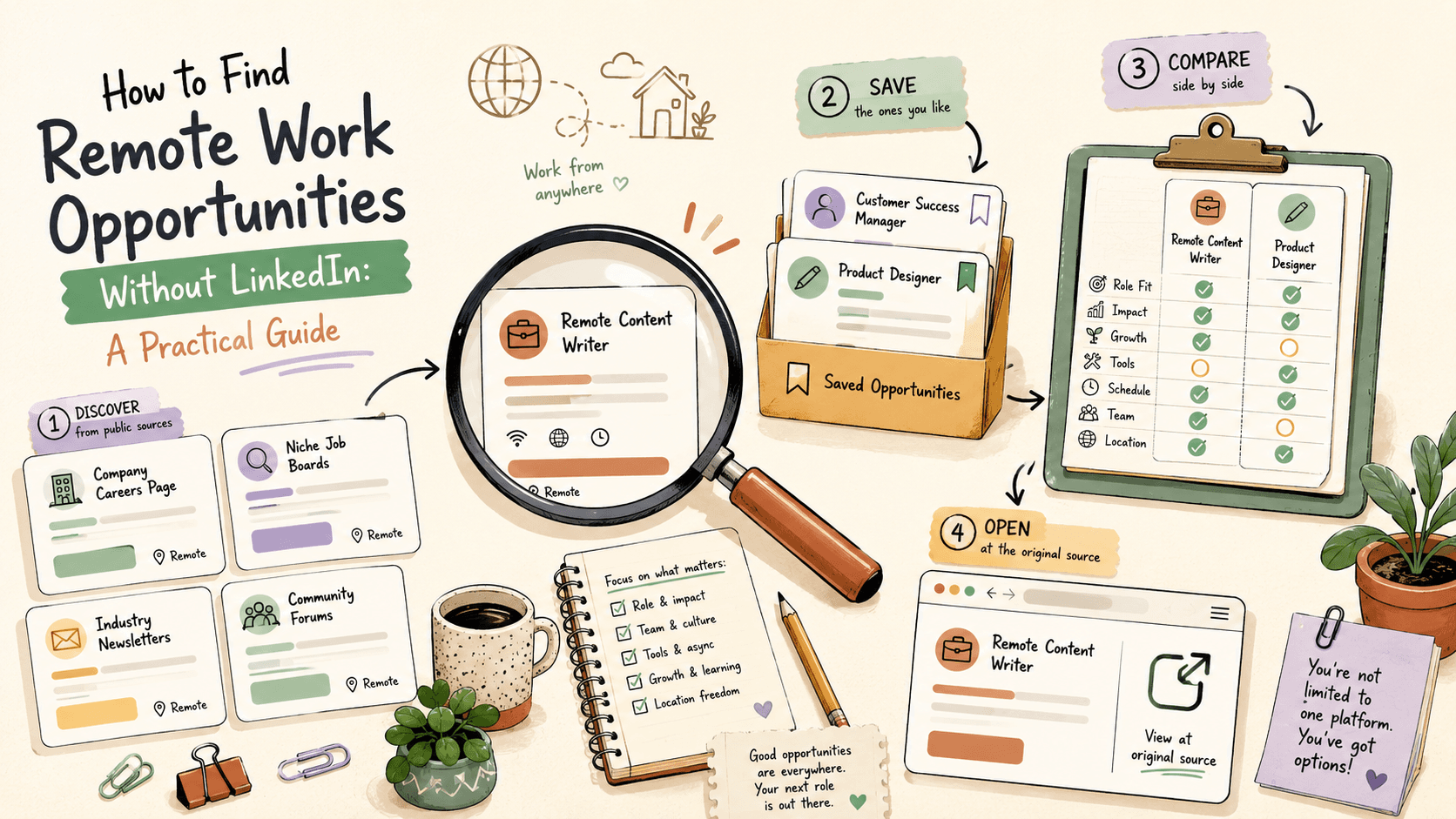
Sidequestboard addresses the core problem of checking too many sources manually. It pulls opportunity posts from public communities and social platforms into one feed, so you can browse, save, and respond without opening 15 tabs.
Here's how it fits into the routine described above:
- Instead of checking r/forhire, r/RemoteJobs, and other sources separately, you see fresh public opportunities in one place.
- You save relevant opportunities with one click and return to them later.
- You open the original listing directly from Sidequestboard and apply or respond at the source.
- No marketplace commission or middleman. You deal directly with whoever posted the opportunity.
Sidequestboard works best as a complement to the job boards and communities already covered. Use it for the community-sourced opportunities that change fastest and are hardest to track manually.
If you're spending more than 30 minutes a day searching across tabs, try the free trial at sidequestboard.app/signup and see if it cuts your search time.
What If You're Just Starting Out?
If you have no portfolio, no client history, and no network, start here:
- Pick one skill you can offer. Writing, design, social media management, virtual assistance, data entry. One thing.
- Create a simple portfolio. Use Notion, Carrd, or a Google Drive folder. Include 3 to 5 examples of your work, even if they're personal projects.
- Start with smaller communities. r/designjobs (150K members) is more accessible than massive job boards. r/forhire (1.3M members) has a wider range of project sizes.
- Set your rates based on research, not guesswork. Graphic design: $30 to $100 per hour. UI design: $50 to $150 per hour. Illustration: $50 to $500+ per piece. Logo design: $200 to $2,000+ per project.
- Apply to 5 to 10 opportunities per week. Track every application.
- Expect to hear back from roughly 10 to 20 percent of your applications. That's normal.
Action step: Create your portfolio this weekend. Apply to your first 5 opportunities next week.
Quick Summary
You do not need LinkedIn to find remote work. The most effective approach combines multiple sources checked consistently:
- Curated job boards: We Work Remotely, Remote.co, FlexJobs, Wellfound
- Reddit communities: r/forhire, r/RemoteJobs, r/digitalnomad, r/cscareerquestions, r/designjobs
- A daily 30-minute routine that catches fresh listings
- A tracking system so opportunities don't get lost in tabs
- Speed: apply within hours, not days
Pick two job boards and two subreddits. Set up your tracker. Start tomorrow morning.