August 7, 2026
How to Discover Contract Opportunities from Community Posts
To discover contract opportunities from community posts, monitor relevant public communities, sort by newest posts, filter for hiring language, verify scope and payment terms, then respond quickly with a tailored pitch, proof of relevant work, and a clear next step.
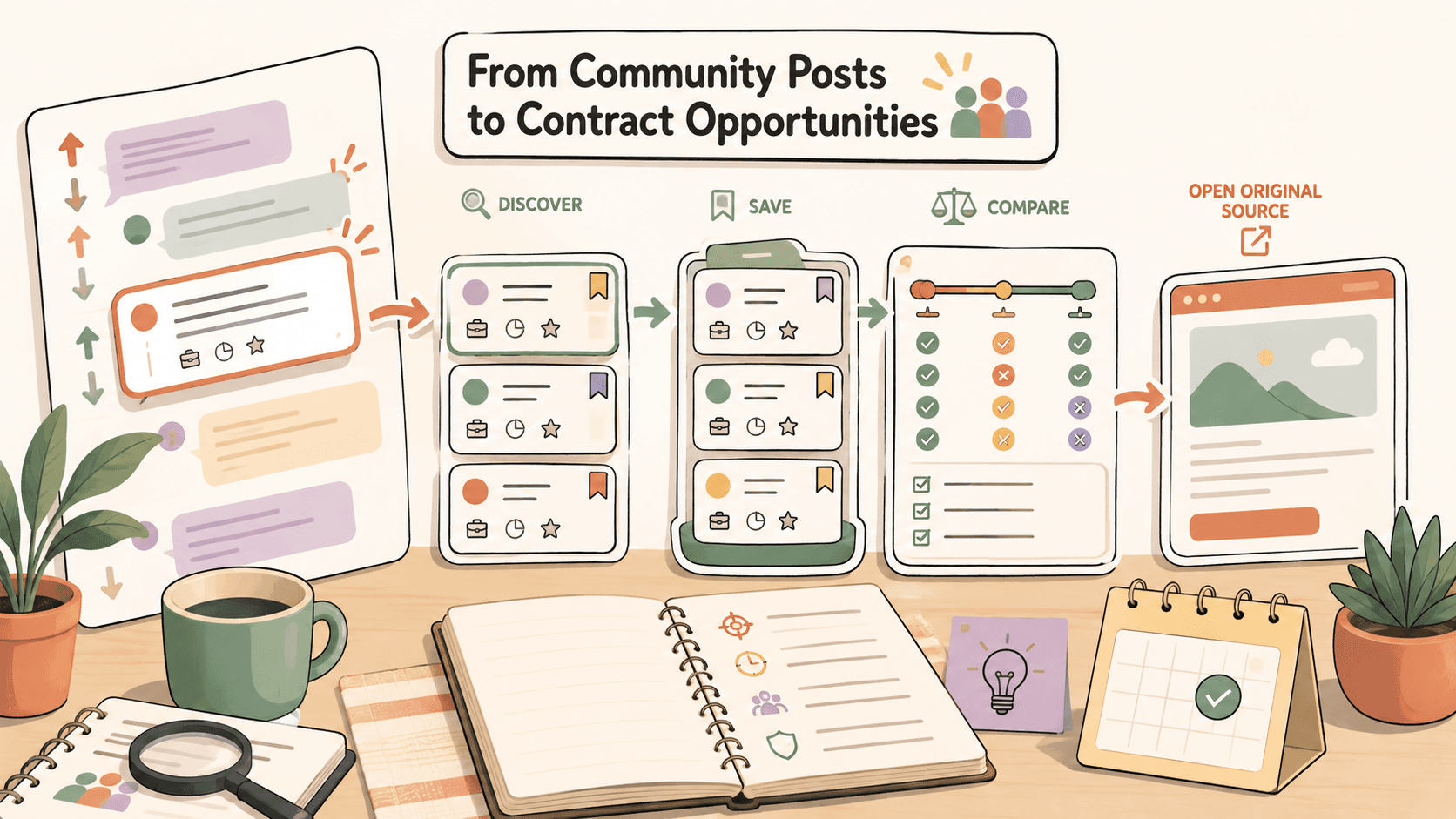
Why community posts can be good sources of contract work?
Community posts are often closer to the moment of demand than polished job listings. Someone has a problem, needs help, and posts where their peers already spend time.
That can make community-sourced opportunities useful for:
- Freelancers looking for short-term projects
- Independent consultants looking for warm, problem-based leads
- Designers, writers, developers, marketers, video editors, and virtual assistants
- Jobseekers open to contract, fractional, or project-based work
- Solo builders looking for paid service work alongside their own projects
The downside is that these posts can be messy. They may lack a budget, have vague scope, disappear quickly, or attract many replies. Your advantage comes from having a repeatable discovery and qualification system.
Where should you look for contract opportunities?
Start with public communities where people already ask for help, hire specialists, or share paid opportunities. Do not try to monitor everything. Pick a few high-signal sources and build a routine.
Reddit communities
Reddit is useful because many communities have clear rules, post flairs, and public search. Depending on your skill set, you might monitor communities such as:
- r/forhire
- r/WorkOnline
- r/HireaWriter
- r/designjobs
- r/slavelabour, with extra caution around low budgets and fit
- Niche subreddits related to your work, such as startup, SaaS, ecommerce, podcasting, video editing, web development, or local business communities
Use each community’s rules and flairs carefully. Some subreddits separate [Hiring], [For Hire], portfolio posts, and discussion posts. Focus on posts where someone is clearly seeking help, not just browsing ideas.
X/Twitter posts
X/Twitter can surface fast-moving freelance leads, especially from founders, creators, agencies, newsletter operators, and startup teams.
Search for phrases like:
- "looking for a freelancer"
- "hiring designer"
- "need copywriter"
- "looking for video editor"
- "need a developer"
- "contract role"
- "freelance writer"
- "paid project"
- "looking for someone to help with"
You can combine these with niche terms:
- "looking for video editor" SaaS
- "need copywriter" newsletter
- "hiring designer" landing page
- "contract developer" Webflow
- "paid project" Figma
When using social search, sort or filter for recent posts where possible. A perfect lead from three weeks ago may already be closed.
Discord communities
Discord can be valuable when communities have public or semi-public channels for jobs, gigs, bounties, commissions, or collaborations. Examples include creator communities, no-code communities, design groups, developer servers, indie hacker groups, and industry-specific communities.
Look for channels named something like:
- #jobs
- #gigs
- #hiring
- #freelance
- #opportunities
- #commissions
- #bounties
- #collabs
Check the server rules before replying or DMing. Some communities require you to respond in-thread, use a form, or avoid unsolicited direct messages.
Other public communities and boards
Depending on your niche, also check:
- Indie founder communities
- Product communities
- Creator newsletters with classified sections
- Public Slack communities with job channels
- GitHub issues labeled bounty, help wanted, or paid work
- Forum posts in niche industries
- Public agency or startup communities
Traditional freelance platforms such as Upwork, Fiverr, Contra, Toptal, and PeoplePerHour can also be part of your workflow, but they work differently from community posts. Before pricing your proposal on any marketplace, verify current fees, rules, and payment terms from the platform’s official documentation because those details change over time.
Track fresh opportunities on Sidequestboard
How do you search community posts efficiently?
Use search language that matches how real people ask for help. Many posts do not say “contract opportunity.” They say “need help,” “looking for someone,” or “can anyone recommend.”
Search phrases to save
Try variations such as:
- "looking for someone to"
- "need help with"
- "hiring a freelancer"
- "paid gig"
- "paid project"
- "contract work"
- "short-term project"
- "freelance opportunity"
- "anyone available for"
- "recommend a designer"
- "recommend a writer"
- "need a developer"
- "looking for an editor"
Then combine them with your skill or niche:
- "need help with" "Webflow"
- "looking for someone to" "write case studies"
- "paid project" "Figma"
- "hiring a freelancer" "Shopify"
- "need a developer" "API integration"
- "looking for an editor" "YouTube"
Google search operators
Google can help you search across public pages when native platform search is limited.
Examples:
site:reddit.com/r/forhire "[Hiring]" "writer"
site:reddit.com/r/designjobs "hiring" "Figma"
site:twitter.com "looking for a freelancer" "designer"
site:github.com "bounty" "help wanted"
"looking for someone to" "landing page" "paid"
"need help with" "Shopify" "freelance"
Use quotes around exact phrases and add your skill, tool, or industry. If results are stale, use search tools to limit by recency where available.
How do you tell if a community post is worth answering?
Not every post deserves a reply. A fast response matters, but a selective response matters more.
Before you pitch, check:
- Is there a real task? The post should describe a problem, deliverable, role, or outcome.
- Is there a budget or payment signal? A clear budget is best, but phrases like “paid,” “contract,” “freelance,” or “invoice” can also indicate seriousness.
- Is the scope understandable? You should know enough to ask a smart next question.
- Is the poster credible? Look for account history, company context, portfolio links, website, or community reputation.
- Are the terms safe? Be careful with unpaid tests, vague revenue share, requests for free strategy, or off-platform payment pressure.
- Can you prove relevance quickly? If you cannot show a similar example, the lead may not be your best use of time.
Community posts move fast, so use a simple score:
- 3 points: Strong fit, clear paid need, credible poster, recent post
- 2 points: Good fit, some missing details, worth a short reply
- 1 point: Vague, low budget, unclear ownership, or too old
- 0 points: Suspicious, unpaid, exploitative, or outside your expertise
Prioritize 2- and 3-point posts.
What should your first reply include?
A good first reply is short, specific, and easy to act on. Do not send a generic biography. Show that you understood the post and can help with the next step.
Use this structure:
- Reference the exact need
- State your relevant experience
- Share one proof point or link
- Ask one useful question or suggest the next step
- Keep it concise
Reply template for Reddit or community threads
Hey [Name] — saw you’re looking for help with [specific task].

I’ve worked on similar [project type] for [type of client/company], especially around [relevant detail]. Here’s a relevant example: [link].

A quick question: is the main goal [possible goal A] or [possible goal B]?

If useful, I can send a short plan or jump on a quick call to see if there’s a fit.
Reply template for X/Twitter
Hey [Name], I saw your post about needing [role/task]. I’ve done similar work for [relevant niche/result].

Example: [link]

If you’re still looking, I can send over 2-3 relevant ideas or a quick availability note.
Reply template for Discord
Hi [Name], I saw your post in #[channel] about [task]. I can help with this.

Relevant example: [link]
Availability: [timeframe]
Quick question: [one clarifying question]

Happy to share a short approach if that helps.
How fast should you respond?
For community-sourced contract work, freshness matters. Many posters review the first useful replies they receive, especially for small projects.
A practical target:
- Reply within the first hour when possible
- Reply within the same day for niche or specialized posts
- Skip old posts unless the need is ongoing or the poster says they are still looking
Speed does not mean rushing a bad pitch. A focused two-minute reply is usually better than a long generic proposal.
How can you avoid scams and low-quality opportunities?
Community posts are public, so quality varies. Protect your time and payment safety.
Be cautious if a post includes:
- No clear deliverable
- No company, project, or poster context
- Pressure to start immediately without agreement
- Requests for unpaid sample work that would be usable as final work
- Payment only after vague future success
- Requests to move to private channels before basic details are clear
- Rates that do not match the scope or urgency
- Suspicious links, files, or payment instructions
Before starting, confirm:
- Scope and deliverables
- Timeline
- Revision limits or acceptance criteria
- Payment amount and payment schedule
- Communication channel
- Ownership and usage rights where relevant
If you use a freelance marketplace, review its current payment protection, dispute process, fees, and terms directly on the official site. These policies can change, and your pricing should account for current rules.
How do you track posts you might answer later?
A discovery system breaks down when interesting posts disappear into bookmarks, screenshots, DMs, and browser tabs.
At minimum, track:
- Source link
- Date found
- Poster name or handle
- Skill required
- Budget or payment signal
- Deadline
- Status: saved, replied, follow-up, closed, rejected
- Notes on fit
A simple spreadsheet works. A Notion table works. A Trello board works. The key is having one place to save and review leads.
If you are tired of manually checking Reddit, X/Twitter, Discord, and other public sources, Sidequestboard can act as a calmer discovery dashboard for fresh public opportunities. You can save interesting posts, open the original source, and spend more of your time replying instead of tab-hopping.
A 45-minute daily workflow for finding contract opportunities
Use this workflow once or twice per day.
1. Check your highest-signal sources first, 10 minutes
Open only your best communities. Sort by newest posts where possible. Look for hiring language, paid project signals, and posts that match your niche.
2. Run saved searches, 10 minutes
Use your saved search phrases on Reddit, X/Twitter, Google, or community search tools. Keep the phrases narrow enough to avoid a flood of irrelevant results.
3. Qualify leads, 10 minutes
Score each lead quickly:
- Is it fresh?
- Is it paid?
- Is the scope clear enough?
- Is the poster credible?
- Can you show relevant proof?
Save only the posts that are worth action.
4. Send tailored replies, 10 minutes
Reply to the best opportunities first. Keep each pitch specific and short. Link to one relevant proof point instead of dumping a full portfolio.
5. Update your tracker, 5 minutes
Mark each opportunity as saved, replied, follow-up, closed, or skipped. Add a reminder if you need to follow up.
This routine helps you avoid the common trap of “researching opportunities” for hours without actually applying or pitching.
How Sidequestboard fits into this workflow?
Manual searching is useful for learning where your best leads come from, but it can become exhausting. The more communities you monitor, the more tabs, searches, and saved posts you have to manage.
Sidequestboard is built for people who look for fresh work opportunities across public communities and social platforms. Instead of checking everything manually, you can use a cleaner feed to discover relevant posts, save promising opportunities, open the original listing, and respond at the source.
It does not replace judgment, due diligence, or a strong pitch. It simply helps reduce the searching burden so you can act faster when a relevant opportunity appears.
Common mistakes to avoid
Replying to every post
More replies do not always mean more work. Focus on posts where your experience clearly matches the need.
Sending the same pitch everywhere
Community posters can spot generic outreach. Mention the specific task and include one relevant example.
Ignoring post age
A great opportunity from weeks ago may be closed. Prioritize fresh posts unless the need is clearly ongoing.
Forgetting to verify payment terms
Never assume a post is safe because it uses the word “paid.” Confirm scope, payment schedule, and ownership before starting.
Spending all your time searching
The goal is not to build the perfect lead database. The goal is to find suitable opportunities and respond well.
Final checklist
Before you respond to a community post, ask:
- Is this opportunity recent?
- Does it mention paid work or a clear hiring intent?
- Do I understand the task?
- Can I show relevant proof?
- Is the poster credible enough to engage?
- Do I know the next question to ask?
- Have I saved the source link and status?
If the answer is mostly yes, send a concise, tailored reply while the post is still fresh.