August 12, 2026
How to Discover Paid Projects Across Multiple Sources Before They Go Cold
To discover paid projects across multiple sources, check high-signal communities daily, sort by newest posts, use skill-specific searches, verify buyer intent, save promising leads, and respond fast. Start with r/forhire, r/designjobs, Dribbble Jobs, Behance Joblist, and 99designs, then use a feed tool to reduce tab switching.
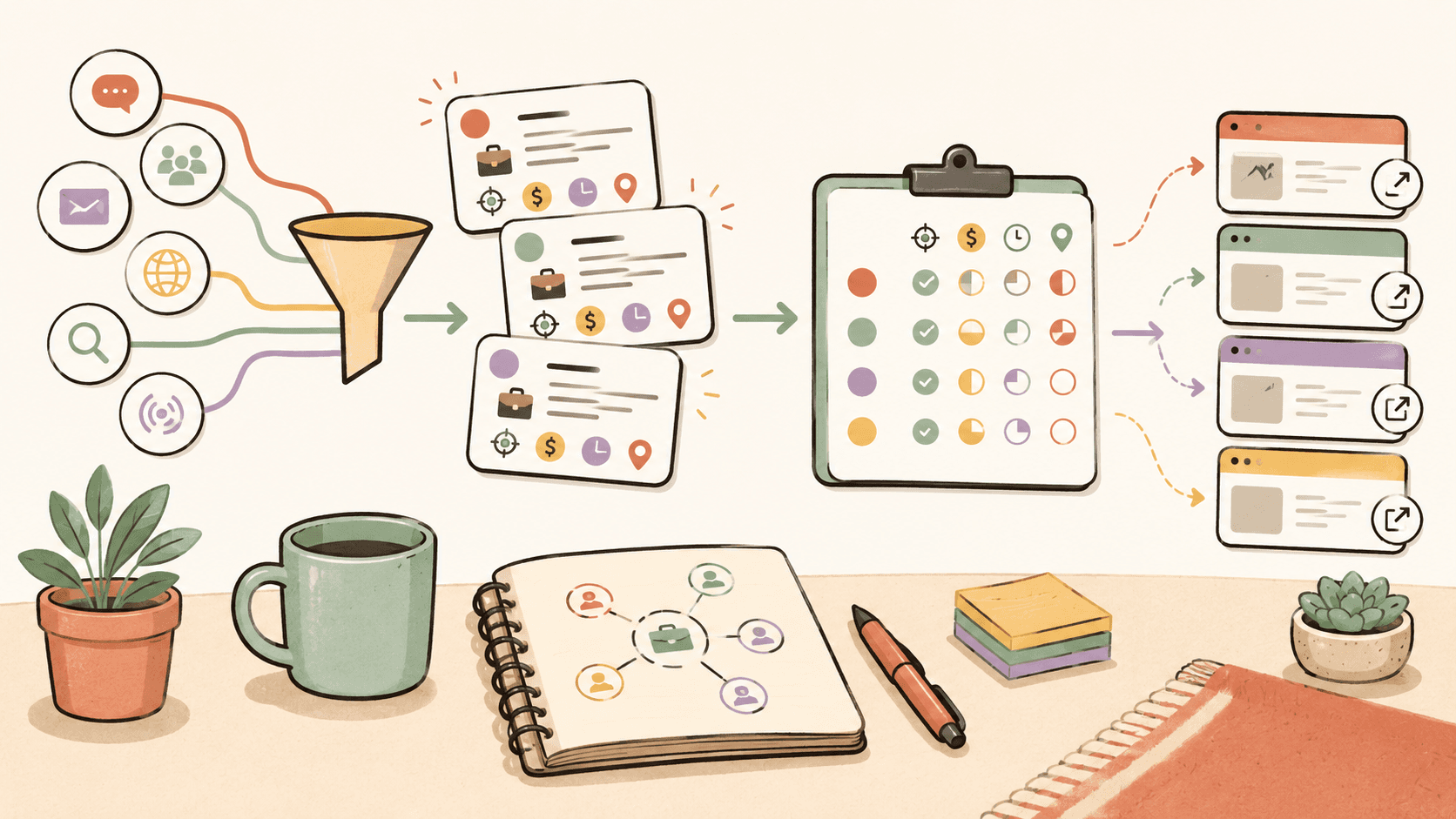
Where should you look first for paid projects?
Start with sources where buyers already show intent. For design and creative work, r/designjobs, r/forhire, Dribbble Jobs, Behance Joblist, and 99designs all serve slightly different purposes.
r/designjobs has about 150K members and is useful when you want design-specific posts without digging through every kind of freelance request. The fastest workflow is to open the subreddit, filter for the [Hiring] flair, sort by New, and scan for posts that name a deliverable such as logo design, UI mockups, brand identity, presentation design, or illustration.
r/forhire is broader and much larger, with about 1.3M members. Because it covers many categories, you need sharper searches. Search for terms like “designer,” “design,” “logo,” “Figma,” “UI,” “illustration,” or “branding” inside [Hiring] posts. Sorting by New matters because broad subreddits move quickly, and a post that looked fresh yesterday may already have dozens of replies.
r/Design, with about 400K members, is less direct as a project source but useful for networking and warm leads. You are less likely to find a clean “hire me now” post there, but discussions can reveal startup founders, indie builders, and creative directors asking for opinions. If someone is asking for feedback on a rough landing page or brand direction, do not hard-pitch immediately. Leave a useful comment, then check whether a polite follow-up makes sense.
For dedicated creative boards, Dribbble Jobs at https://dribbble.com/jobs is strong for UI/UX, graphic design, and illustration roles. Behance Joblist at https://behance.net/joblist is also free to browse and leans toward creative design roles. 99designs at https://99designs.com is different because it centers heavily on logo and branding design contests, and commission or contest terms vary by contest.
Do this now: open r/designjobs, filter for [Hiring], sort by New, then write down three recurring project types you see so you know what buyers are actively requesting.
How do you search each source without wasting time?
Use different search behavior for each platform. A single keyword list does not work everywhere.
On r/forhire, I would not simply search “work.” That gives too much noise. Use skill terms and buyer phrases together. Try searches like “designer [Hiring],” “logo [Hiring],” “UI designer [Hiring],” “Figma [Hiring],” or “illustrator [Hiring].” Then sort by New and open only posts that include budget, deadline, project scope, or a clear next step. If a post says “need designer ASAP” but gives no deliverable, budget, or business context, it may still be real, but it is not your highest-priority lead.
On r/designjobs, the [Hiring] flair does much of the filtering for you. Look for posts that define the asset, such as “brand identity for SaaS,” “landing page redesign,” “T-shirt illustration,” or “social media graphics package.” A specific deliverable makes it easier to respond with relevant portfolio samples.
On Dribbble Jobs, scan by role type. UI/UX roles are common there, and the benchmark for UI design work is often $50 to $150 per hour depending on scope, seniority, and client type. If you see a job asking for a full product redesign, clickable prototype, and design system support, do not price it like a single homepage mockup.
On Behance Joblist, evaluate whether the role matches your portfolio style. Behance is visual, so clients and companies often care about aesthetic fit. If your strongest work is editorial illustration, do not spend your best hour applying to a corporate dashboard role unless you have a relevant case study.
On 99designs, read contest terms before entering. Logo design can range from $200 to $2,000+ depending on the buyer, usage, and complexity, but contests can consume unpaid time if you join too many. Use 99designs selectively when the brief is clear and the prize or client history justifies the effort.
Do this now: create five saved searches, one for r/forhire “designer,” one for r/forhire “logo,” one for r/designjobs [Hiring], one Dribbble Jobs UI/UX scan, and one Behance Joblist creative design scan.
See fresh gigs on Sidequestboard
How can you tell whether a project has real buyer intent?
Real buyer intent shows up in details. A good paid project usually includes at least three of these: specific deliverable, budget or rate, timeline, decision-maker context, examples of desired style, application instructions, or a reason the work is needed now.
For example, a strong r/forhire post might say: “[Hiring] Logo designer needed for new coffee subscription brand. Budget $700. Need 3 initial directions and final files within two weeks. Please send 2 branding samples.” That is much better than “Need logo, DM me.” The first post gives you budget, scope, deadline, and proof that the buyer knows what they want.
Rate benchmarks help you filter too. If a buyer wants a complete brand identity, packaging mockups, and social templates for $75 total, that is far below normal logo and branding expectations. Logo design commonly ranges from $200 to $2,000+ depending on usage and depth. Graphic design work often falls around $30 to $100 per hour. Illustration can range from $50 to $500+ per illustration. UI design commonly sits around $50 to $150 per hour.
Also check the poster. On r/forhire or r/designjobs, click the account. Look for normal history, prior posts, comments that match the claimed business, or any signs of spam. A new account is not automatically fake, but a vague post from a brand-new account with no budget and urgency language should go lower in your queue.
On Dribbble Jobs and Behance Joblist, buyer intent is usually clearer because the listing format asks for role details. Still, read for scope creep. “Part-time designer” can mean 5 hours a week of social graphics or 25 hours a week across ads, web, email, and presentations.
Do this now: before responding to any post, score it from 1 to 5 on budget clarity, scope clarity, timeline clarity, and poster credibility. Only respond immediately to posts scoring 14 or higher out of 20.
What does a fast daily discovery workflow look like?
A good discovery workflow should take 30 to 45 minutes, not half your day. Here is a realistic sequence for a freelance designer or illustrator.
First, check r/designjobs for [Hiring] posts sorted by New. Spend 8 minutes scanning titles and opening only posts with design-specific deliverables. Save anything relevant in a Notion table, Trello board, or simple spreadsheet with columns for source, project type, budget, deadline, link, and response status.
Second, check r/forhire and search “designer” and “illustration” inside [Hiring] posts. Spend 10 minutes here because the subreddit has about 1.3M members and more noise. Open posts from the last 24 hours first. If you see a post from 3 hours ago looking for a packaging illustrator with a $500 budget, that gets priority over a vague post from two days ago.
Third, scan Dribbble Jobs for UI/UX, graphic design, and illustration roles. Spend 7 minutes checking whether anything matches your portfolio. If you charge $75 per hour for UI work, listings that imply senior product design responsibility may fit better than low-budget one-off tasks.
Fourth, scan Behance Joblist for creative design roles. Spend 5 to 7 minutes looking for companies whose visual style matches your strongest Behance projects. If the listing asks for motion graphics and your portfolio has none, skip it.
Fifth, check 99designs only if you have contest capacity. Spend 5 minutes reviewing logo and branding contests. Because contest terms and commission structures vary, do not enter unless the brief is clear and the potential payout justifies the speculative work.
Here is the key habit: save first, respond second. If you try to write every reply while scanning, you will lose momentum and miss fresh posts. Build a shortlist, then write focused replies to the best 3 to 5.
Do this now: set a 40-minute timer tomorrow morning and run this exact order: r/designjobs, r/forhire, Dribbble Jobs, Behance Joblist, then 99designs.
What should your first reply include when you find a fresh project?
Your first reply should prove fit quickly. Do not send a generic “I’m interested.” Buyers on r/forhire and r/designjobs often receive many replies, especially when a post includes a reasonable budget.
Use this structure:
- One sentence showing you understood the project.
- One sentence naming your relevant experience.
- Two portfolio links that match the request.
- One practical next step.
- A short note on availability or rate if appropriate.
For a r/forhire logo project with a $700 budget, a strong reply could look like this:
“Hi, I saw your post about needing a logo for a coffee subscription brand with final files in two weeks. I’ve designed brand marks for two food and beverage projects, including a subscription packaging concept and a local cafe identity. Here are two relevant examples: [link] and [link]. If helpful, I can send 3 initial directions by Friday and refine the strongest one next week. Your $700 budget is workable for logo exploration and final files.”
That reply is short, specific, and tied to the buyer’s scope. It works better than a long biography.
For a Dribbble Jobs UI role, the reply should be more case-study oriented. If UI design benchmarks are $50 to $150 per hour, a senior-style listing needs proof that you can handle flows, components, and product constraints, not just attractive screens. Link directly to a Figma case study or portfolio page that shows before-and-after decisions.
For illustration, where projects may range from $50 to $500+ per illustration, clarify usage. A spot illustration for a blog post is not the same as a hero illustration used in paid ads and website branding.
Do this now: write three reusable reply templates today, one for logo design, one for UI/UX, and one for illustration, each with two portfolio slots and one sentence about your availability.
How do you track opportunities across multiple sources?
Tracking matters because discovery without follow-up becomes tab hoarding. If you are checking r/designjobs, r/forhire, r/Design, Dribbble Jobs, Behance Joblist, and 99designs, you need one place to store leads.
A simple Notion or Trello setup works. Create columns called New, Responded, Follow Up, Closed, and Not a Fit. For each opportunity, capture the original link, source, posted date, project type, budget, and next action. Use tags like logoDesign, uiDesign, graphicDesign, and illustration so you can see where your best opportunities come from.
Here is a concrete example. You find a r/designjobs [Hiring] post for social media graphics at $40 per hour, a Dribbble Jobs UI/UX listing that likely fits your $80 per hour rate, and a 99designs branding contest with a $500 prize. Put all three into your tracker, but rank them differently. The Dribbble UI listing may be your highest-value fit. The r/designjobs post is worth a fast reply if the scope is clear. The 99designs contest should wait until you confirm the brief is specific enough to justify unpaid concept time.
Follow-up timing should be practical. For fresh Reddit posts, respond as soon as you have a relevant reply, usually within a few hours. For Dribbble Jobs and Behance Joblist roles, same-day or next-day applications are usually fine, but earlier is still better when the listing is highly relevant.
Sidequestboard can help if your current tracking problem starts before the spreadsheet, when you are still bouncing between public communities and social platforms. It gives you a cleaner feed for fresh public opportunities, lets you save interesting posts, and sends you to the original source to apply or respond directly. It is not a middleman and it does not guarantee work, but it can reduce the tab chaos that makes people miss good posts.
Do this now: create a five-column tracker and add one opportunity from r/forhire, one from r/designjobs, and one from Dribbble Jobs before the end of the day.
When should you use a curated feed instead of manual searching?
Manual searching is best when you are still learning where your buyers appear. Spend at least a week manually checking r/forhire, r/designjobs, Dribbble Jobs, Behance Joblist, and 99designs so you understand the patterns. You will learn which posts are worth your time, which budgets match your work, and which sources are too noisy.
A curated feed becomes useful when the manual process is working but taking too much time. If you already know that you want fresh public opportunities and you are tired of opening six tabs every morning, a tool can help you move faster. The value is not magic. The value is fewer repeated checks, easier saving, and a calmer workflow.
This is where Sidequestboard fits naturally. It helps opportunity seekers discover freelance, job, and project posts from public sources in one cleaner dashboard, save relevant opportunities, and open the original listing when it is time to apply, pitch, or respond. For someone monitoring r/forhire-style communities and social platforms, that can turn a scattered routine into a daily review queue.
You should still verify every opportunity. Check the original post, read the details, confirm the budget, and respond from the source where the opportunity was posted. If a logo design opportunity is far below the $200 to $2,000+ range, or a UI project wants senior product work below normal $50 to $150 per hour expectations, skip it or clarify scope before investing time.
Do this now: if you spend more than 30 minutes a day just finding posts before you can respond, test a curated feed and compare how many relevant opportunities you save in one week.
How should you prioritize projects once you find them?
Prioritize by fit, freshness, and value. A fresh r/forhire post from 2 hours ago with a clear $1,000 logo budget is usually more urgent than a week-old Behance listing that only vaguely matches your portfolio. A Dribbble Jobs UI/UX role that matches your case studies and rate range may be worth a tailored application even if it takes longer.
Use a simple priority score:
- Freshness: posted today, posted this week, or older.
- Budget fit: matches your rate, unclear, or too low.
- Portfolio fit: you have direct proof, adjacent proof, or no proof.
- Response effort: quick tailored reply, full application, or speculative contest work.
For example, imagine you find these three opportunities:
- r/designjobs [Hiring] brand identity project, posted 4 hours ago, budget $1,200.
- Behance Joblist creative role asking for editorial design, posted yesterday.
- 99designs logo contest with a $300 prize and a vague brief.
The r/designjobs post should likely get your first reply because it is fresh, clear, and inside the $200 to $2,000+ logo and branding range. The Behance role comes second if your portfolio matches. The 99designs contest comes third because contest work can cost time without a guaranteed return, and terms vary by contest.
Do this now: score your next five saved opportunities from 1 to 3 on freshness, budget fit, portfolio fit, and response effort, then only respond to the top two first.
What is the simplest weekly system for finding better paid projects?
Use daily scanning and weekly cleanup. Daily scanning keeps you close to fresh opportunities. Weekly cleanup shows you what is actually working.
Monday through Friday, scan r/designjobs [Hiring], r/forhire [Hiring] searches, Dribbble Jobs, and Behance Joblist. Check 99designs only when you have room for contest work. Spend most of your reply time on posts that match realistic rates: $30 to $100 per hour for graphic design, $50 to $150 per hour for UI design, $200 to $2,000+ for logo design, and $50 to $500+ per illustration.
On Friday, review your tracker. Count how many opportunities you saved from each source, how many you responded to, and how many replies came back. If r/forhire produced 12 saved posts but no good conversations, sharpen your searches. If Dribbble Jobs produced only two listings but both were strong matches, keep it in your routine. If 99designs consumed four hours and produced no useful outcome, reduce contest time next week.
The best system is boring in a good way: scan fresh sources, filter for buyer intent, save relevant posts, respond with proof, and review results weekly. Once that manual system is clear, Sidequestboard can make the discovery part calmer by putting fresh public opportunities into one dashboard so you can spend more time applying and pitching instead of hunting through tabs.
Do this now: schedule a 20-minute Friday review and track source, project type, budget range, reply sent, and outcome for every opportunity you saved this week.