July 23, 2026
Remote Leads Before the Crowd: A Fast Daily System
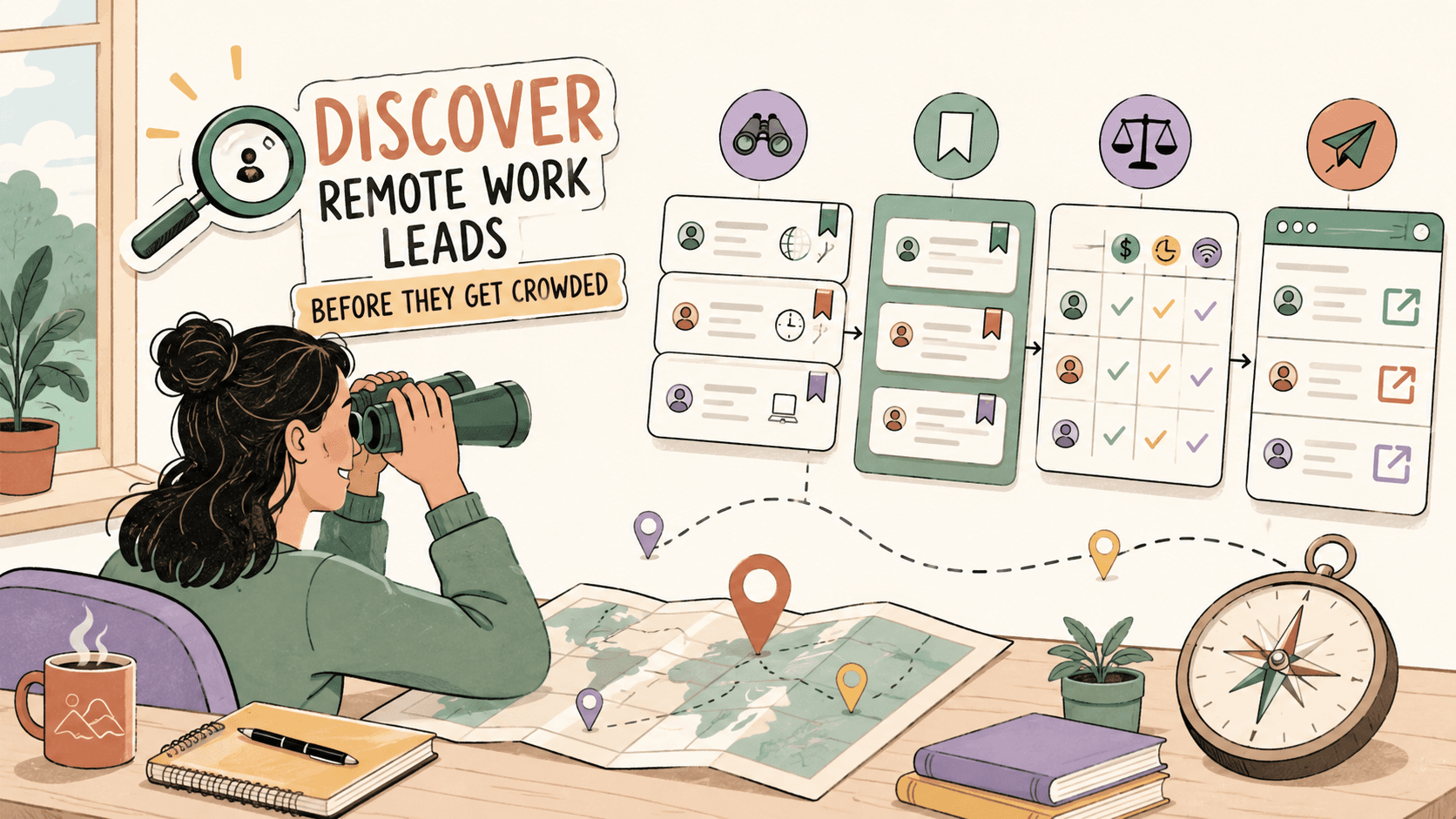
To find remote leads before they get crowded, stop relying on popular listings and monitor fresh signals: new Reddit posts, filtered job-board searches, LinkedIn alerts, Wellfound, company career pages, founder posts, niche communities, and newsletters. Score each lead for freshness, fit, legitimacy, and response quality, then send a short customized application or pitch before the opportunity goes stale.
Why do remote leads get crowded so quickly?
Remote leads crowd quickly because they are easy to find, easy to share, and easy to apply to. A remote customer support role, junior developer job, marketing position, virtual assistant listing, or freelance design project can attract applicants from far beyond one local hiring market.
Four forces make remote work feel especially competitive:
- Visible listings travel fast. A job on LinkedIn Jobs, We Work Remotely, Remote.co, or a popular subreddit can be bookmarked, shared, reposted, and scraped by aggregators.
- Remote roles expand the applicant pool. Many roles are open nationally or internationally, which increases the number of qualified people who can apply.
- Easy Apply creates low-effort volume. One-click applications increase applicant counts, even when many candidates are not a strong fit.
- Employers expect proof. Remote teams often screen for communication, independence, documentation habits, timezone clarity, and tool fluency in addition to role skills.
Being early helps, but only when your response is also specific. A fast generic application is still easy to ignore. A fast response with relevant proof is the advantage.
What is the fresh-lead rule for remote work?
The fresh-lead rule is: recency beats popularity when you are looking for remote leads. Sort by New, filter by posting date, check original company pages, and prioritize leads that were posted recently and closely match your skills.
Think of remote leads in three groups:
| Lead type | What it means | What to do |
|---|---|---|
| Fresh lead | Posted recently, still active, not widely circulated | Verify and act quickly |
| Recycled listing | Appears on multiple boards or has been reposted | Check the company careers page before applying |
| Stale listing | Old, closed, vague, or already flooded with replies | Skip unless it is an unusually strong fit |
A practical rule: if a public remote lead is under 24 hours old and matches your target role, score it immediately. If it scores well, apply or pitch the same day.
See fresh gigs on Sidequestboard
Where should you find remote leads before everyone else?
Use a mix of fast-moving public feeds, structured job boards, hidden sources, and direct company research. No single source is enough.
| Source | Best for | How to find fresh leads | Competition | Check frequency |
|---|---|---|---|---|
| r/RemoteJobs | General remote jobs | Sort by New and scan [Hiring] posts | Medium to high | Daily |
| r/forhire | Freelance and contract work | Search [Hiring] plus your skill | Medium | Daily |
| r/designjobs | Design projects and roles | Filter [Hiring], sort by New | Medium | Daily if design-focused |
| r/cscareerquestions | Tech hiring signals and company mentions | Search recent posts for remote, hiring, referrals | Indirect | 2-3x weekly |
| r/digitalnomad | Remote-work ideas and niche leads | Watch comments for companies, tools, and platforms | Indirect | Weekly |
| We Work Remotely | Tech, design, support, marketing | Browse categories by recency | High | Daily |
| Remote.co | Broader remote jobs | Use category filters | Medium to high | Daily |
| FlexJobs | Screened remote listings | Search by role and remote category | Medium | Daily if subscribed |
| Wellfound | Startup roles | Filter by Remote and role | Medium | Daily |
| LinkedIn Jobs | Formal roles and referrals | Use Remote filter, title keywords, alerts | High | Daily |
| Company career pages | Less-crowded direct applications | Check target companies before roles spread | Lower to medium | 2-3x weekly |
| Founder LinkedIn or X posts | Startup and early hiring signals | Follow founders, hiring managers, operators | Lower | Daily skim |
| Niche Slack/Discord groups | Skill-specific gigs and roles | Join relevant communities and watch hiring channels | Lower to medium | Daily/weekly |
| Newsletters | Curated remote and niche roles | Subscribe to relevant job or industry newsletters | Medium | When delivered |
| Agency/studio hiring pages | Contract overflow and specialist work | Check studios in your niche | Lower | Weekly |
| Alumni/professional groups | Warm leads and referrals | Watch group posts and ask for context | Lower | Weekly |
Start with three core sources and two hidden sources. For example, a remote marketer might check LinkedIn Jobs, Wellfound, We Work Remotely, founder LinkedIn posts, and marketing Slack groups.
How do you set up alerts and saved searches?
Set up alerts so you are not manually hunting all day. The best alert system combines job-board alerts, saved searches, browser bookmarks, community notifications, and email newsletters.
Use these setups:
- LinkedIn Jobs: Search a specific title, select Remote, then create an alert. Use focused searches such as “remote lifecycle marketing manager,” “remote customer success associate,” or “remote React developer.”
- Wellfound: Save searches with Remote selected and your preferred role, company stage, or salary filter where available.
- We Work Remotely and Remote.co: Bookmark your target category pages instead of scanning every listing.
- Reddit: Bookmark subreddit searches sorted by recency. Try queries such as “hiring remote writer,” “hiring Figma designer,” “remote customer support,” “React contract,” “virtual assistant,” “part-time remote,” “Shopify developer,” or “Webflow designer.”
- Newsletters: Subscribe to role-specific newsletters, not only general remote-work newsletters. A niche customer success, no-code, product design, or developer newsletter can surface leads earlier than broad boards.
- Communities: In Slack or Discord groups, mute general chatter and turn on notifications only for hiring, gigs, jobs, opportunities, or introductions channels if the community supports it.
Create a browser bookmark folder called Fresh Remote Leads. Add your filtered LinkedIn search, Wellfound remote search, Reddit searches, We Work Remotely category, Remote.co category, and two company careers pages you care about.
Which remote leads deserve your time first?
Use a lead score before you apply. This prevents you from chasing every post just because it is new.
Score each lead out of 10:
| Factor | Points | What to check |
|---|---|---|
| Freshness | 0-2 | Posted within 24 hours gets the highest score |
| Skill match | 0-2 | The role fits your actual experience, portfolio, or service |
| Pay or scope clarity | 0-1 | Salary, rate, budget, or project scope is clear enough |
| Legitimacy | 0-2 | Company, poster, domain, and details can be verified |
| Response advantage | 0-1 | You can include a strong proof point quickly |
| Decision-maker visibility | 0-1 | Hiring manager, founder, recruiter, or client is identifiable |
| Referral potential | 0-1 | You have a connection or community path to warm outreach |
Use this decision rule:
- 8-10: Verify and act now.
- 5-7: Save, research, and apply later if still active.
- 0-4: Skip unless there is a special reason.
Example 1: A fresh r/forhire post asks for a Figma designer for a SaaS dashboard, includes a budget, and the poster has a real history. You have a dashboard case study. That may score 8 or 9, so reply quickly.
Example 2: A LinkedIn remote marketing role is three weeks old, has 500+ applicants, and no referral path. Even if it looks interesting, it may score 4 or 5. Apply only if your fit is unusually strong.
How do you use Reddit without losing hours?
Reddit can be useful for early remote leads because posts often appear before they are polished into formal listings. It is also noisy, so you need a narrow workflow.
Use Reddit this way:
- Sort by New, not Hot. Popular posts are often already crowded.
- Search inside the subreddit. Use role, tool, and service keywords.
- Check the poster. Look at account age, comment history, specificity, and whether they post the same vague request everywhere.
- Separate job posts from freelance posts. A full-time job needs company verification. A freelance post needs scope, budget, timeline, and payment terms.
- Watch discussion threads for indirect leads. In communities like r/cscareerquestions or r/digitalnomad, useful leads often appear in comments when someone mentions a company, team, or niche hiring path.
Recommended Reddit workflows:
- r/RemoteJobs: Sort by New, scan [Hiring] posts, verify the company domain before applying.
- r/forhire: Search [Hiring] plus your skill, such as writer, designer, React, Shopify, WordPress, editor, virtual assistant, or automation.
- r/designjobs: Filter [Hiring] and reply only when scope, budget, and deliverables are clear.
- r/cscareerquestions: Search recent posts for remote, hiring, referral, startup, or your technology stack.
- r/digitalnomad: Look for comments that mention remote-friendly companies, contract platforms, agencies, and location-independent niches.
Reddit reply template:
I can help with [specific problem from the post]. I’ve done [relevant proof point] for [similar client/project/type of company]. Here is one relevant example: [link]. Are you looking for [clarifying question 1] or [clarifying question 2]? If helpful, I can send a short plan or availability today.
Do not paste the same reply everywhere. The first line should prove you read the post.
Which remote job boards are worth checking daily?
The best remote job boards are worth checking daily only when you use filters. Scanning everything wastes time.
We Work Remotely is useful for tech-adjacent remote roles, especially programming, design, product, marketing, sales, and customer support. Browse your category and click through to confirm that the role is still active.
Remote.co is useful for broader remote categories, including support, writing, HR, operations, and marketing. Use category filters instead of general browsing.
FlexJobs is a paid option with hand-screened listings. The referenced pricing is $9.95/week or $24.95/month. It can be worth it if scam filtering saves you time or if you are applying consistently. Free sources may be enough if you already have strong target companies and reliable alerts.
Wellfound is best for startup roles. Filter by Remote, then tailor your message to the product, customer, and stage of the company.
LinkedIn Jobs is crowded, but still valuable for referrals. Use the Remote filter, set alerts, and check whether you have first- or second-degree connections at the company before applying.
For any formal job board, check the company’s own careers page when possible. If the role is closed there, do not waste time on an old repost.
What hidden remote lead sources do most applicants ignore?
Hidden remote leads are not secret jobs. They are early signals that appear before a role becomes a crowded listing.
Check these sources:
- Company career pages: Build a target list of 20-50 remote-friendly companies and check their careers pages weekly.
- Founder and hiring manager posts: Startup founders often post early hiring needs on LinkedIn or X before a formal listing is widely distributed.
- Niche communities: Join communities for design, no-code, data, writing, customer success, RevOps, product management, software development, or operations.
- Agency and studio hiring pages: Agencies often need contractors for overflow work, production support, design, development, content, SEO, and paid media.
- Portfolio communities: Designers, developers, writers, and no-code builders can find informal project needs in portfolio and maker communities.
- Alumni groups: School, bootcamp, and former-company networks can surface warm leads and referral paths.
- Professional associations: Industry groups often share jobs before they reach mass-market boards.
- Local startup groups: Even remote roles may first appear in a local founder, accelerator, or startup community.
A good hidden-source routine is simple: choose five target companies, three communities, two newsletters, and one alumni or professional group. Review them weekly and track which ones actually produce useful leads.
How fast should you respond to a remote lead?
For public freelance posts and broad remote roles, the first few hours can matter. For formal full-time jobs, early applications help, but fit, proof, and referral quality matter more than speed alone.
Use this timing guide:
- Freelance gigs on Reddit or communities: Respond as soon as you can verify basic legitimacy and scope.
- Broad remote roles: Apply within 24 hours if the fit is strong.
- Specialist roles: You may have more time, but a tailored response still beats a rushed generic one.
- Startup roles: Move quickly, especially if a founder or hiring manager posted directly.
- Old listings: Check the company careers page before spending time.
Daily rhythm:
- Morning: Scan alerts, Reddit, and priority boards.
- Midday: Check hidden sources and fresh founder/community posts.
- Evening: Apply or pitch to the best leads and update your tracker.
Weekly review:
- Remove sources that produce low-quality leads.
- Add new keywords based on roles you keep seeing.
- Track which sources generate replies, interviews, or paid projects.
- Improve your templates based on objections or questions you receive.
How do you stand out after finding the lead early?
Being early is not enough. You need to make the employer or client believe you can solve their problem with less risk than the next applicant.
Include four things in your response:
- A specific problem frame: Show that you understand the role, project, or business need.
- One relevant proof point: Mention a similar project, metric, employer, client, portfolio piece, or shipped work.
- One useful link: Resume, LinkedIn profile, portfolio, case study, GitHub, writing sample, design file, or project page.
- One tailored insight: Add a short observation about the company, product, audience, or project.
Remote-readiness proof matters. Mention evidence of:
- Clear asynchronous communication.
- Written documentation habits.
- Independent execution.
- Timezone overlap or availability.
- Familiarity with tools such as Slack, Notion, Linear, Jira, GitHub, Figma, Google Workspace, Loom, HubSpot, Zendesk, or Intercom when relevant.
Entry-level applicants should not pretend to have experience they do not have. Use coursework, internships, volunteer work, self-directed projects, open-source work, mock projects, community management, writing samples, or customer-facing experience as proof.
What outreach templates can you customize fast?
Use templates to move quickly, but customize every message. Mass-sending generic outreach usually performs poorly.
Reddit [Hiring] freelance reply template
I can help with [specific deliverable]. I’ve worked on [similar project/result], and this example is closest to what you described: [link]. A couple of quick questions: do you already have [asset/access/brief], and is the deadline [timeline]? If it fits, I can send a short scope and availability today.
LinkedIn referral or context request template
Hi [Name], I’m applying for the remote [Role] at [Company] and noticed you’re connected to the team. My background is in [relevant proof]. If you’re open to it, I’d appreciate any advice on what the team values most for this role. No pressure either way.
Hiring manager email after applying
Subject: Applied for [Role] — [specific proof]
Hi [Name], I applied for the remote [Role] and wanted to share why it stood out. [Company-specific observation]. In my recent work, I [relevant achievement or project]. Here is the most relevant link: [link]. If useful, I’d be glad to discuss how I’d approach [role-specific problem].
Startup role outreach template
Hi [Name], I saw that [Company] is hiring for [Role]. I’m interested because [specific product/customer/stage reason]. I’ve done [relevant proof], and I think that maps to [specific challenge the company may have]. I applied here: [link or note]. If helpful, I can also send a short note on how I’d approach the first 30 days.
Follow-up after 3-5 business days
Hi [Name], quick follow-up on my application/message for [Role or Project]. I’m still interested because [specific reason]. The most relevant example of my work is [link]. If the timing is not right, no problem — I appreciate your consideration.
Keep each message short. The goal is to make the next step easy, not to tell your whole career story.
Which workflow should you use for your job seeker type?
Different remote seekers need different lead sources and proof.
Entry-level remote job seeker
Prioritize remote-friendly companies, internships, apprenticeships, customer support roles, coordinator roles, junior operations roles, and portfolio-backed applications. Your proof can include coursework, volunteer projects, internships, mock projects, documentation samples, writing samples, or examples of handling customers or communities.
Daily focus: LinkedIn Jobs, Remote.co, company career pages, alumni groups, and newsletters.
Experienced professional
Prioritize referrals, hiring manager outreach, niche boards, and target-company lists. You should not rely only on Easy Apply. Use your experience to create a sharper message around outcomes, systems, revenue, retention, speed, quality, cost savings, or team leadership.
Daily focus: LinkedIn alerts, target companies, founder or hiring manager posts, Wellfound, and niche professional communities.
Freelancer or contractor
Prioritize fast-moving sources where projects appear before they become formal job posts. Reddit, niche Slack groups, Discord communities, agency overflow pages, founder posts, and industry communities can work well.
For design leads, use realistic benchmarks when qualifying projects: logo design can range from $200-2000+, UI design often lands around $50-150/hr, graphic design can run $30-100/hr, and illustration can be $50-500+ per illustration depending on scope, usage, and complexity.
Daily focus: r/forhire, r/designjobs if relevant, niche communities, agency pages, and direct outreach to studios.
Startup job seeker
Prioritize Wellfound, founder posts, product communities, startup newsletters, accelerator job pages, and direct messages that show product understanding. Startup teams often value concise communication and evidence that you understand their users.
Daily focus: Wellfound Remote filters, founder LinkedIn or X posts, startup communities, company pages, and warm intros.
How do you verify a remote lead before sharing personal information?
Verify remote leads before sending sensitive information, buying equipment, or moving too quickly into private chat. Scammers often target people who are eager to work remotely.
Use this checklist:
- Does the company name match the website domain?
- Does the role appear on the company careers page?
- Does the email domain match the company, not a lookalike?
- Does the LinkedIn company page look legitimate?
- Do employees appear to work there?
- Is the pay, salary, project scope, or application process clear?
- Is anyone asking for upfront payment, equipment purchases, crypto transfers, gift cards, or banking details too early?
- Is the poster pressuring you to move immediately to encrypted chat without clear details?
For freelance work, require a written scope before starting. At minimum, define deliverables, deadline, payment amount, payment schedule, revision limits, ownership or usage rights, and communication channel.
Skip any lead that combines vague work, unusually high pay, urgency, and requests for money or sensitive documents.
How should you track remote leads so they do not disappear?
Track every serious remote lead in one place. Otherwise, fresh posts get lost across Reddit saves, LinkedIn bookmarks, screenshots, browser tabs, emails, and DMs.
Use Google Sheets, Notion, Airtable, Trello, or Sidequestboard. The tool matters less than the fields.
Track:
- Source.
- Original link.
- Role or project type.
- Company, client, or poster.
- Date posted or date found.
- Lead score.
- Pay, salary, budget, or rate if listed.
- Status.
- Next action.
- Follow-up date.
- Result.
- Notes on fit or red flags.
A simple pipeline works well:
Found → Verified → Applied/Pitched → Followed Up → Interview/Call → Closed
Tracking also teaches you which sources are worth your time. If r/forhire gives you replies but LinkedIn Easy Apply does not, adjust your routine. If one newsletter never produces relevant leads, unsubscribe.
Sidequestboard fits naturally here if your leads are scattered across public sources and you want a calmer way to review, save, and act on opportunities. It is not a marketplace, recruiter, or guarantee of work. It is a workflow tool for organizing fresh opportunities so you can open the original source, apply or reply there, and keep your follow-up process from getting messy.
What 20-minute daily routine finds fresher remote leads?
Use a routine short enough to repeat. The scan finds leads; the actual applications or pitches may take additional focused time afterward.
Minute 0-5: Check alerts and email
Review LinkedIn Jobs alerts, Wellfound saved searches, remote job newsletters, community notifications, and any saved search emails.
Minute 5-10: Check fast-moving feeds
Open Reddit searches sorted by New, niche Slack or Discord hiring channels, and any community boards where fresh posts appear.
Minute 10-15: Check priority boards and company pages
Review We Work Remotely, Remote.co, FlexJobs if subscribed, Wellfound, LinkedIn Jobs, and the careers pages of your target companies.
Minute 15-20: Score and choose action
Score the best leads. Apply immediately to 8-10 scores, save 5-7 scores for research, and skip weak or suspicious leads.
Then block separate time for your top applications or pitches. A good customized response usually takes longer than the scan itself.
Where does Sidequestboard fit into this workflow?
Sidequestboard is useful when your remote lead search is spread across too many sources. Instead of treating it like a magical job marketplace, use it as part of the workflow: review fresh opportunities, save promising leads, track status, and avoid losing posts across tabs and screenshots.
A practical setup is:
- Keep formal alerts on LinkedIn Jobs, Wellfound, We Work Remotely, Remote.co, and FlexJobs if you use it.
- Use Reddit, communities, newsletters, founder posts, and company pages for fresher signals.
- Use Sidequestboard to organize opportunities you want to evaluate, apply to, pitch, or follow up on.
The benefit is less hunting chaos and more consistent action.
What checklist should you use before acting on a remote lead?
Before you apply or pitch, run this final check:
- Is the lead recent enough to justify fast action?
- Does it match your target role, skill, or service?
- Can you verify the company, client, or poster?
- Is the pay, salary, scope, or application process clear enough?
- Do you have one specific proof point to include?
- Can you add one tailored observation about the company or project?
- Do you know the next step after sending?
- Have you saved the lead in your tracker?
- Have you set a follow-up date?
If the answer is mostly yes, send a focused response now. If not, research, save for later, or skip it.
FAQ
What are remote leads?
Remote leads are potential remote work opportunities, including full-time jobs, part-time roles, contract projects, freelance gigs, startup openings, agency overflow work, and warm referral opportunities.
What is the fastest way to find remote work leads before everyone else?
Sort active sources by recency and use saved searches. Start with r/RemoteJobs sorted by New, r/forhire [Hiring] searches, LinkedIn Jobs alerts with Remote selected, Wellfound Remote filters, We Work Remotely categories, Remote.co filters, company career pages, and niche communities.
Which subreddits are best for remote leads?
Use r/RemoteJobs for remote postings, r/forhire for freelance and contract projects, r/designjobs for design work, r/cscareerquestions for tech hiring discussions, and r/digitalnomad for indirect leads around location-independent work.
How quickly should I apply to a remote job posting?
For broad public remote leads, try to act within 24 hours if the role is a strong fit. For freelance posts, the first few hours can matter more. For formal jobs, speed helps, but relevant proof and referrals are often more important than applying instantly.
How do I know if a remote lead is legitimate?
Check the company domain, careers page, LinkedIn company page, employee presence, email domain, pay clarity, and application process. Avoid leads that ask for upfront payments, equipment purchases, banking details, or private-chat moves before basic details are clear.
Is FlexJobs worth paying for?
FlexJobs can be worth it if screened listings save you time and reduce scam exposure. The referenced pricing is $9.95/week or $24.95/month, so it makes the most sense if you are actively applying and want vetted remote listings.
How can entry-level applicants compete for remote leads?
Entry-level applicants should use proof instead of vague claims. Show coursework, internships, volunteer work, self-directed projects, writing samples, documentation, customer-facing experience, or portfolio projects that prove communication and follow-through.
What should freelancers include in a fast remote lead reply?
Include the specific deliverable, one relevant proof point, one portfolio or case-study link, one or two clarifying questions, and a clear next step. Do not start work without written scope, payment terms, deadline, and deliverables.
How should I track remote leads?
Track source, link, company or poster, role, date found, lead score, status, next action, follow-up date, and result. Use a spreadsheet, Notion, Airtable, Trello, or Sidequestboard as long as the system keeps your follow-ups visible.
Does Sidequestboard guarantee remote work?
No. Sidequestboard does not guarantee jobs or act as a recruiter. It helps you organize and review fresh opportunities so you can save leads, open the original source, apply or reply directly, and track follow-ups more consistently.
Related guides
- How to Compare Remote Work Leads from Reddit Communities
- How to Find Side Gigs as a Beginner: 12 Ways to Get Paid Leads
- How to Find Job Leads as a Beginner Without Refreshing 20 Tabs
- How to Track Remote Work Leads from Public Posts
- How to Track Side Gigs With No Experience: A Beginner Tracker Workflow