July 15, 2026
How to Find Work Online From Home Without Getting Lost in Tabs
To find work online from home, pick one service you can sell, search specific communities like r/forhire and r/designjobs daily, check Dribbble and Behance job lists, respond quickly with a relevant portfolio link, and track every lead. Designers can benchmark rates from $30-100/hr for graphic design to $50-150/hr for UI design.
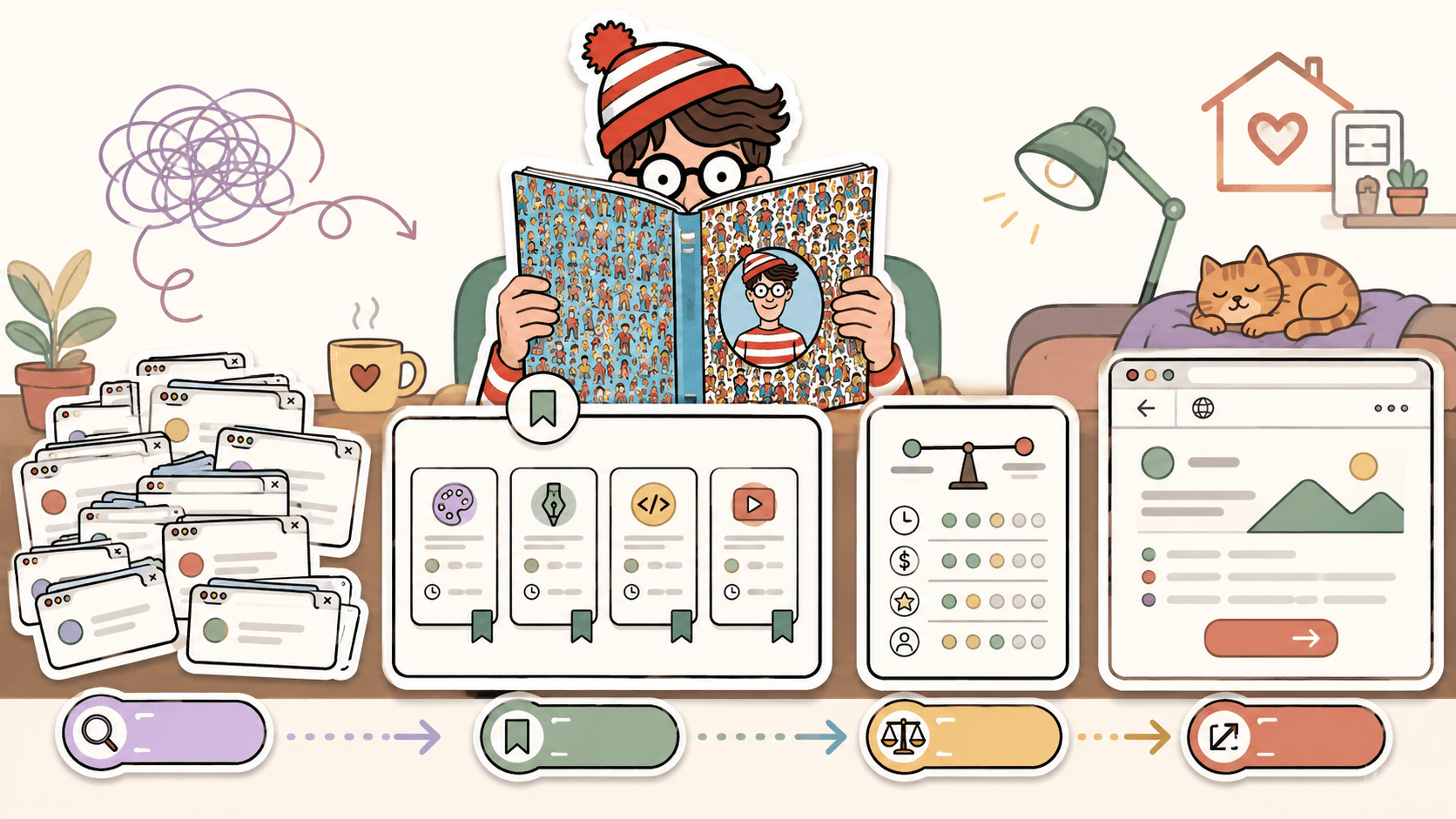
What kind of online work from home should you look for first?
Start with a service that can be judged quickly from examples. Remote clients move faster when they can see proof. For design work, that usually means logo design, UI design, graphic design, or illustration.
Use realistic rate benchmarks before you pitch. Logo design commonly ranges from $200-2,000+ depending on brand scope, revisions, and usage. UI design often falls around $50-150/hr. Graphic design is commonly $30-100/hr. Illustration can range from $50-500+ per illustration depending on style, licensing, and complexity.
Do not begin by saying, “I can do anything.” Pick one lane for your search terms and portfolio. For example:
- “I design SaaS landing page hero sections and pricing pages.”
- “I create podcast cover art and YouTube thumbnails.”
- “I make clean logo systems for early-stage businesses.”
- “I illustrate simple editorial graphics for blogs and newsletters.”
This matters because r/forhire has 1.3M members, and generic replies vanish quickly. If a post asks for a designer and you answer with a specific, relevant sample, you immediately look more serious than someone sending a one-line “DM me.”
Do this now: write one sentence describing the exact online service you want to sell, then collect 3-5 matching portfolio examples before you browse for leads.
Where should you search for online work from home?
Use a short list of platforms instead of browsing everywhere. For design and creative work, start with these specific sources.
r/forhire is one of the broadest places to find remote freelance posts, with about 1.3M members. Search for “designer” or “design” inside [Hiring] posts, then sort by New. You will see everything from logo needs to website refreshes to UI work. The speed matters because strong posts can receive dozens of replies in the first few hours.
r/designjobs has around 150K members and is more focused. Check the [Hiring] flair for design projects. Because it is narrower than r/forhire, the volume is lower, but the relevance is usually better if you are a graphic designer, UI designer, illustrator, or brand designer.
r/Design has around 400K members. It is not just a job feed, but it can be useful for networking and soft leads. Watch discussion threads where founders, marketers, and creators ask for feedback. Do not spam your services. Give useful feedback first, then mention your portfolio only when it is relevant.
Dribbble Jobs at https://dribbble.com/jobs is a strong place for UI/UX, graphic design, and illustration roles. It is free to browse. The listings are more formal than Reddit posts, so you usually need a cleaner portfolio and a more polished application.
Behance Joblist at https://behance.net/joblist is also free and focused on creative design roles. Behance is especially useful if your portfolio already lives there because the platform naturally connects your work samples to your profile.
99designs at https://99designs.com is different because it is contest-based for work like logo and branding design. Commission and contest economics vary by contest, so read the details before spending time. It can be useful for building portfolio samples, but do not rely only on contests if you need predictable income.
Do this now: bookmark r/forhire, r/designjobs, r/Design, Dribbble Jobs, Behance Joblist, and 99designs. Put them in one browser folder named “Daily leads.”
Browse today’s opportunities on Sidequestboard
How do you search r/forhire without wasting time?
When you search r/forhire, the goal is not to read everything. The goal is to find recent [Hiring] posts that match your service and reply before the post goes cold.
Here is a practical walkthrough.
Open r/forhire and search for “designer” or “design” in [Hiring] posts. Sort by New. Look for posts from the last few hours first. If you see a post titled something like “[Hiring] Need a logo designer for a small business rebrand,” open it and check four things before replying:
- Does the post describe the deliverable clearly, such as logo, brand guide, UI screen, banner, or illustration?
- Is there a budget or at least a rate expectation?
- Does the poster have account history that looks normal, not a brand-new account with vague demands?
- Can you show a relevant portfolio example in one click?
A good first reply is specific and short:
“Hi, I design logo systems for small businesses. Your rebrand sounds close to this bakery identity project: [portfolio link]. For a logo plus basic color/type guide, my usual range is $500-900 depending on revision scope. I can send 2-3 direction options after a short brief. Happy to take a look if you are still reviewing designers.”
That is stronger than “Interested, DM me” because it includes relevance, proof, a realistic budget range, and a next step.
For UI posts, use the benchmark differently. If someone wants dashboard redesign help, and you normally charge $75/hr inside the broader $50-150/hr UI design range, say that clearly. Clients who cannot afford you will self-filter, and serious clients will know how to evaluate you.
Do this now: create three saved reply templates, one for logo work, one for UI work, and one for graphic design. Leave blanks for the client’s project detail so each reply feels written for that post.
How do you use r/designjobs and r/Design differently?
r/designjobs and r/Design should not be treated the same.
On r/designjobs, focus on [Hiring] flair. The community has around 150K members, so it is smaller than r/forhire but more targeted. Your routine should be simple: open the subreddit, filter for [Hiring], sort by New, and only reply to posts where you can show directly relevant design examples.
If a post asks for social media graphics, do not send a UI dashboard. If it asks for illustration, do not send a logo grid. Match the sample to the ask. For graphic design, a realistic range of $30-100/hr gives you room to quote based on complexity. A simple flyer might be a fixed project fee. A monthly design support retainer should be priced with hours and turnaround expectations.
r/Design is better for relationship building. Since it has around 400K members, many posts are discussions, critiques, and design questions rather than direct hiring posts. You can still find leads by being useful. For example, if someone posts a landing page and asks why conversions are low, give specific feedback: contrast, hierarchy, call-to-action placement, mobile spacing, and trust signals. If they respond positively, you can say, “I do this kind of landing page design work remotely. Here is a relevant example if you want to compare approaches.”
That kind of reply works because it starts with value, not a pitch.
Do this now: spend 15 minutes in r/Design answering one critique thread with specific design feedback. Do not pitch unless the original poster asks for help or the conversation naturally opens that door.
How should you apply on Dribbble and Behance?
Dribbble Jobs and Behance Joblist are better for more polished remote opportunities. Both are free to browse, and both attract design-focused roles. The difference is how you present yourself.
On Dribbble Jobs, many listings are for UI/UX, graphic design, and illustration. If you are applying for UI design, lead with a portfolio piece that shows screens, flows, and product thinking. A single beautiful shot is not always enough. Include a short note about the problem, your role, and the result. Your rate expectations should fit the level of the role. For freelance UI design, $50-150/hr is a realistic market range depending on seniority and complexity.
On Behance Joblist, your Behance profile can work as part of the application if it is organized. Put your strongest relevant projects first. If you want remote graphic design work, show campaign graphics, brand assets, layouts, and before-and-after examples. If you want illustration work, separate editorial, character, packaging, and spot illustration examples so clients do not have to interpret your range.
A good application note for Behance or Dribbble is concise:
“Hi, I am a remote UI designer focused on SaaS onboarding and dashboard flows. This project is relevant because it includes a settings dashboard, empty states, and mobile-responsive components: [link]. I usually work in the $75-100/hr range depending on scope. If helpful, I can send a quick review of where I would start on your product.”
Avoid sending the same generic cover letter to every listing. These boards are crowded, and the fastest way to look average is to make the client hunt for relevance.
Do this now: update the first three projects on your Dribbble or Behance profile so they match the type of remote work you want this month.
Should you use 99designs for online work from home?
99designs can be useful, but it should not be your only channel. It is built around design contests, especially logo and branding design. Commission and contest details vary, so read each contest carefully before investing hours.
The upside is that 99designs can help newer designers practice briefs, build samples, and learn how clients describe branding problems. The downside is that contests can involve unpaid speculative work if you do not win. If you already have strong logo samples, you may get a better return by using r/forhire, r/designjobs, Dribbble Jobs, and Behance Joblist to find direct opportunities.
Use 99designs selectively. For example, if a contest aligns perfectly with your style and the prize is worth the effort, enter with a design you can later adapt into a portfolio case study if the rules allow it. If the brief is vague, the contest has too many entries, or the prize does not justify your time, skip it.
For logo design, remember the broader market range: $200-2,000+ depending on deliverables and client type. If you spend 10 hours on a contest with a low chance of winning, compare that against directly pitching a logo package to a founder with a fixed quote.
Do this now: if you try 99designs, cap your contest time. Choose one contest, set a maximum number of hours, and stop when you hit that limit.
How do you know if an online work post is legitimate?
Before you reply, do a quick legitimacy check. This saves hours and protects you from vague, underpaid, or suspicious work.
On r/forhire and r/designjobs, check the poster’s account history. A normal account may have older comments, industry context, or past posts that make sense. A suspicious post may be brand new, ask for free samples, avoid budget details, or push you immediately to an unrelated messaging app.
Look for scope clarity. A good post says what they need: “three homepage concepts,” “logo plus brand colors,” “five podcast cover variations,” or “illustration for a newsletter header.” A weak post says “need designer ASAP” and nothing else.
Protect your time with a simple intake question:
“Can you confirm the deliverables, deadline, budget range, and whether you already have brand assets or examples?”
For rates, use the benchmarks as a filter. If someone wants full UI design for $50 total, that does not match the normal $50-150/hr range for UI design. If someone wants ongoing graphic design work at $5/hr, that is far below the $30-100/hr range many freelance graphic designers quote.
Do this now: make a four-line checklist for every lead: source, budget, scope, next step. If any of those are missing, ask before you commit time.
What daily workflow helps you find work before posts go cold?
A daily workflow beats random searching. You want a routine that finds fresh posts, helps you respond quickly, and keeps you from applying twice or forgetting good leads.
Here is a 45-minute daily workflow:
- Spend 10 minutes on r/forhire. Search “designer” and “design” in [Hiring] posts, sort by New, and save anything relevant.
- Spend 10 minutes on r/designjobs. Check [Hiring] flair and reply only to posts that match your portfolio.
- Spend 5 minutes in r/Design. Leave one useful comment in a discussion or critique thread.
- Spend 10 minutes on Dribbble Jobs and Behance Joblist. Open only listings that match your current service lane.
- Spend 10 minutes sending tailored replies and logging each opportunity.
Use Notion, Trello, Airtable, or a simple spreadsheet to track opportunities. Create columns for Source, Link, Role or Project, Budget, Date Found, Reply Sent, Follow-up Date, and Status. This is boring, but it prevents the most common freelance problem: losing track of warm leads.
A simple status flow works:
- Found
- Replied
- Follow up
- Interview or call
- Won
- Passed
- No response
Responding fast matters. On active communities like r/forhire, a post from 3 hours ago is usually more promising than a post from 3 days ago. You do not need to live online all day, but checking once in the morning and once in the late afternoon gives you a better shot at fresh posts.
Do this now: create a tracking board with the seven columns above, then add the last three opportunities you looked at, even if you have not replied yet.
How can Sidequestboard make this search calmer?
Once you know which sources matter, the next bottleneck is tab chaos. Checking r/forhire, r/designjobs, r/Design, Dribbble, Behance, 99designs, and other public communities manually can eat the time you should spend pitching.
Sidequestboard is a curated job and opportunity discovery dashboard for people looking for fresh public opportunities from communities and social platforms. It helps you discover posts in one cleaner feed, save interesting opportunities, open the original source, and apply or respond directly where the listing lives.
That distinction matters. Sidequestboard is not a middleman and does not guarantee work. It helps you monitor public opportunities with less friction, so you can spend more time writing good replies, improving your portfolio, and following up.
A practical way to use it is simple: keep your service lane narrow, scan your feed daily, save relevant posts, then open the original listing and respond with the same tailored approach described above. If a first reply is appropriate, drafting faster can help, but your proof and fit still matter most.
Do this now: if your current system is a pile of tabs, replace one manual search session with a calmer saved-opportunity workflow and compare how many relevant leads you actually respond to.
What should your first message include?
Your first message should make the client’s decision easier. Include four things: relevance, proof, price context, and a next step.
For a logo project from r/designjobs:
“Hi, I saw your [Hiring] post for a logo designer. I focus on clean brand identities for small businesses, and this project is closest to what you described: [link]. Logo projects like this are usually in my $600-1,200 range depending on whether you need a mini style guide and revisions. If you are still reviewing designers, I can send a few questions about audience, usage, and style direction.”
For an illustration lead from Behance:
“Hi, I create editorial illustrations for newsletters and blogs. This sample matches the simple, textured style you referenced: [link]. My illustration work typically ranges from $150-500+ per piece depending on detail and licensing. I can send availability and a rough timeline after seeing the brief.”
For a UI design post on r/forhire:
“Hi, I design SaaS interfaces remotely. Your dashboard redesign sounds similar to this case study: [link]. My UI work is usually $75/hr, within a typical $50-150/hr freelance UI range depending on scope. If useful, I can review the current flow and suggest the first three screens I would improve.”
Do this now: rewrite your next pitch so the first two lines mention the client’s actual project and your closest matching proof.
What is the fastest way to start finding work online from home this week?
Use a seven-day sprint. Do not try to perfect everything before sending replies.
Day 1: Pick one service lane, such as logo design, UI design, graphic design, or illustration. Set your starting rate or project range using the benchmarks above.
Day 2: Clean up 3-5 portfolio examples on Dribbble, Behance, your personal site, or a simple Notion page.
Day 3: Search r/forhire for “designer” and “design” in [Hiring] posts. Reply to three relevant posts.
Day 4: Check r/designjobs [Hiring] flair. Reply to two relevant posts and log them.
Day 5: Apply to two listings from Dribbble Jobs or Behance Joblist. Tailor each note.
Day 6: Spend 20 minutes in r/Design giving useful feedback, then follow up on earlier replies.
Day 7: Review your tracker. Count replies sent, responses received, and which sources produced the best matches. Keep the best two channels and cut the weakest one for the next sprint.
The goal is not to become visible everywhere. The goal is to create a repeatable loop: find fresh posts, qualify them, respond with proof, track everything, and improve based on replies.
Do this now: schedule two 30-minute search blocks on your calendar for tomorrow, one in the morning and one in the afternoon.