August 6, 2026
How to Build a Routine for Finding Paid Projects
Build a paid-project routine by checking a small set of high-signal sources daily, sorting by freshness, saving only relevant leads, responding within the first few hours, and reviewing results weekly. For designers, start with r/forhire, r/designjobs, Dribbble Jobs, Behance joblist, and 99designs.
What should your paid-project search routine include?
A good paid-project routine has four parts: source checks, lead filtering, fast responses, and weekly review. The mistake most freelancers make is opening 20 tabs, skimming everything, and calling that a search routine. That burns time without improving your odds.
For design work, start with a tighter source list. Use r/designjobs, which has about 150K members, and check posts with the [Hiring] flair. Use r/forhire, which has about 1.3M members, and search terms like “designer,” “design,” “logo,” “UI,” or “illustration” inside [Hiring] posts. Use r/Design, with around 400K members, less as a direct job board and more as a networking and lead-discovery space. Then add Dribbble Jobs for UI/UX, graphic design, and illustration roles, Behance joblist for creative design roles, and 99designs if you want logo and branding contest work.
Your routine should also match the economics of the work. Logo design can range from $200 to $2,000+ depending on scope and client expectations. UI design commonly sits around $50 to $150/hr. Graphic design often lands around $30 to $100/hr. Illustration can range from $50 to $500+ per illustration. Those benchmarks help you decide which posts deserve a response and which ones are too vague or underpriced.
Do this now: create a short source list with r/designjobs, r/forhire, r/Design, Dribbble Jobs, Behance joblist, and 99designs, then write your target services and minimum acceptable rate beside each one.
How often should you check for fresh opportunities?
Check high-turnover communities daily, but keep the session short. For public communities like r/forhire and r/designjobs, freshness matters because good posts can attract replies quickly. A practical cadence is 20 minutes in the morning and 15 minutes late afternoon. Sort by New, scan only relevant [Hiring] posts, and ignore anything that does not match your service, rate floor, or availability.
For Dribbble Jobs and Behance joblist, a daily check is enough if you are actively searching. These listings are not always as conversational as Reddit posts, but they are useful for spotting companies actively looking for UI/UX, graphic design, illustration, and creative design help. 99designs is different because many opportunities are contests, so you should only include it in your daily routine if you are comfortable with speculative contest dynamics and the commission or contest terms make sense for you.
A simple weekly rhythm looks like this:
- Monday: refresh portfolio links and scan r/forhire for [Hiring] design posts.
- Tuesday: check r/designjobs [Hiring] flair and Dribbble Jobs.
- Wednesday: search r/forhire for “logo,” “brand,” “UI,” and “illustrator.”
- Thursday: check Behance joblist and comment thoughtfully in r/Design discussions where your expertise fits.
- Friday: review saved leads, sent pitches, responses, and rates.
This keeps the habit manageable. If you check everything every hour, you will confuse activity with progress. If you check once a week, many fresh public posts will already be cold.
Do this now: block two 15 to 20 minute calendar sessions per weekday and assign each session a source, not a vague task like “find work.”
Browse today’s opportunities on Sidequestboard
Which platforms are worth checking first?
Start with the platforms that match how you sell your work. If you are a UI designer charging $50 to $150/hr, Dribbble Jobs and Behance joblist should be near the top because they attract creative and product-focused opportunities. If you do logos, branding, quick graphic design, or one-off illustration, r/forhire and r/designjobs are useful because posts often describe immediate needs in plain language.
Here is how I would rank the sources for a designer building a routine:
- r/forhire: Best for volume. Search [Hiring] posts for “designer,” “design,” “logo,” “brand,” “Figma,” or “illustration.” Because the community has about 1.3M members, you need filters or you will waste time.
- r/designjobs: Best for design-specific checks. Use the [Hiring] flair first. With about 150K members, it is smaller than r/forhire but more focused.
- Dribbble Jobs: Best for UI/UX, graphic design, and illustration roles where portfolio presentation matters.
- Behance joblist: Best for creative roles and portfolio-led discovery.
- r/Design: Best for relationship building and indirect leads. With around 400K members, discussions can show who is building, hiring, or struggling with a design problem.
- 99designs: Best for logo and branding contests if you accept contest-style work and understand that commission and terms vary by contest.
Avoid treating all sources equally. A $75/hr UI design lead from Dribbble Jobs is not the same as a vague Reddit post asking for “a quick app design” with no budget. Your routine should put higher-quality sources earlier in the day, when you have more attention.
Do this now: rank your sources from 1 to 6 based on your main service, then check only the top three for the next seven days before adding more.
How do you scan r/forhire and r/designjobs without wasting time?
Use a repeatable scan pattern. On r/forhire, go to [Hiring] posts, sort by New, and search for your service keywords. For a designer, use “designer,” “design,” “logo,” “brand,” “graphic,” “UI,” “UX,” “Figma,” and “illustration.” Because r/forhire has about 1.3M members, broad browsing gets noisy fast. Search first, browse second.
On r/designjobs, start with the [Hiring] flair. The community is smaller, around 150K members, but the intent is more focused. I would scan titles first, then open only posts that mention budget, deliverable, timeline, or project type. If a post says “Need logo designer for SaaS product, budget $600,” that is worth opening. If it says “Need someone creative ASAP,” with no scope or payment detail, save it only if the poster has a credible history and the comments show serious discussion.
Walkthrough scenario 1: You search r/forhire for “logo” inside [Hiring] posts and sort by New. You find a post from 3 hours ago: “Hiring logo designer for local coffee brand.” Before replying, click the poster’s profile. Look for normal account activity, past hiring posts, and whether they respond to comments. Then compare the budget to the logo design range of $200 to $2,000+. If they offer $250 for a simple single-concept logo and you have a fast process, it may be viable. If they want a full brand identity, social kit, packaging, and unlimited revisions for $250, skip or quote a narrower scope.
Your reply should be short and specific:
“Hi, I design logos and lightweight brand systems for small businesses. A simple logo package starts at $500 and includes 2 concepts, 2 revision rounds, and final SVG/PNG files. Here are 3 relevant examples: [portfolio link]. If that fits, I can send a 3-step timeline today.”
Do this now: save five search terms for r/forhire and r/designjobs, then write one reusable reply template that includes your rate range, relevant portfolio link, and next step.
How do you use Dribbble, Behance, and 99designs in the same routine?
Dribbble Jobs and Behance joblist work best when your portfolio is polished and role-specific. If you are applying for UI/UX work, your first portfolio link should not be a mixed gallery of logos, illustrations, posters, and app screens. Send the most relevant case study first. UI design rates commonly sit around $50 to $150/hr, so your response should sound like a professional service offer, not a casual “I can help.”
Behance joblist is useful for creative design roles because many clients and companies already expect visual proof. Update project covers, include clear before-and-after images, and write short case summaries. For graphic design projects in the $30 to $100/hr range, show production-ready work: campaign graphics, layout systems, ad sets, social templates, packaging, or brand collateral.
99designs needs a different rule because it includes logo and branding contests, and commission or contest conditions vary. Do not enter every contest. Use filters based on prize amount, brief quality, number of existing entries, and whether the client has given feedback. If a contest has a low prize, 90 entries, and no feedback from the client, it is usually a poor use of time. If the prize is strong, the brief is clear, and the client is actively rating entries, it may be worth testing.
Walkthrough scenario 2: You want illustration work. You check Behance joblist for creative roles, then Dribbble Jobs for illustration listings. You find a project that needs four editorial illustrations. Since illustration can range from $50 to $500+ per illustration, you quote based on complexity. A simple spot illustration might be $100 each. A detailed hero illustration with commercial usage may be $400+ each. Your response should ask about usage rights, dimensions, number of revisions, deadline, and whether the client needs layered source files.
Do this now: create three portfolio entry points: one for UI/UX, one for graphic design, and one for illustration or branding, then match each platform to the right link.
What should you track each week?
Track inputs and outcomes, not just “applications sent.” A paid-project routine improves only when you can see which sources produce responses. Use a simple Notion table, Trello board, Google Sheet, or Airtable base with these columns:
- Source: r/forhire, r/designjobs, Dribbble Jobs, Behance joblist, r/Design, or 99designs.
- Date found.
- Age of post when discovered.
- Service: logo design, UI design, graphic design, illustration.
- Budget or estimated rate.
- Your response time.
- Status: saved, replied, follow-up, won, rejected, ignored.
- Notes on quality.
The most useful column is “age of post when discovered.” If you keep finding r/forhire [Hiring] posts 18 hours after they go live, your check time is wrong. If you consistently find r/designjobs posts within 2 to 4 hours and get replies, keep that slot. If 99designs contests consume six hours with no shortlisted entries, reduce or remove that source.
Set a weekly review every Friday. Look at three numbers: how many qualified leads you found, how many you responded to, and how many received a reply. If you found 40 posts but only 4 were qualified, your source mix is too noisy. If you found 10 qualified posts but replied to only 2, your bottleneck is response speed or confidence. If you replied to 20 and got no replies, your pitch, portfolio match, or pricing may need work.
Do this now: make a tracker with the six named sources and log your next 20 leads before changing your routine.
How fast should you respond to paid-project posts?
For public community posts, aim to respond within the first few hours when possible. That does not mean rushing a sloppy pitch. It means having your portfolio links, rate ranges, and service descriptions ready before you start scanning.
A strong first reply has five parts:
- Proof you read the post.
- A relevant example.
- A realistic rate or starting range.
- One clarifying question.
- A low-friction next step.
For example, if a r/designjobs [Hiring] post asks for a landing page designer, do not send your full career story. Send this:
“Hi, I design conversion-focused landing pages in Figma. Your SaaS onboarding page sounds similar to this case study: [link]. My UI design work is usually $75 to $120/hr depending on scope. Do you already have copy and brand assets, or would those need to be created too? I can send availability and a rough timeline today.”
That reply does more than say “interested.” It filters for budget, shows fit, and moves the conversation forward. For logo design, anchor around the $200 to $2,000+ range based on scope. For graphic design, mention whether your rate falls in the $30 to $100/hr range. For illustration, quote per piece if the project is deliverable-based.
Do this now: write one response template for each service you sell, then customize only the first sentence, portfolio link, and clarifying question per opportunity.
How can you reduce tab chaos while still finding fresh leads?
Once your routine works manually, the next problem is maintenance. Checking r/forhire, r/designjobs, r/Design, Dribbble Jobs, Behance joblist, and 99designs across multiple browser tabs can become its own unpaid job. The goal is not to browse more. The goal is to notice relevant public opportunities while they are still fresh, save the ones worth acting on, and spend more time pitching or applying.
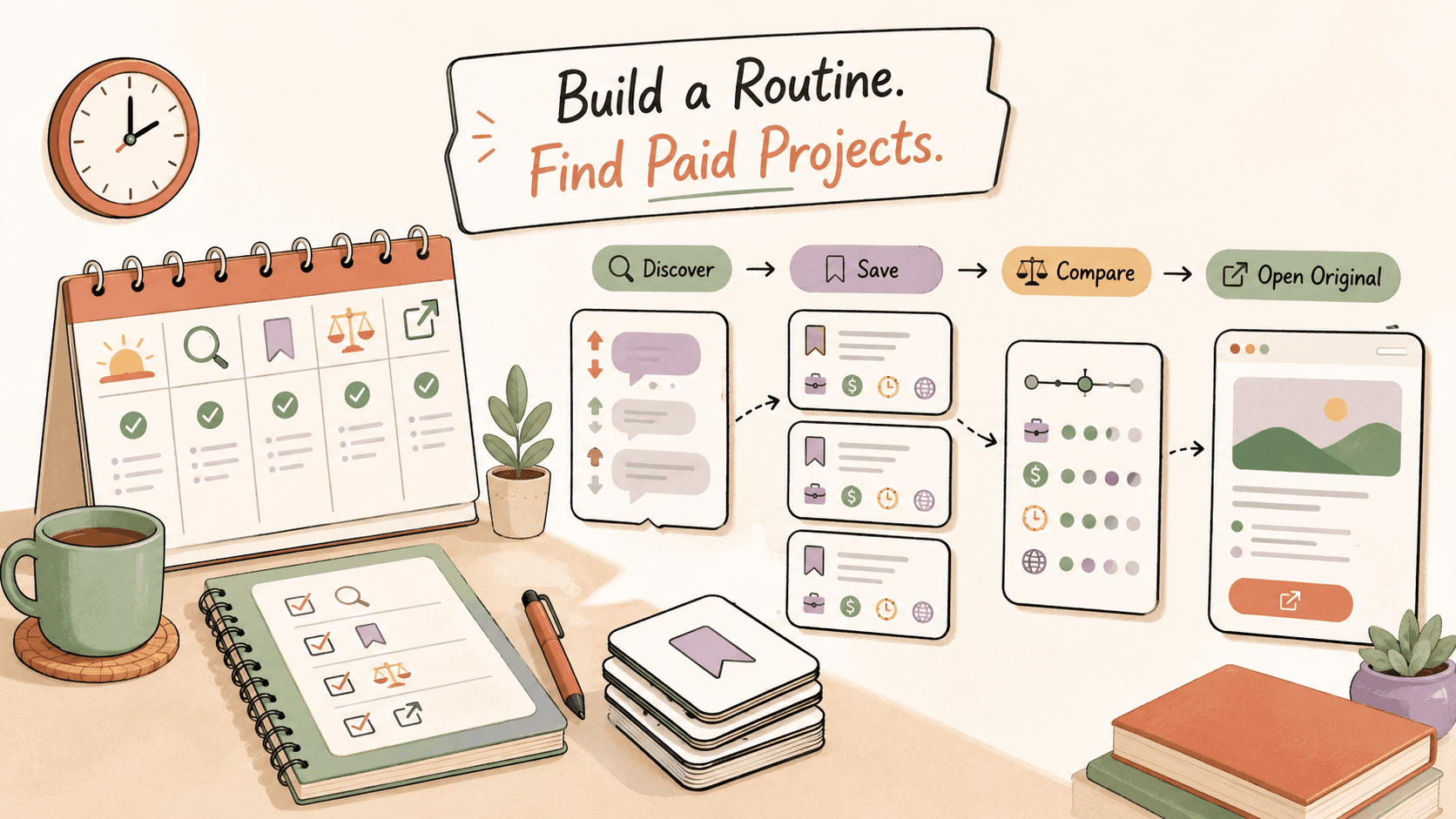
That is where Sidequestboard can fit into the workflow. Sidequestboard is a curated opportunity discovery dashboard for people monitoring public communities and social platforms for fresh work opportunities. It gives you a calmer feed, helps you save interesting opportunities, and lets you open the original source so you can apply or respond directly. It is not a marketplace, and it does not replace your judgment, pricing, portfolio, or outreach. It simply reduces the tab-checking part of the routine.
A practical setup is to keep your weekly strategy the same, but move your discovery habit into a cleaner feed. You still decide whether a r/forhire post is credible, whether a Dribbble-style UI role matches your portfolio, and whether a 99designs contest is worth the time. The advantage is that you spend less energy bouncing between sources and more energy sending thoughtful replies before posts go cold.
Do this now: if your current routine involves more than five recurring tabs, replace one scanning session this week with a curated feed and compare how many qualified opportunities you save.
What weekly routine can you copy?
Use this routine for two weeks before you modify it. It is designed for designers, illustrators, and creative freelancers, but the structure works for other independent workers too.
Monday morning: Check r/forhire [Hiring] posts sorted by New. Search “designer,” “logo,” “brand,” and “graphic.” Save only posts with a clear deliverable, credible poster history, and a budget that can fit your range. Reply to the best two within the same session.
Monday afternoon: Check Dribbble Jobs for UI/UX, graphic design, and illustration roles. Open only listings where your portfolio has a direct match. If the project looks like UI design, decide whether it can support your $50 to $150/hr target range before applying.
Tuesday: Check r/designjobs [Hiring] flair. Look for projects that name the deliverable: logo, landing page, packaging, pitch deck, app screen, illustration, or brand refresh. Skip posts that hide all scope and budget unless the client looks highly credible.
Wednesday: Check Behance joblist. Update one Behance case study before applying if your presentation is outdated. Creative design roles often reward strong visual context, so make sure your first three project covers match the work you want.
Thursday: Spend 20 minutes in r/Design. Do not spam your services. Answer a specific question, share a useful critique, or join a discussion where your design experience is relevant. Indirect leads often come from being visibly useful before someone needs help.
Friday: Review your tracker. Count qualified leads, responses sent, replies received, and weak sources. If r/forhire produced eight qualified leads and Behance produced one, adjust next week. If 99designs contests produced no useful outcome, limit contest time to one carefully chosen brief.
Do this now: copy this five-day routine into your calendar and run it for 10 business days without adding new sources.
When should you change your routine?
Change your routine when the data shows a bottleneck. Do not change it because one day felt slow. Public opportunity discovery has normal variance. One week, r/forhire may have several strong [Hiring] design posts. Another week, Dribbble Jobs may have better UI/UX listings. You need at least 20 to 30 logged leads before you can see patterns.
If you are finding too many bad leads, narrow your keywords. Instead of searching “design,” search “Figma,” “logo,” “brand identity,” “landing page,” or “illustrator.” If you are finding good leads too late, move your scan earlier or use a tool that helps surface fresh public posts in one place. If you are getting views but no replies, improve the first three lines of your pitch and make your portfolio link more specific.
If your pricing causes friction, compare each lead to the benchmark. A UI design project that expects senior product thinking should not be priced like basic graphic production. A logo request can be a $200 quick mark or a $2,000+ brand identity engagement, depending on research, concepts, revisions, usage, and assets. A four-piece illustration project might be $200 total for simple internal graphics or $2,000+ for polished commercial artwork.
Do this now: after 30 logged leads, remove one low-performing source, double down on one high-performing source, and rewrite one pitch template based on the replies you did or did not receive.
How do you make this routine sustainable?
Make the routine small enough that you can do it on busy weeks. The goal is not to monitor every opportunity on the internet. The goal is to build a repeatable system that surfaces enough relevant paid projects to keep your pipeline moving.
Use three guardrails. First, cap discovery time. A good daily search session is 30 to 45 minutes total, not three scattered hours. Second, separate scanning from pitching. Scan quickly, save the best posts, then write focused replies. Third, review rates before you respond. If a post cannot plausibly support your logo design, UI design, graphic design, or illustration pricing, do not talk yourself into it just because the lead is fresh.
A sustainable routine also leaves room for follow-up. If someone from r/designjobs replies asking for availability, answer that before opening Dribbble Jobs again. If a Behance joblist application needs a tailored case study, do that before entering a low-probability 99designs contest. Paid-project search should support sales activity, not replace it.
Sidequestboard is useful if the discovery part keeps taking over your day. Use it to keep fresh public opportunities in a calmer feed, save relevant posts, and jump back to the original source when you are ready to respond. The actual win still comes from sharp filtering, fast replies, credible proof, and consistent weekly review.
Do this now: set a 45-minute daily ceiling for opportunity discovery and spend any remaining work-search time improving your portfolio, pitch templates, or follow-ups.