July 23, 2026
How to Identify Remote Work Leads Still Fresh
To identify remote work leads still fresh, sort sources by newest posts, check the original timestamp, verify the company or poster, prioritize leads under 24 hours old, and respond with a tailored note fast. Use r/RemoteJobs, We Work Remotely, Remote.co, LinkedIn Jobs, Wellfound, and saved-search workflows to avoid stale listings.
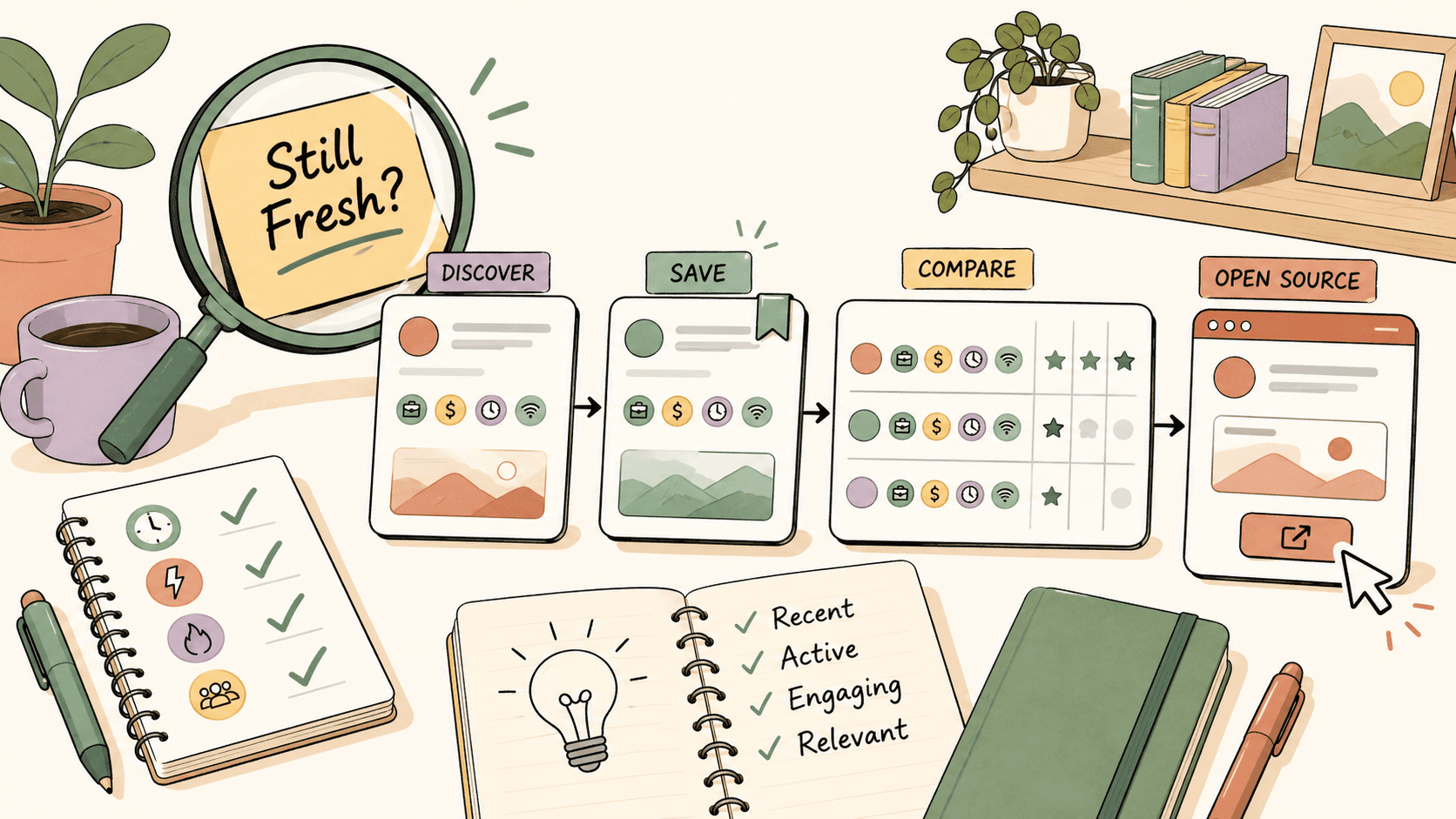
What makes a remote work lead “fresh”?
A fresh remote work lead is recent enough that the poster or company is likely still reviewing new responses. For public communities like r/RemoteJobs, r/forhire, and r/designjobs, that usually means the post is less than 24 hours old. For larger remote job boards like We Work Remotely, Remote.co, LinkedIn Jobs, and Wellfound, a listing can still be useful for several days, but the best response window is usually the first 24 to 72 hours.
Freshness is not only about the date. A fresh lead has four signals:
- A recent timestamp on the original post or listing.
- Clear hiring, project, or application instructions.
- A real company, website, founder profile, or poster history.
- No obvious red flags like upfront payment, vague work, or encrypted-chat pressure.
For example, a LinkedIn Jobs post marked “reposted 2 hours ago” may not be as fresh as it looks if the same role has been open for a month. A r/RemoteJobs post with a “[Hiring]” flair from 3 hours ago and a direct application link is often more actionable because the timestamp is tied to the public post.
Do this now: pick one source you already use, sort by newest, and write down the timestamp of the first five relevant leads before opening any application forms.
Where should you look first for fresh remote work leads?
Start with sources where timestamps, filters, and original posts are easy to inspect. The best mix is usually one or two public communities plus two structured job boards.
Use these sources by role type:
- r/RemoteJobs: This subreddit has about 500K members and is useful for remote job postings and discussions. Sort by New, then filter for the [Hiring] flair. Many posts link directly to application pages, which makes it easier to verify the original source.
- We Work Remotely: This board at weworkremotely.com is curated and tech-focused. Browse by category such as Programming, Design, Marketing, and Customer Support. It is free to browse.
- Remote.co: This board at remote.co has remote listings across categories. Browse job listings and filter by category. It is also free to use.
- FlexJobs: FlexJobs is useful if scams waste too much of your time. Listings are hand-screened, but access is paid: $9.95/week or $24.95/month.
- Wellfound, formerly AngelList: Use wellfound.com for startup roles. Filter by Remote and apply directly to startups. It is free to use.
- LinkedIn Jobs: Filter by Remote, set alerts, and check whether you have a first- or second-degree connection who can refer you.
- r/forhire: This subreddit has about 1.3M members and is useful for freelance and contract leads. Search within [Hiring] posts.
- r/designjobs: This subreddit has about 150K members. Check the [Hiring] flair if you do design work.
- r/digitalnomad: This community has about 2.5M members. It is less of a direct job board, but comments often surface remote-work strategies, companies, and location-independent lead sources.
- r/cscareerquestions: This subreddit has about 1.2M members. Search recent posts for [Hiring] or remote if you work in tech.
If you only have 30 minutes, do not open ten tabs randomly. Use r/RemoteJobs sorted by New, then We Work Remotely by category, then LinkedIn Jobs with Remote filtered. That gives you a mix of public posts, curated listings, and network-based opportunities.
Do this now: choose three sources from the list above and bookmark the exact filtered pages you will check tomorrow morning.
Track fresh opportunities on Sidequestboard
How do you scan a remote lead in under two minutes?
Use a two-minute scan before you spend energy customizing a response. I use this order because it removes bad leads quickly.
First, check the timestamp. On r/RemoteJobs, r/forhire, and r/designjobs, look for posts from the last few hours first. On LinkedIn Jobs, check whether the listing says “posted” or “reposted,” and scan the applicant count only as a rough signal. A high applicant count does not always mean the role is closed, but it does mean you need a sharper reason for applying.
Second, check who posted it. On Reddit, click the poster’s profile. A legitimate poster often has account history, comments related to the field, or a company link. A brand-new account is not automatically fake, but it needs more verification. On Wellfound, check whether the startup has a complete profile, funding or team information, and a clear job description.
Third, check the instructions. Fresh leads usually make the next step obvious: apply through a company page, email a portfolio, fill out a form, or DM with specific information. Vague posts like “remote workers needed, high pay, no experience” should be skipped.
Fourth, check fit before speed. If a UI design role asks for SaaS dashboard experience and you have three relevant portfolio pieces, respond now. If it asks for enterprise React experience and you only have WordPress examples, save your time for a better match.
Here is the two-minute checklist:
- Is the post less than 24 hours old, or the job listing less than 72 hours old?
- Is the company name, website, or poster identity visible?
- Are the role, scope, rate, and next step clear?
- Does the post avoid upfront fees and suspicious payment requests?
- Can you send a relevant response in 10 minutes or less?
Do this now: copy that checklist into Notion, Trello, Google Keep, or a simple text file and use it before your next application.
How can you tell if a remote job post is stale?
A stale lead is not always old. Sometimes it is still visible but no longer worth your best application time.
On Reddit communities like r/RemoteJobs and r/forhire, stale posts often have many comments, no recent poster replies, or edited text saying the role has been filled. If a post is 5 days old and has 80 comments, you can still respond, but treat it as low priority unless your fit is unusually strong.
On We Work Remotely and Remote.co, stale listings may remain visible after a company has already built a candidate shortlist. If a listing is older than a week, check the company’s own careers page before applying. If the role is no longer listed there, skip it. If the company page still has the opening, apply through the original company page rather than relying only on the board listing.
On LinkedIn Jobs, be careful with reposted roles. Some companies refresh listings automatically or repeatedly. A “new” label does not always mean a new opening. Check the company’s careers page, see whether the same title appears there, and look for clues in the job description, such as old application deadlines.
On Wellfound, startup roles can remain open while hiring managers test the market. Check whether the startup has recent activity, a complete company profile, and a role description with specific responsibilities. A remote startup job with no product explanation, no team details, and no clear compensation range deserves extra skepticism.
Do this now: before applying to any listing older than 7 days, verify the same role on the company’s official careers page.
What red flags mean you should skip the lead?
Skip remote work leads that show scam or low-quality signals. The fastest way to get better results is to stop spending time on bad posts.
Watch for these red flags:
- No company name or website provided.
- Requires upfront payment or equipment purchase.
- Unusually high pay for a vague work description.
- Pushes you to encrypted chat immediately with no details.
- No written scope, rate, or next steps.
For example, “Remote assistant needed, $1,500 per week, no experience, message on Telegram now” is not a serious lead. The pay is high, the scope is vague, and the conversation is being moved off-platform before any verification.
Compare that with a stronger post in r/forhire: “Hiring a freelance UI designer for a B2B SaaS landing page. Budget $1,200. Please send 2 relevant portfolio links and availability this week.” That post gives you scope, budget, evidence of intent, and a clear next step.
Use rate benchmarks to catch nonsense. A legitimate logo design project may pay $200 to $2,000+ depending on scope and brand needs. UI design commonly ranges from $50 to $150/hr. Graphic design often lands around $30 to $100/hr. Illustration may range from $50 to $500+ per illustration. If a post promises $300/hr for “simple typing work” with no company details, that is not a premium opportunity. It is a warning sign.
Do this now: create a personal “skip list” with the five red flags above so you do not debate obvious bad leads every morning.
What does a good fresh-lead workflow look like?
A good workflow separates discovery, verification, and response. Most people mix those steps, which creates tab chaos and slow applications.
Here is a realistic 45-minute remote lead routine:
Minutes 0 to 10: Scan public communities. Open r/RemoteJobs, sort by New, and filter for [Hiring]. Then check r/forhire and search within [Hiring] posts for your specialty, such as “designer,” “writer,” “developer,” or “marketing.” If you are a designer, check r/designjobs and its [Hiring] flair.
Minutes 10 to 20: Scan structured boards. Open We Work Remotely and browse your category, such as Design or Programming. Then check Remote.co by category. If you want vetted listings and are willing to pay, use FlexJobs, which costs $9.95/week or $24.95/month and hand-screens listings.
Minutes 20 to 30: Check startup and network leads. Open Wellfound, filter by Remote, and review startup jobs that match your role. Then open LinkedIn Jobs, filter by Remote, and check whether anyone in your network works at the company.
Minutes 30 to 45: Respond only to the top three. Do not apply to everything. Choose the three freshest, best-fit leads and send a tailored application, pitch, or response.
A simple tracking table helps. Use columns like Source, Role, Posted Time, Company, Fit Score, Next Step, Applied, and Follow-Up Date. Notion, Trello, Airtable, Google Sheets, or even a plain spreadsheet all work.
Do this now: build a seven-column tracker and add three leads today, even if you only apply to one.
How would this work for a freelance designer?
Imagine you are a freelance designer looking for remote work. You have 45 minutes before client work starts.
You open r/forhire, sort by New, and search for “[Hiring] designer.” You find a post from 3 hours ago asking for a landing page designer for a SaaS product. The poster has a six-year Reddit account and past comments in startup communities. The post includes a company site, scope, budget, and request for portfolio links. That is worth a fast response.
Next, you check r/designjobs, which has about 150K members, and filter for [Hiring]. You find a brand identity project posted yesterday. The budget is $500. That is within the realistic logo and brand design range of $200 to $2,000+, so you save it as a second-priority lead.
Then you check We Work Remotely under Design and Remote.co under design listings. You find a remote UI design contract. If the role expects product design experience and you normally charge $50 to $150/hr for UI design, you can quickly decide whether the listed budget makes sense.
Your response to the SaaS landing page post should not be a generic “I’m interested.” Send something like:
“Hey, I saw your post about the SaaS landing page. I’ve designed conversion-focused landing pages for two B2B tools, including one dashboard product with a similar trial signup flow. Portfolio: [link]. I can send a first structure within 48 hours and usually work in the $75/hr range for UI and landing page design. Happy to share two relevant examples if helpful.”
That response works because it references the project, gives proof, states availability, and sets a realistic rate. It also moves faster than people who ask questions already answered in the post.
Do this now: write one reusable response template for your main service, but leave blanks for project type, proof, timeline, and rate.
How would this work for a remote tech jobseeker?
Imagine you are looking for a remote software role. Start with r/cscareerquestions, which has about 1.2M members, and search recent posts for “[Hiring]” or “remote.” This subreddit is more discussion-heavy than a pure job board, so scan comments for companies, referral offers, and hiring threads rather than expecting every post to be a listing.
Next, open Wellfound and filter by Remote. For startup roles, check whether the company profile explains the product, team, and hiring need. A complete profile gives you better material for a tailored application.
Then use LinkedIn Jobs. Filter by Remote, set job alerts, and look for connections. If a second-degree connection works at the company, a short referral request can outperform a cold application. Keep it specific: “I’m applying for the remote backend role on your team. I have three years of Node.js and Postgres experience and shipped similar API work at [company/project]. Would you be open to pointing me to the right recruiter or sharing whether this role is still active?”
Finally, check We Work Remotely under Programming. Since it is a curated remote board and free to browse, it is useful for finding roles that may not be surfaced well by LinkedIn’s algorithm.
Do this now: set one LinkedIn Jobs alert for your exact role plus Remote, then add Wellfound Remote filtering to your daily scan.
How can Sidequestboard help you find fresh public opportunities faster?
Once you know how to judge freshness, the bottleneck becomes monitoring too many places. Checking r/RemoteJobs, r/forhire, r/designjobs, LinkedIn Jobs, Wellfound, We Work Remotely, Remote.co, and niche communities every day can turn into tab chaos.
Sidequestboard is built for people who want a calmer way to discover fresh public opportunities from communities and social platforms. It helps you see relevant posts in one cleaner feed, save interesting opportunities, open the original source, and respond or apply directly where the post lives.
That matters because speed only helps when you can keep your standards. A single feed does not replace verification. You should still check the original post, company website, scope, and red flags. But it can reduce the time you spend hunting across scattered public sources and give you more time for the part that actually matters: sending a strong response.
A practical setup is simple: use Sidequestboard for daily discovery and saving, then keep your own tracker for applications and follow-ups. When you see a relevant public opportunity, open the original listing, verify it, save it if it is worth action, then apply or pitch from the source.
Do this now: if your current routine has more than five recurring tabs, replace one daily scan session with a cleaner saved-opportunity workflow.
What should you do when you find a fresh lead?
Fresh does not mean “rush carelessly.” It means respond before the lead gets crowded, while still proving fit.
Use this response formula:
- Name the role or project.
- Mention one relevant proof point.
- Link the most relevant portfolio, resume, GitHub, case study, or LinkedIn profile.
- Confirm availability or timeline.
- Follow the exact instructions in the post.
For freelance work, include rate context when useful. If a client asks for UI design and your range is $80/hr, say it clearly if the post invites rates. If they ask for a logo and your package starts at $600, say what is included so they can compare it with the realistic $200 to $2,000+ logo design range.
For full-time remote roles, do not lead with availability only. Lead with match. A remote marketing role does not need “I am available immediately” as the first sentence. It needs “I’ve managed paid search for a B2B SaaS product with a $20K/month budget,” or whatever your real proof is.
For Reddit replies, avoid sending private messages if the post says to email. In r/forhire and r/RemoteJobs, following instructions is part of the filter. Many posters ignore people who do not follow the requested format.
Do this now: create three response snippets: one for jobs, one for freelance projects, and one for referral requests.
How often should you check for remote work leads?
If you are actively searching, check fresh sources once or twice per weekday. More than that can become avoidance disguised as productivity.
A strong schedule is:
- Morning: scan r/RemoteJobs sorted by New, r/forhire [Hiring] posts, LinkedIn Jobs Remote alerts, and one category on We Work Remotely.
- Afternoon: check Remote.co, Wellfound Remote filters, and any niche community like r/designjobs or r/cscareerquestions.
- End of day: update your tracker and follow up on older leads only if the original post is still active.
If you are freelancing part-time, one focused 30-minute scan per day is better than leaving tabs open all day. If you are full-time job searching, two 45-minute blocks can work, one for discovery and one for applications.
Do not measure success by how many listings you open. Measure fresh leads found, quality responses sent, and follow-ups scheduled.
Do this now: block a recurring 30-minute “fresh leads only” session on your calendar and stop checking sources outside that window unless you receive an alert.
What is the fastest way to start today?
Use this starter workflow today:
- Open r/RemoteJobs, sort by New, and filter for [Hiring].
- Open r/forhire and search recent [Hiring] posts for your role.
- Open We Work Remotely and browse your best-fit category.
- Open LinkedIn Jobs, filter by Remote, and check for connections.
- Save only leads with a clear company, scope, timestamp, and next step.
- Respond to the top three with tailored proof.
If you want fewer tabs while still watching public opportunities, Sidequestboard can help you centralize discovery and save leads before you open the original source to apply or respond.
Fresh remote work leads reward speed, but only when speed is paired with judgment. Sort by New, verify the source, skip red flags, and send fewer but stronger responses.