August 5, 2026
How to Save Job Leads with Real Buyer Intent
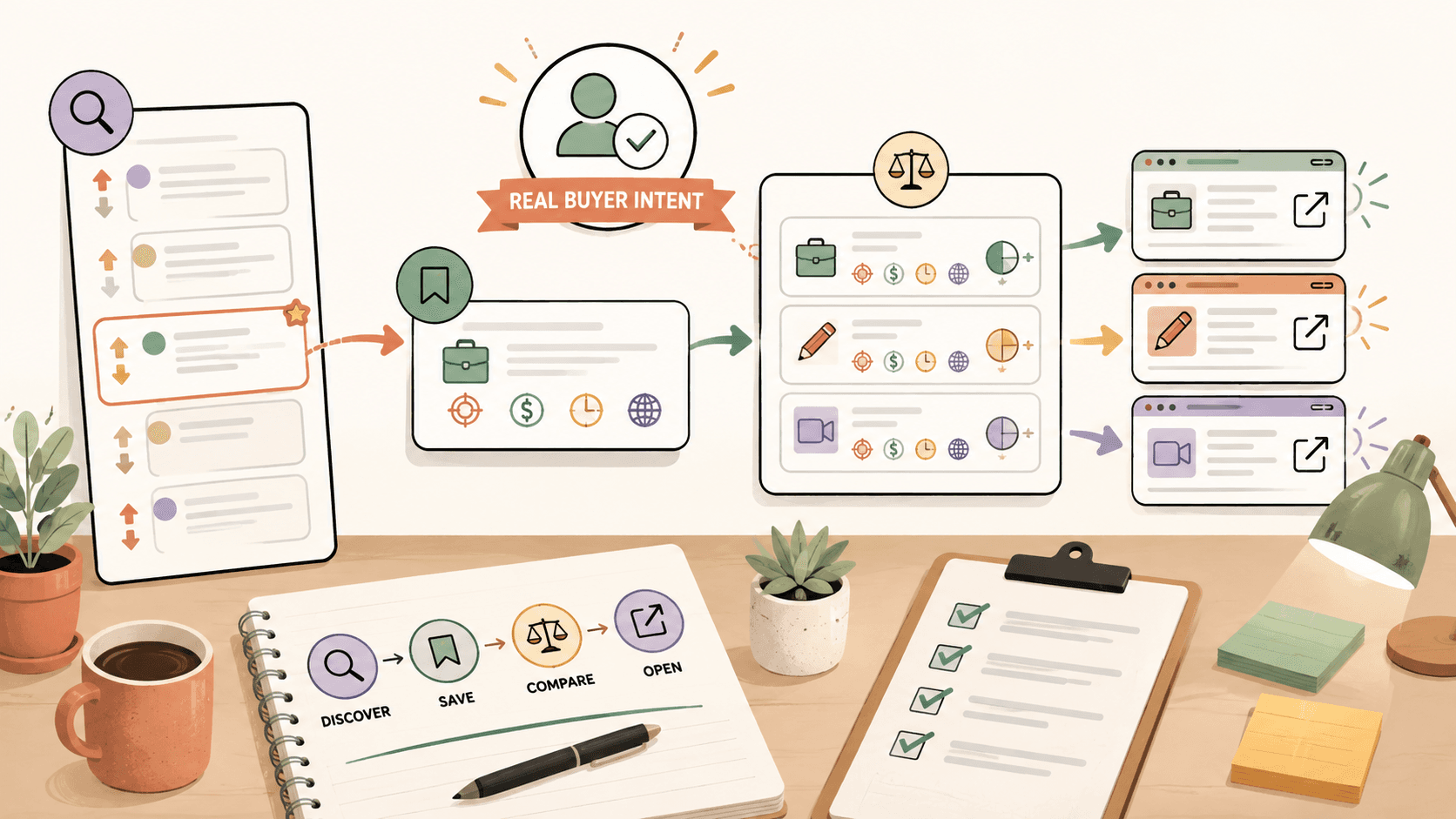
Save job leads with real buyer intent by tracking fresh posts where someone names a specific project, budget, timeline, skill need, or hiring action. Prioritize sources like r/forhire, r/designjobs, Dribbble Jobs, Behance Joblist, and 99designs, then save only leads you can respond to within 24 hours.
What does real buyer intent look like in a job lead?
Real buyer intent shows up when the poster is clearly trying to take action, not just gather opinions. On r/forhire, which has about 1.3M members, this usually means a post with a [Hiring] tag, a specific skill request, and some clue about scope. Search for terms like “designer,” “design,” “logo,” “Figma,” “illustrator,” or “brand identity” inside [Hiring] posts, then sort by New so you are not replying to stale threads.
On r/designjobs, with about 150K members, buyer intent is easier to spot because the subreddit is already structured around design work. Start with the [Hiring] flair and look for posts that mention deliverables such as “landing page redesign,” “logo package,” “presentation deck,” or “mobile app UI.” A vague post like “looking for a creative designer” is weaker than “need a UI designer to redesign 5 onboarding screens in Figma this week.”
On Dribbble Jobs at https://dribbble.com/jobs and Behance Joblist at https://behance.net/joblist, buyer intent is usually built into the listing format. These are free to browse, and the listings often include role type, specialty, and sometimes location or remote expectations. On 99designs, buyer intent appears through active logo and branding contests, although commission and contest structure vary by contest.
Use this quick filter before saving a lead:
- Does the post name a specific deliverable?
- Does it mention a budget, rate, prize, or expected compensation?
- Does it include a timeline or urgency?
- Does it explain how to apply, pitch, or respond?
- Does the poster seem reachable and legitimate?
Do this now: open r/forhire, search “designer” in [Hiring] posts, sort by New, and save only posts that mention a deliverable plus a response method.
Which platforms are worth checking for buyer-intent leads?
For creative work, start with sources where people already show hiring behavior instead of hoping a casual conversation turns into a paid project.
r/forhire is broad and noisy, but the volume is useful. Because it has about 1.3M members, you will see everything from one-off logo requests to longer contract work. Search “designer,” “design,” “UI,” “UX,” “branding,” and “illustration” in [Hiring] posts. When I scan this kind of subreddit, I ignore posts that do not mention scope or budget unless the poster has a strong account history and a clear business need.
r/designjobs is smaller at about 150K members, but the signal can be better for design-specific work. Check the [Hiring] flair first. A good r/designjobs lead might say the poster needs a product designer for a SaaS landing page or a graphic designer for a campaign package. If the role maps to your pricing, such as $50 to $150/hr for UI design or $30 to $100/hr for graphic design, save it.
r/Design, with about 400K members, is not primarily a job board, so use it differently. Do not spam pitches in discussion threads. Instead, watch for people discussing a business problem, portfolio review, rebrand, app launch, or design bottleneck. If someone says they are struggling with a logo, onboarding flow, or illustration style, that is a softer lead. Save the thread for relationship-building, not a hard pitch.
Dribbble Jobs is useful for UI/UX, graphic design, and illustration roles. Behance Joblist is useful for creative design roles and portfolio-driven opportunities. Both are free to browse, so they belong in a daily scan if your work is visual.
99designs is different because many opportunities are contest-based. A logo or branding contest may show buyer intent, but you need to decide whether the unpaid competition model fits your business. Since logo design can be worth $200 to $2,000+ depending on scope and client quality, do not spend hours on a contest unless the prize, brief, and fit justify the risk.
Do this now: make a short source list with r/forhire, r/designjobs, r/Design, Dribbble Jobs, Behance Joblist, and 99designs. Put them in the order you are most likely to win from, not the order with the most traffic.
Find current openings on Sidequestboard
How should you qualify a lead before saving it?
Use a scoring system so your saved list does not fill up with maybes. I use a simple 10-point filter:
- 2 points for a clear deliverable, such as logo, landing page, UI screens, illustration, or brand kit
- 2 points for budget or realistic compensation signals
- 2 points for recent posting time, ideally under 24 hours old
- 2 points for proof the poster is legitimate, such as account history, company page, portfolio, or complete listing
- 2 points for fit with your portfolio and availability
Save leads scoring 7 or higher. Reply immediately to leads scoring 9 or 10. Ignore anything below 5 unless it is from a source you already trust.
Here is a concrete example. You search r/forhire for “logo” in [Hiring] posts and sort by New. You find a post from 3 hours ago that says: “Need a logo and basic brand colors for a local coffee cart launching next month. Please send portfolio and rates.” That gets points for deliverable, timeline, recency, and response instructions. If the poster has a normal account history and your logo packages start around $500, save it and respond.
Now compare that with: “Anyone know a good designer?” on r/Design. That might be a conversation starter, but it is not a strong saved lead yet. You could comment helpfully or send a respectful message if allowed by the community rules, but do not let it sit beside higher-intent posts from r/designjobs or Dribbble Jobs.
For Dribbble Jobs and Behance Joblist, check whether the role matches your level and portfolio. If a listing asks for senior product design experience and you only have logo projects, do not save it just because the title looks attractive. If a listing asks for illustration and your portfolio has 10 finished editorial illustrations, save it and apply quickly.
Do this now: create a 10-point lead score in Notion, Trello, Google Sheets, or your notes app, then rescore your last 10 saved leads. Delete anything below 5.
What information should you save for each lead?
A saved lead should give you enough context to respond later without reopening five tabs. At minimum, save the original link, source, post title, date found, deadline if available, deliverable, budget signal, response method, and next action.
For example, if you find a r/designjobs [Hiring] post for a UI designer, your saved note might look like this:
- Source: r/designjobs
- Link: original Reddit post
- Found: Tuesday, 9:15 AM
- Deliverable: 6 mobile app onboarding screens
- Budget signal: not listed, but UI design market range is $50 to $150/hr
- Fit: strong, similar fintech onboarding project in portfolio
- Next action: reply with 3-sentence pitch and Figma case study by noon
For a 99designs logo contest, save different information:
- Source: 99designs
- Link: contest page
- Deliverable: logo and branding direction
- Prize or payment structure: check contest details because commission varies by contest
- Risk: speculative contest work
- Next action: enter only if brief matches existing style and prize justifies time
For Dribbble Jobs or Behance Joblist, include the exact role title and application destination. These platforms are free to browse, but you still need to track whether you applied through the original listing, a company site, or an email address.
I prefer saving a short “reply angle” too. This prevents blank-page syndrome. For a logo lead, the reply angle might be: “Mention local food/beverage branding, link to two restaurant logos, propose a $750 starter identity package.” For an illustration lead, it might be: “Send 3 relevant editorial samples, quote $250 per illustration if scope is simple, ask about usage rights.”
Do this now: add a “reply angle” field to your lead tracker. If you cannot write one sentence explaining why you are a fit, do not save the lead.
How fast should you respond to saved leads?
Freshness matters because public opportunities get crowded quickly. On high-volume sources like r/forhire, a good [Hiring] post can attract replies within hours. If the post is less than 6 hours old and strongly fits your work, respond the same day. If it is 24 to 48 hours old, still consider replying if the scope is specialized. If it is older than a week and has many comments, treat it as low priority unless the poster updated it.
For r/designjobs, I would still prioritize same-day responses because the audience is more focused. On Dribbble Jobs and Behance Joblist, the window depends on the company or client, but applying early usually helps because creative listings can draw large portfolios quickly.
Your response does not need to be long. It needs to be specific. A useful first reply for a UI design lead could be:
“Hi, I saw you need 6 onboarding screens redesigned in Figma. I recently designed a mobile onboarding flow for a subscription app, including empty states and conversion-focused signup screens. My UI design work usually falls in the $75/hr range depending on scope. Here are two relevant examples: [link] and [link]. If helpful, I can send a rough project plan today.”
That is stronger than “I’m interested, please check my portfolio.” It names the deliverable, references similar work, gives a realistic rate inside the $50 to $150/hr UI design benchmark, and suggests the next step.
For graphic design leads in the $30 to $100/hr range, mention the exact asset type. For illustration leads, where $50 to $500+ per illustration is common depending on complexity and usage, ask about size, style, deadline, and licensing before quoting final pricing.
Do this now: write three reusable first-reply templates, one for logo design, one for UI design, and one for illustration. Keep each under 120 words.
How can you avoid saving low-quality or risky leads?
Low-quality leads usually reveal themselves quickly. Watch for vague scope, no payment signal, rushed language, unrealistic expectations, and posters who want free samples before any agreement. On Reddit, check the poster’s account history before responding. A brand-new account is not always fake, but it deserves more caution than a long-standing account with normal activity.
On r/forhire, avoid posts that ask for “quick design help” but list no deliverable, budget, or timeline. On r/designjobs, be careful with posts that sound like full-time expectations disguised as a tiny freelance task. On r/Design, remember that many threads are discussions, not hiring posts, so do not treat every complaint about a logo as a sales opportunity.
On 99designs, the risk is time. Contest work can be legitimate, especially for logo and branding design, but you may not get paid unless your concept wins. If your normal logo project rate is $800 and the contest brief would take 6 hours of custom work, compare the prize, odds, and portfolio value before entering.
For Dribbble Jobs and Behance Joblist, check whether the listing has enough detail to justify an application. If the application requires a custom design test before any conversation, decide whether the company reputation and role quality justify that time.
Do this now: add a “red flags” field to your tracker. If a lead has two or more red flags, archive it instead of saving it as active.
What does a weekly buyer-intent lead routine look like?
A good routine is short enough that you will actually repeat it. Here is a practical weekly workflow for a designer or creative freelancer.
Monday through Friday, spend 20 minutes scanning fresh sources. Start with r/forhire and sort [Hiring] posts by New. Search “designer,” “design,” “UI,” “logo,” and “illustration.” Then check r/designjobs [Hiring] flair for design-specific posts. Open Dribbble Jobs and Behance Joblist for role-based listings. If you do contest work, scan 99designs for logo and branding contests that match your style.
Save only leads scoring 7 or higher. Reply to 9 or 10-point leads before doing more browsing. This order matters. Searching feels productive, but paid work comes from timely responses.
On Wednesday, review softer leads from r/Design. Look for discussions where someone is actively building, launching, redesigning, or asking for critique around a business asset. Add only the posts where a helpful reply could start a real conversation.
On Friday, clean the tracker. Move applied leads into a follow-up column. Archive anything older than 7 days with no action. Review which sources produced real replies. If r/forhire gave you three conversations and 99designs burned time, adjust next week’s routine.
A simple Trello setup works well: New Lead, Reply Today, Applied or Responded, Follow Up, Archived. In Notion or Google Sheets, use columns for score, source, date found, next action, and reply angle.
Do this now: block one 20-minute scan on your calendar tomorrow morning and decide your first three search terms before you start.
Where does Sidequestboard fit into this workflow?
Once you know what a real buyer-intent lead looks like, the next bottleneck is tab chaos. Checking r/forhire, r/designjobs, r/Design, Dribbble Jobs, Behance Joblist, 99designs, and other public communities can eat the time you meant to spend pitching.
Sidequestboard is a curated job and opportunity discovery dashboard for fresh public opportunities from communities and social platforms. It helps you find relevant posts in a cleaner feed, save interesting opportunities, open the original source, and respond there directly. It is not a marketplace, and it does not sit between you and the original listing.
Use it after you have your scoring rules. For example, you might scan a calmer feed for fresh design-related opportunities, save the ones that mention logo design, UI/UX, graphic design, or illustration, then open the original post to apply or pitch. That pairs well with the same qualification system above: deliverable, budget signal, freshness, legitimacy, and portfolio fit.
The real advantage is not saving every lead. It is saving fewer, better leads before they go cold. If you already spend mornings jumping between public communities, Sidequestboard can make that routine easier to maintain.
Do this now: write down your top five qualifying keywords, such as “logo,” “brand identity,” “Figma,” “UI designer,” and “illustration,” then use those same terms when scanning and saving opportunities.
How should you turn saved leads into actual outreach?
A saved lead is only useful if it triggers action. Every saved opportunity should have one of three next steps: reply now, research first, or archive.
Reply now when the post is fresh, the deliverable is clear, and your portfolio match is obvious. For example, a r/designjobs [Hiring] post for a landing page designer should get a same-day reply if you have two strong landing page examples and your graphic or UI design rate fits the expected $30 to $150/hr range depending on the work.
Research first when the listing looks promising but needs verification. On Behance Joblist or Dribbble Jobs, click through to the company or client site, check whether the role is still open, and tailor your portfolio link. On Reddit, check account history and comments before sending a detailed pitch.
Archive when the lead is stale, vague, unpaid, mismatched, or too risky. Do not keep it around because it feels like potential. Potential that never gets a response is clutter.
A strong outreach note should include five pieces: the exact thing they need, one proof point, one relevant link, a realistic rate or next-step question, and a clear close. For a logo design lead, you might say:
“Hi, I saw your post about needing a logo and basic brand direction for your coffee cart. I’ve worked on small food and beverage identities, including a bakery mark and menu system here: [link]. Logo projects like this usually start around $600 depending on revisions and usage. If you’re still looking, I can send a simple scope with timeline today.”
That reply respects the buyer’s time and frames your work within the $200 to $2,000+ logo design benchmark.
Do this now: open your saved leads and assign each one a next action. If you are not willing to reply within 24 hours, archive it.
What is the simplest system for saving better job leads?
Use this system:
- Scan specific sources, not the whole internet.
- Start with high-intent areas: r/forhire [Hiring], r/designjobs [Hiring], Dribbble Jobs, Behance Joblist, and selected 99designs contests.
- Score each lead out of 10.
- Save only leads with clear scope, fresh timing, and real fit.
- Write a reply angle before saving.
- Respond to the strongest leads first.
- Review and archive weekly.
This system works because it separates discovery from decision-making. You are not asking, “Could this become work?” You are asking, “Is there enough buyer intent here to justify my time today?”
If your current process is 30 open tabs and a pile of bookmarks, start smaller. Pick two sources, such as r/forhire and r/designjobs, and run the scoring system for one week. Then add Dribbble Jobs, Behance Joblist, or 99designs only if you can keep responding quickly.
Sidequestboard can help once you are ready to centralize more of that discovery and saving workflow into one calmer feed, while still applying or responding at the original source.
Do this now: choose your two highest-fit sources and run a 5-day test. Track how many leads you save, how many you respond to, and how many turn into conversations.
Related guides
- How to Start Freelancing as a Student with No Experience
- Fiverr vs Upwork for Video Editing: Which Is Better for Freelance Editors?
- How to Find Contract Opportunities from Niche Online Groups
- How to Find Contract Opportunities Across Multiple Sources
- How to Save Work Opportunities from Online Communities