July 30, 2026
How to Track Side Gigs Without Wasting Time: A 30-Minute Daily System
Track side gigs with a 30-minute daily routine: check a few high-signal sources, sort by newest posts, save promising leads in one tracker, prioritize by fit and freshness, then apply or follow up immediately. Use saved searches, filters, and a central dashboard to avoid wasting time in endless tabs.
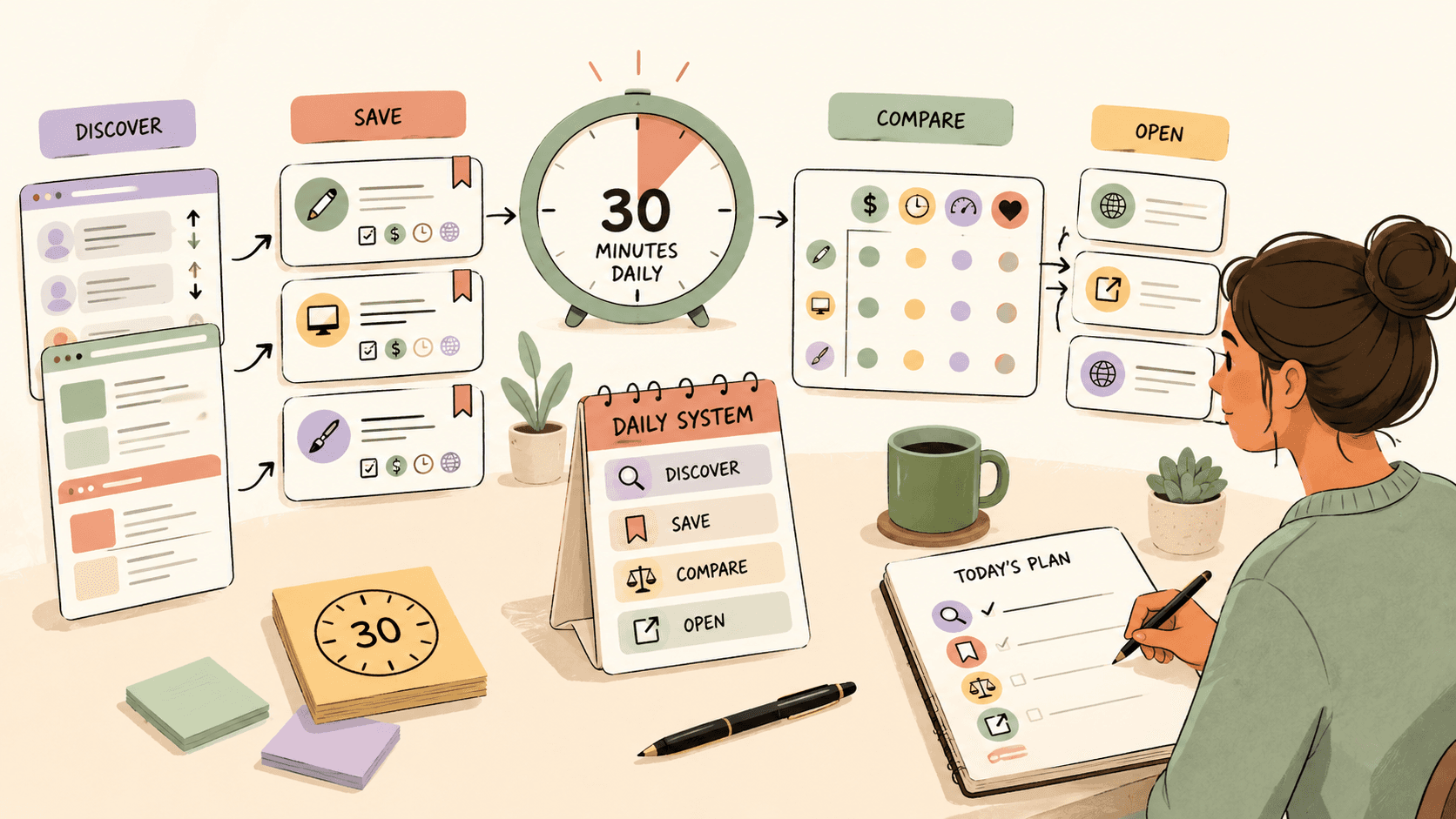
What is the fastest way to track side gigs?
The fastest way to track side gigs is to use one repeatable search block: scan only your best sources, save qualified leads in one tracker, and act on the freshest opportunities before browsing more.
Here is a practical 30-minute routine:
| Time | Action | Goal |
|---|---|---|
| 0-5 minutes | Open your saved sources and searches | Avoid random browsing |
| 5-15 minutes | Scan newest posts only | Catch fresh gigs early |
| 15-20 minutes | Save qualified leads | Build one follow-up queue |
| 20-28 minutes | Send replies or applications | Convert searching into action |
| 28-30 minutes | Update statuses | Keep tomorrow’s list clean |
The key is to separate three activities that often get mixed together:
- Discovery: finding new leads.
- Tracking: saving and organizing the best leads.
- Action: pitching, applying, or following up.
When those steps blur together, you end up opening 20 tabs, rereading the same posts, and calling it “research.”
Which side gig sources are worth checking first?
Start with the sources where your ideal gigs appear most often, then limit yourself to three to five high-signal places per day.
Common places to monitor include:
- Reddit communities such as r/forhire, r/HireaWriter, r/designjobs, r/WorkOnline, and niche subreddits in your field.
- Freelance platforms such as Upwork, Fiverr, Contra, PeoplePerHour, and Toptal.
- Public community posts on platforms like X/Twitter, Discord servers, Slack groups, forums, and creator communities.
- Company career pages for part-time, contract, or freelance roles.
- Newsletters and job boards focused on your niche.
Do not try to check every possible source every day. Instead, classify your sources:
| Source type | Best for | Risk |
|---|---|---|
| Reddit and public communities | Fresh one-off gigs, small projects, direct client posts | Noisy, inconsistent quality |
| Freelance marketplaces | Structured applications, payment systems, searchable categories | Competition and platform fees |
| Niche job boards | Better targeting, clearer role descriptions | Fewer fresh posts |
| Social platforms | Early signals, informal opportunities, founder posts | Easy to get distracted |
| Private communities | Warmer leads and referrals | Limited access, inconsistent volume |
Before pricing your work on any platform, check that platform’s official fee and terms pages. Service fees, client fees, payment rules, and visibility systems can change.
Track fresh opportunities on Sidequestboard
How do you decide which gigs are worth saving?
Save a side gig only if it matches your skills, has enough detail to evaluate, appears recent, and gives you a realistic next step.
Use a quick scoring rule so you do not overthink every post:
| Factor | 0 points | 1 point | 2 points |
|---|---|---|---|
| Skill fit | Poor fit | Partial fit | Strong fit |
| Freshness | Old or unclear | Posted recently | Very fresh |
| Budget or value | Missing or too low | Unclear but possible | Clear and worthwhile |
| Scope | Vague or risky | Some detail | Clear deliverable |
| Response path | Hard to contact | Possible | Easy to apply or reply |
A lead with 7-10 points is worth acting on quickly. A lead with 4-6 points can go into a “maybe” list. Anything below that should usually be skipped.
This prevents two common mistakes:
- Saving everything and creating a second inbox you never use.
- Being too picky during discovery and missing decent leads that only need a quick reply.
What should your side gig tracker include?
Your tracker should show what the opportunity is, where it came from, how fresh it is, what action you need to take, and whether you have already followed up.
You can use Google Sheets, Notion, Airtable, Trello, or any tool you will actually open every day.
A simple spreadsheet is enough. Use columns like:
| Column | Example |
|---|---|
| Date found | 2026-07-30 |
| Source | Reddit, Contra, niche job board |
| Opportunity title | Landing page copywriter needed |
| Link | Original post or listing URL |
| Client/company | Name if available |
| Category | Writing, design, dev, ops |
| Budget/rate | Only if stated |
| Deadline | Application or project deadline if stated |
| Fit score | 1-10 |
| Status | Saved, applied, replied, follow-up, closed |
| Next action | Send portfolio, ask scope question, follow up |
| Notes | Requirements, tone, red flags |
Keep the status options simple:
- Saved: looks relevant but not contacted yet.
- Applied: application or proposal sent.
- Replied: direct message, comment, or email sent.
- Follow-up: waiting for a second message.
- Closed: rejected, stale, filled, or no longer relevant.
The tracker’s job is not to become a perfect CRM. It exists to stop good leads from disappearing into browser history.
How can you avoid wasting time while searching?
Avoid wasting time by deciding your sources, filters, and stop time before you start searching.
Use these rules:
1. Search newest first
For public communities and job boards, sort by newest when possible. Side gigs often move fast, especially direct client posts. A decent opportunity posted today is usually more useful than a perfect-looking post from weeks ago.
2. Use saved searches
Create saved searches for terms that match your work, such as:
- “freelance copywriter”
- “Webflow designer”
- “React contractor”
- “virtual assistant needed”
- “video editor wanted”
- “paid beta tester”
- “part-time remote designer”
Adjust the terms to your niche. The goal is to reduce repeated typing and random exploration.
3. Cap your open tabs
Use a hard limit: no more than five opportunity tabs open at once. If you want to open a sixth, save or close one first.
This forces decisions:
- Is this worth saving?
- Is this worth applying to now?
- Is this too vague to keep?
4. Keep a “not for me” pattern list
After a week, you will notice patterns in bad leads. Write them down.
Examples:
- No budget and no scope.
- “Exposure” instead of payment.
- Unrealistic turnaround.
- Requires a long unpaid test.
- Too far outside your skill set.
- Contact instructions are unclear.
This list helps you reject bad opportunities faster.
Where does Sidequestboard fit into this workflow?
Sidequestboard can act as one of your main discovery sources when you want a calmer feed of fresh public opportunities without manually checking every community and social tab.
A practical workflow looks like this:
- Open your tracker.
- Open Sidequestboard and your other one or two highest-signal sources.
- Scan fresh opportunities that match your niche.
- Save interesting leads.
- Open the original source for the best ones.
- Check the scope, budget details if provided, and reply instructions.
- Add the strongest leads to your tracker.
- Send your pitch or application before continuing to browse.
For example, a writer might open Sidequestboard during a morning search block, save two promising writing leads, open the original posts, check whether the scope and contact instructions are clear, add the best one to a Google Sheet, and send a tailored pitch using a prepared template.
That keeps the workflow focused: discover, verify, track, respond.
What should you write when replying to a fresh side gig?
A good side gig reply should be short, specific, and easy to answer. The goal is to show fit quickly, not tell your life story.
Use this structure:
- A direct opening that names the project.
- One sentence showing relevant experience.
- One or two proof points.
- A clear next step.
- A link to relevant work.
Template:
Hi [Name], I saw your post about [specific project].

I’m a [role] who has worked on [relevant type of work], including [short proof point or example]. Based on your post, I can help with [specific deliverable] and would approach it by [brief plan].

Relevant examples:
- [Link 1]
- [Link 2]

If this is still open, I’d be happy to send a quick outline, estimate, or next-step plan.

Thanks,
[Your name]
For Reddit or social posts, keep it even shorter if the original poster asked for direct messages. For formal platforms, follow the platform’s proposal format and rules.
How often should you review your side gig tracker?
Review your tracker once per day for active leads and once per week for patterns.
Daily review:
- Follow up on leads that need a second message.
- Close stale or low-quality leads.
- Move replied opportunities out of your discovery queue.
- Identify anything that needs action today.
Weekly review:
- Which source produced the most relevant leads?
- Which source wasted the most time?
- Which pitch got replies?
- Which categories had realistic budgets?
- Which saved leads never turned into action?
If a source produces lots of browsing but few replies, reduce its priority. If a source regularly produces fresh, relevant opportunities, move it higher in your daily routine.
A 30-minute side gig tracking checklist
Use this checklist when you sit down to search:
- Open your tracker.
- Open three priority sources only.
- Sort by newest where possible.
- Scan for fit, freshness, scope, and response path.
- Save only leads with a realistic next step.
- Open the original listing or source before replying.
- Send pitches for the best leads immediately.
- Update each lead’s status.
- Close tabs you are not acting on.
- Stop when the timer ends.
The best system is not the most complex one. It is the one that helps you find fresh work, respond faster, and avoid spending your best energy on searching instead of earning.
Final takeaway
To track side gigs without wasting time, build a small daily system instead of relying on motivation. Use fewer sources, save leads in one place, prioritize fresh posts, and respond before you keep browsing.
If your current routine involves too many tabs across Reddit, social platforms, Discord communities, and freelance sites, use Sidequestboard during your next 30-minute search block to find and save fresh public opportunities, then open the original source and apply directly.