August 4, 2026
How to Stop Feeling Guilty When Enjoying Life Instead of Applying for Jobs
Job search guilt happens when you treat finding work as a 24/7 obligation. You can eliminate this guilt by setting strict, time-boxed job search hours and using high-signal platforms like r/forhire or Dribbble. By searching efficiently rather than constantly, you reclaim your personal life without sacrificing your career progress.
Why Does Job Searching Cause So Much Guilt?
Job search guilt stems from the false equivalence that "time spent on a job board equals progress." When you take a break to watch a movie, go for a walk, or see friends, your brain tells you that you are stealing time from your career.
This is a trap. Sending your 50th low-effort application of the day yields almost zero return. Most recruiters and hiring managers care about the quality and timing of your application, not how many hours you suffered through an ATS portal. You feel guilty because your job search lacks boundaries. Once you establish a structured, high-yield routine, the guilt dissipates because you know you have done the actual work required to move forward.
How Many Hours a Day Should You Actually Spend Job Searching?
Treating your job hunt like a full-time 40-hour workweek is a recipe for diminishing returns. A focused job seeker only needs 2 to 3 hours per day for active searching, tailoring resumes, and writing proposals.
If you are a freelancer or independent contractor looking for project work, your time allocation looks different than a corporate 9-to-5 seeker. Instead of filling out long applications on LinkedIn or Indeed, you should be scanning community boards and sending rapid, highly targeted cold pitches.
Here is exactly how to structure a 2-hour daily block:
- 30 Minutes - High-Signal Community Scanning: Skip the massive corporate boards. Go where independent work gets posted directly. Check the
[Hiring]flair on r/forhire (which has 1.3 million members) or r/designjobs (150K members). On X/Twitter, search for exact phrases like "looking for a designer" or "hiring a freelance writer" and filter by "Latest." - 60 Minutes - Tailored Pitching: Stop copy-pasting generic cover letters. Read the specific request and draft a custom response.
- 30 Minutes - Follow-ups and Portfolio Updates: Reply to previous emails, upload recent projects to your Behance or Dribbble profile, and organize your tracking spreadsheet.
Once that 2-hour block ends, you are done for the day. Close the tabs.
Find current openings on Sidequestboard
Where Can You Find High-Quality Opportunities Faster?
To spend less time searching, you have to look in the right places. Massive job boards are black holes where resumes go to die. Niche platforms and public communities yield faster, more direct access to decision-makers.
If you are in the creative, design, or freelance space, you need to monitor specific platforms where clients actively look for talent:
- r/forhire (1.3M members): Search specifically for
[Hiring]posts. You can searchdesignerorwriterwithin those tags to bypass the noise of people self-promoting. - Dribbble: Their dedicated jobs board at dribbble.com/jobs is a primary hub for UI/UX, graphic design, and illustration roles. It is completely free to browse.
- Behance: The job list at behance.net/joblist features heavy-hitting creative design roles for major brands and agencies.
- 99designs: If you want to build a portfolio quickly or practice client communication, you can enter logo and branding design contests at 99designs.com.
Walkthrough: Pitching a UI Design Gig on r/forhire
Let us walk through a real scenario. You open r/forhire and sort by "New." You spot a post from three hours ago titled: [Hiring] Remote UI Designer for early-stage SaaS startup (3-month contract).
First, check the poster's account history. Click their username. If they have a history of posting in startup subreddits or business communities, they are likely legitimate. If the account is one day old with zero karma, skip it.
Next, open the client's website or app. Take one screenshot of their current UI. Open Figma, spend exactly 15 minutes making one obvious improvement to their layout or color hierarchy.
Finally, send a direct message or reply to the post. Do not attach a massive PDF. Write: "Saw your post on r/forhire. I specialize in SaaS UI. I took a quick look at your dashboard and made one tweak to improve the visual hierarchy (attached). My rate is $75/hr, and I have capacity for a 3-month contract starting next week. Here is my portfolio link."
This approach takes 20 minutes, proves your competence immediately, and bypasses the traditional application process entirely.
What Are Realistic Rates to Target in Your Search?
Part of overcoming job search anxiety is knowing your worth. When you know what the market pays, you stop applying to lowball jobs out of desperation.
Based on current market behavior across freelance communities and creative platforms, here are realistic rate benchmarks:
- Logo Design: $200 to $2,000+ per project, depending on the client's budget and whether you include full brand guidelines.
- UI Design: $50 to $150 per hour for experienced designers working on web apps or mobile interfaces.
- Graphic Design: $30 to $100 per hour for ongoing marketing materials, social media assets, and print design.
- Illustration: $50 to $500+ per illustration, depending on complexity and usage rights.
When you know your baseline rate, you can filter out the junk. If a client on r/designjobs offers $15 an hour for UI design, you can immediately close the tab without a second thought. You are not missing out. You are protecting your time.
How Do You Build a Job Search Routine That Works?
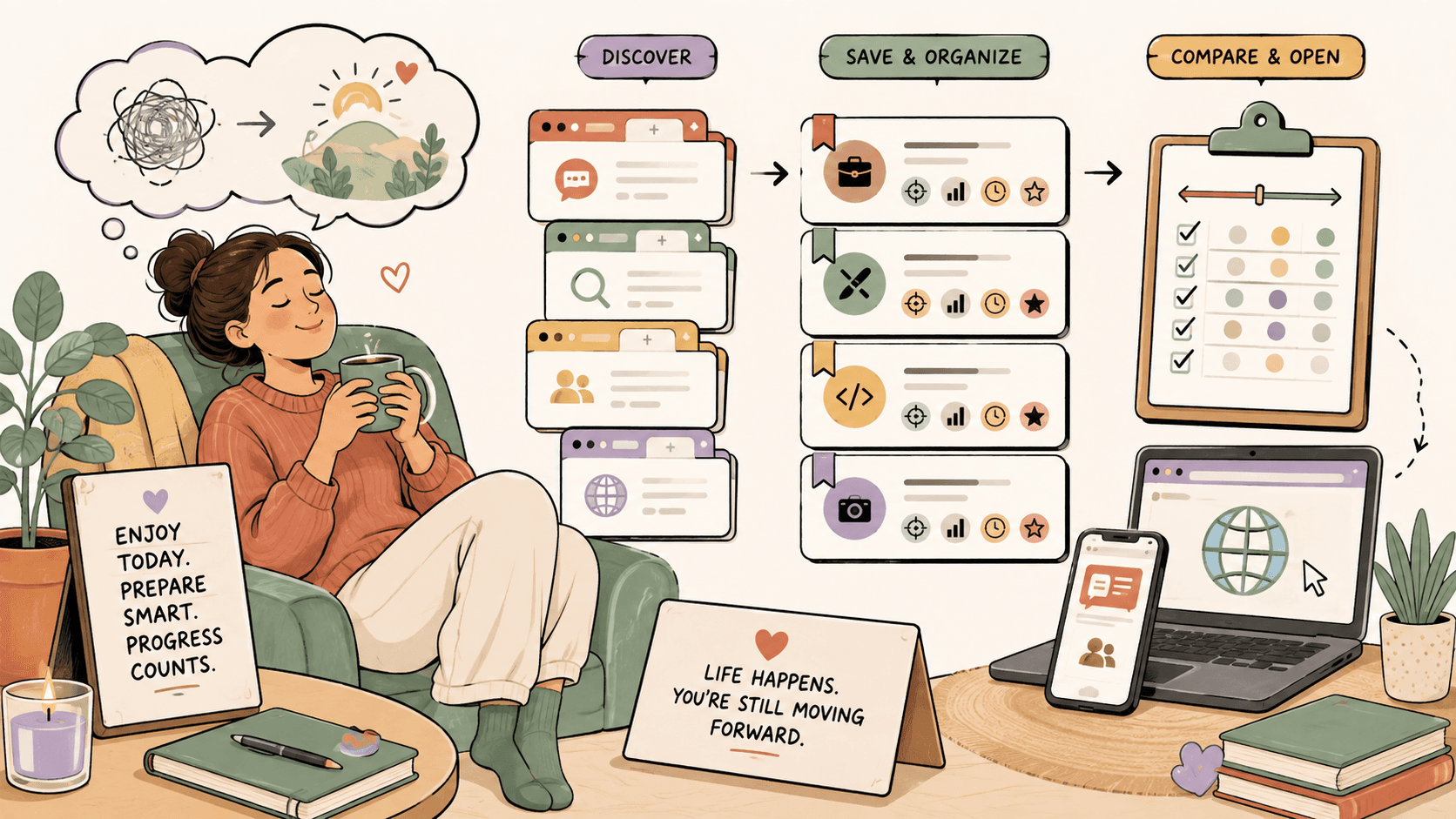
To replace guilt with structure, adopt a "batch and release" workflow. You need a system that allows you to discover fresh opportunities, save them, and act on them during your designated work hours.
Start by setting up a central tracking hub using a tool like Notion or Trello. Create a Kanban board with columns for "Discovered," "Pitched," "In Progress," and "Closed." Every time you find a promising lead during your internet browsing, drop the link into the "Discovered" column.
This allows you to enjoy your downtime. If you are out with friends at 8 PM and see a job post on your phone, do not stop your evening to apply. Drop it in your tracker. When your 2-hour work block starts the next morning, the lead is waiting for you. You apply to it while you are fresh, focused, and in work mode.
How Can You Spend Less Time Searching and More Time Applying?
The biggest time-waster in a job search is tab management. Keeping 40 browser tabs open across LinkedIn, r/Design, Dribbble, and various ATS portals drains your cognitive energy. You spend more time clicking around trying to remember where you saw a posting than you do actually writing pitches.
This is where a tool like Sidequestboard changes the game. Sidequestboard is a curated opportunity discovery dashboard. Instead of manually checking r/forhire, X/Twitter, and various public communities every single morning, Sidequestboard surfaces fresh public opportunities into one cleaner feed.
When you use Sidequestboard, you eliminate the need to keep dozens of community tabs open in the background. You log in, view the latest leads filtered to your specific skills, and save the ones that matter directly to your dashboard.
Because Sidequestboard pulls from public sources, you always click through and apply directly at the original source. There is no middleman, no platform commission, and no gatekeeper between you and the client. You simply find the work faster, draft your reply, and move on with your day.
If you want to stop letting job search guilt ruin your weekends, you need a calmer workflow. Try Sidequestboard to consolidate your search, find fresh public opportunities while they are still hot, and confidently close your laptop when your work block is over.