August 22, 2026
How to Get Video Editing Jobs Online
To get video editing jobs online, build a focused portfolio, search fresh opportunities on r/forhire and r/designjobs, monitor Behance and Dribbble, and send short pitches tailored to each post. Show relevant edits, state your turnaround time, and track every response. Use Sidequestboard to reduce tab switching while finding public opportunities.
What should you prepare before searching for video editing jobs online?
Prepare a small portfolio before you spend time applying. You do not need 30 projects. Six to eight strong examples are usually more useful than a large folder of unrelated clips. Organize them by the kind of work a client might buy:
- Short-form social edits with captions, pacing, hooks, and vertical framing.
- YouTube or podcast edits showing clean cuts, audio leveling, and b-roll.
- Motion graphics or title cards that demonstrate typography and timing.
- Promotional or brand videos with a clear before-and-after story.
- A longer-form sample if you want documentary, course, or event work.
A simple Notion page, Behance project, or personal website can work. Each sample should include the format, your role, software used, and the result you delivered. If the work is confidential, replace it with a short spec edit using public footage or clearly label it as a personal sample.
Your profile should also answer practical questions: Can you edit 9:16 video? Do you handle captions? Can you work from a transcript? What is your normal turnaround? Avoid claiming results you cannot verify. Instead of writing “I make videos go viral,” write “I edit 30-to-60-second vertical clips with captions, jump cuts, b-roll, and platform-ready exports.”
Do this now: create one portfolio page with your best six samples and place the most relevant sample first for each type of job you want.
Where can you find video editing jobs online?
Start with public communities and creative job boards where fresh posts appear. The research list includes several design-focused sources that can overlap with video work:
- r/forhire, with about 1.3 million members, is a broad opportunity community. Search for “video editor,” “editor,” “motion,” “YouTube,” or “short form,” and inspect the [Hiring] posts. The subreddit is busy, so sort by New and check the posting age before investing time in a pitch.
- r/designjobs, with about 150,000 members, is focused on design opportunities. Check posts using the [Hiring] flair. Video editors should look for motion design, social content, brand identity, and promotional video requests, not only posts containing “video editor.”
- r/Design, with about 400,000 members, is primarily a discussion community, but useful conversations can lead to relationships and referrals. Participate helpfully rather than dropping an unsolicited sales message.
- Behance Joblist at https://behance.net/joblist lists creative design roles and is free to browse. Search for motion, video, content, animation, and social media terms. Read the full brief because a design role may include video deliverables.
- Dribbble Jobs at https://dribbble.com/jobs is oriented toward UI/UX, graphic design, and illustration, but brand and creative teams sometimes need motion or marketing assets alongside static work. Browsing is free, so use it as an adjacent source rather than your only video pipeline.
- 99designs at https://99designs.com is best known for logo and branding contests. It is not a dedicated video editing board, but branding projects can reveal clients who may later need launch videos, animated logo reveals, or social content. Contest terms and fees vary, so review the current conditions before participating.
A practical workflow is to search r/forhire first for direct editing requests, then inspect r/designjobs and Behance for adjacent motion and content work. Save suitable opportunities in a tracker with the source URL, post date, required deliverables, budget, and follow-up date.
Do this now: create saved searches or bookmarks for r/forhire, r/designjobs, Behance Joblist, and Dribbble Jobs, then check each source at a fixed time rather than opening tabs randomly throughout the day.
Find current openings on Sidequestboard
How do you search r/forhire for legitimate editing opportunities?
When you search r/forhire, use several terms because clients describe the same service differently. Try “video editor,” “short form editor,” “YouTube editor,” “reels,” “motion graphics,” and “podcast editor.” Sort by New, open posts from the last few hours, and read the poster’s account history before responding.
A useful legitimacy check is simple: does the post explain the work, deliverables, expected schedule, and response method? Be cautious when someone asks for extensive unpaid work, requests sensitive information immediately, or provides no usable project details. Never send a full finished edit as a “test” unless the scope is small and the terms are clear.
Here is a concrete walkthrough. Suppose you find a three-hour-old r/forhire post seeking an editor for weekly podcast clips. The brief asks for five vertical clips per week, burned-in captions, light sound cleanup, and a 48-hour turnaround. Open the poster’s profile, confirm that the account has normal activity, and compare the request with your portfolio. Reply with one relevant vertical sample, a sentence confirming the 48-hour schedule, two questions about footage and caption style, and a clear next step such as a paid trial clip or short call.
A strong response might look like this:
Hi, I edit podcast and interview clips for vertical platforms. This sample shows the caption pacing and jump-cut style I would use for your format: [link]. I can handle five clips per week within a 48-hour turnaround after receiving the footage. Do you provide timestamps, and do you have a caption style guide? I can start with one paid sample clip if helpful.
Do this now: search r/forhire using three editing terms, inspect posts published within the last 24 hours, and write one tailored response instead of sending the same paragraph to every poster.
How do you use r/designjobs, Behance, and Dribbble as a video editor?
Use these sources for adjacent demand. On r/designjobs, check the [Hiring] flair and look for branding, campaign, social media, motion, and launch-content projects. A client requesting a logo package may also need an animated reveal. A team hiring a graphic designer may need short promotional assets for the same campaign. Your pitch should connect the editing service to the stated project rather than forcing an unrelated offer.
On Behance Joblist, review creative roles carefully and identify whether the employer needs editing, animation, or content production. Behance is free to browse, so it is useful for researching how creative teams describe their work. Save recurring language from listings, such as “social-first,” “motion system,” “product launch,” or “content repurposing,” and use accurate versions of those terms in your portfolio.
Dribbble Jobs is also free to browse and is strongest for design-oriented roles. If a listing centers on a product launch or brand campaign, pitch a specific deliverable: an animated product teaser, a 15-second paid-social cut, or a set of platform-ready exports. Do not present yourself as a UI designer if your actual strength is editing. State the collaboration clearly.
For 99designs, avoid assuming that entering a branding contest will produce video work. Instead, use the platform to study active brand needs and look for legitimate opportunities to offer a separate motion or editing service only when the project terms permit it. Contest costs and conditions vary, so confirm the current rules before committing time.
Do this now: choose one adjacent project from Behance, Dribbble, or r/designjobs and rewrite your portfolio headline to match its actual content needs.
How much should you charge for online video editing work?
Rates depend on complexity, experience, turnaround, footage quality, and whether you are editing or also handling scripting, thumbnails, audio, and motion graphics. Quote the project scope instead of guessing from the final video length.
The supplied creative-market benchmarks provide useful context for adjacent services: graphic design commonly falls around $30-$100 per hour, UI design around $50-$150 per hour, logo design around $200-$2,000 or more, and illustration around $50-$500 or more per illustration. Video editing does not map perfectly to those categories, but the ranges show why a specialized creative service should not automatically be priced like basic data entry.
For a quote, list the inputs and limits: number of source hours, final runtime, number of revisions, captioning, audio cleanup, b-roll sourcing, motion graphics, aspect ratios, and delivery date. For example, “one 60-second vertical edit, supplied footage, captions, basic audio cleanup, two revision rounds, delivery in three business days” is a real scope. “Edit a video” is not.
If a client has a small budget, reduce scope rather than promising the same work for less. Offer one clip instead of five, one revision instead of unlimited revisions, or client-supplied captions instead of full caption production. Keep the agreement in writing before starting.
Do this now: create three service packages with defined deliverables, revision limits, and turnaround times, then use the closest package when responding to a listing.
How do you write a video editing pitch that gets responses?
A useful pitch is short, specific, and easy to verify. Lead with the client’s format, not your entire biography. Include one relevant sample, confirm one requirement, ask one useful question, and propose a next step.
For a YouTube creator, mention long-form pacing, audio cleanup, b-roll, and chapter structure. For a short-form agency, mention vertical exports, captions, hook timing, and batch delivery. For a brand project found through Dribbble Jobs or Behance, mention campaign consistency and multiple aspect ratios.
Avoid sending five portfolio links. One strong matching sample creates less work for the reader. If you have no directly relevant paid sample, label a spec edit honestly and explain the skill it demonstrates.
Track responses in Trello, Notion, or a spreadsheet. Record the date, source, contact, pitch version, requested work, and follow-up date. Follow up once after the stated response window, then move on. A tracker prevents duplicate messages and shows which sources produce real conversations.
Do this now: write a 100-word pitch template with replaceable fields for format, sample link, availability, and one project-specific question.
How can Sidequestboard make the search less chaotic?
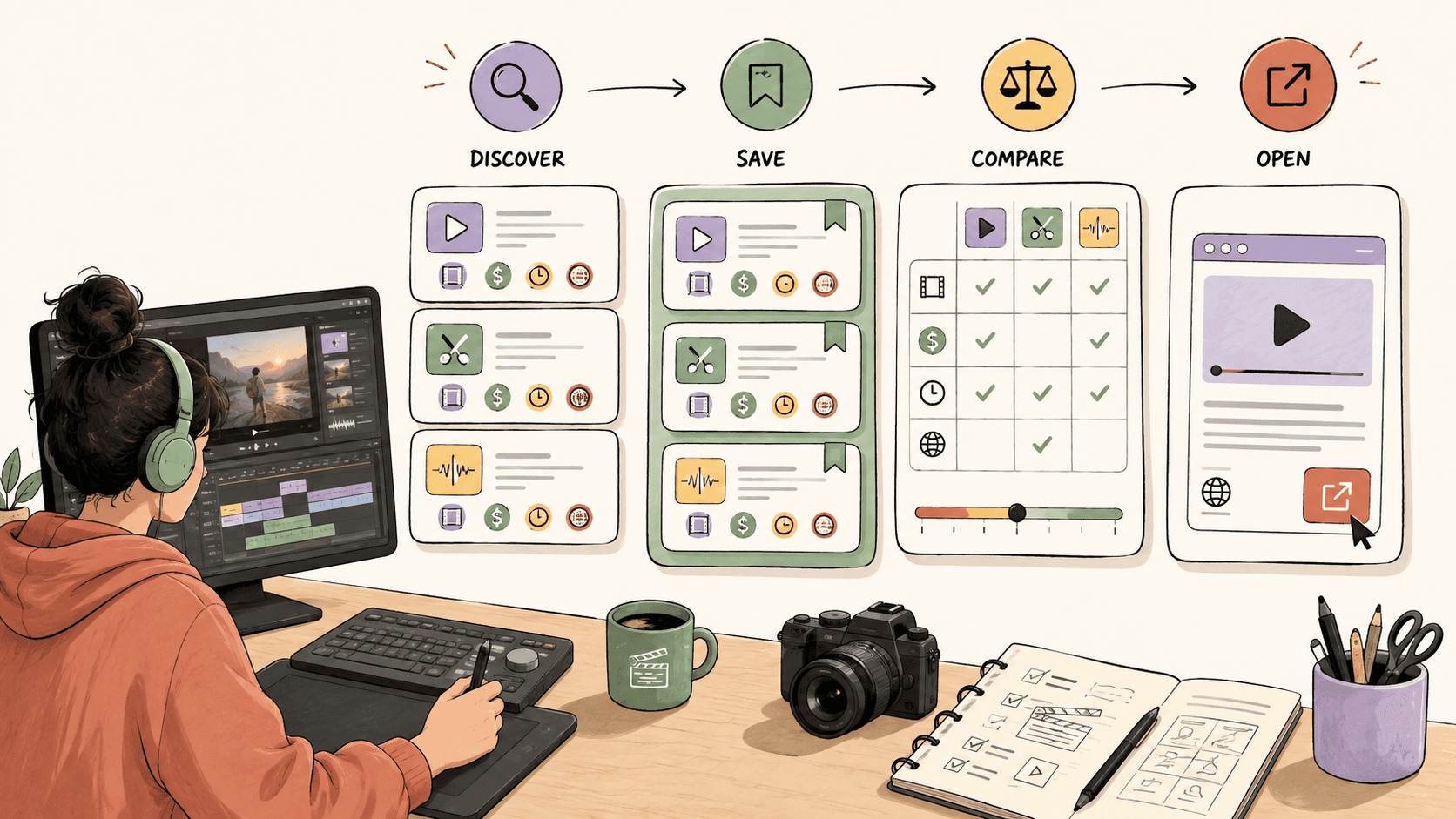
Checking r/forhire, r/designjobs, Behance, Dribbble, and other public communities manually can turn into a dozen open tabs. Sidequestboard provides a curated dashboard for discovering fresh public work opportunities in one calmer feed. You can save relevant opportunities, open the original listing, and apply or respond directly at the source.
It does not replace your portfolio, judgment, or outreach. It simply reduces the time spent checking scattered public communities so you can spend more time tailoring pitches. A practical routine is to review the feed once in the morning, save suitable editing or motion opportunities, verify each original post, and respond while the opportunity is still fresh.
Do this now: sign up for Sidequestboard, save only opportunities that match your editing portfolio, and continue applying through the original source rather than waiting for a guaranteed result.
What should you do during your first seven days?
On day one, publish or clean up your portfolio and prepare three service packages. On day two, search r/forhire and r/designjobs for relevant posts. On day three, review Behance Joblist and Dribbble Jobs for motion, content, and campaign roles. On day four, create one spec edit that fills a portfolio gap. On day five, send three tailored pitches. On day six, follow up with earlier contacts and improve the weakest sample. On day seven, review your tracker and keep the source that produced the best-fit conversations.
The goal is not to send 50 generic applications. It is to build a repeatable system that puts the right sample in front of the right person quickly. Start the seven-day schedule today and record every response.
Related guides
- Job Search Burnout: What to Do When Applications Make You Cry
- How to Find Contract Opportunities Before They Disappear
- How to Find Side Hustles That Are Actually Hiring Right Now
- My Coworker Hard Quit: What Should I Do Next for My Job Search?
- How to Spot Ghost Jobs and Stop Wasting Applications on Dead Listings
- Fiverr vs Upwork for Beginners: Which Is Better for Getting Your First Client?