July 6, 2026
How to Find Contract Opportunities Before They Disappear
To find contract opportunities before they disappear, monitor fast-moving sources by recency, use exact search operators, check buyer intent before replying, and respond quickly with a tailored pitch. Build a daily scan across Reddit, LinkedIn, niche boards, freelance platforms, newsletters, and public communities, then save and track the best-fit leads.
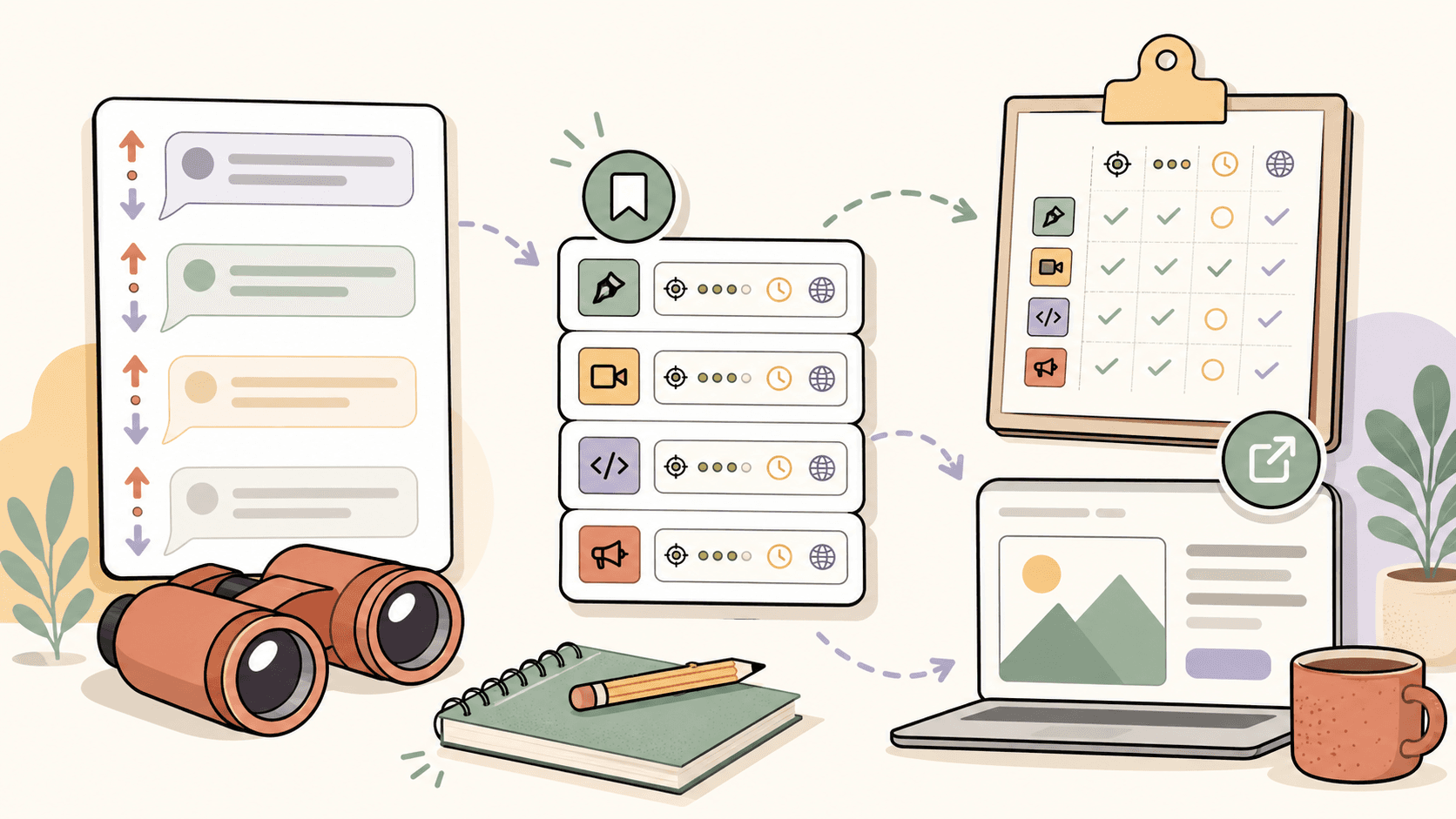
Quick answer: how do you find contract opportunities before they disappear?
The best way to find contract opportunities early is to combine fast-moving public sources with a repeatable daily workflow:
- Scan by recency, not popularity.
- Use exact search phrases that match buyer intent.
- Check whether the post is legitimate and worth your time.
- Save promising leads immediately.
- Reply with a short, relevant pitch while the post is still fresh.
Good places to monitor include Reddit communities, LinkedIn search, freelance platforms, niche job boards, startup job boards, newsletters, and relevant Slack or Discord communities. Sidequestboard can help if you are tired of checking too many public sources manually and want a calmer feed of fresh opportunities to review.
Why do contract opportunities disappear so quickly?
Many contract opportunities move fast because they are not traditional job postings with long hiring cycles. A founder, agency owner, creator, recruiter, or team lead may need help now and post in a community, social feed, or job board to fill the gap quickly.
Common reasons contract posts go cold include:
- the client receives enough replies within a few hours,
- the post is removed after the role is filled,
- the budget changes,
- the client pauses the project,
- the opportunity is buried by newer posts,
- the best applicants respond before you even see it.
That is why a contract-search workflow should prioritize freshness, fit, and speed. You do not need to be online all day. But you do need a system that helps you notice the right posts before they are stale.
Browse today’s opportunities on Sidequestboard
What sources should you check for fresh contract opportunities?
A strong search system uses multiple sources, but not so many that you spend all day browsing. Start with a few sources that match your niche, then add more only if they produce quality leads.
1. Reddit communities
Reddit can surface early-stage contract leads because many buyers post directly in public communities. Useful communities vary by niche, but common starting points include:
- r/forhire for general freelance and contract work,
- r/HireaWriter for writing and content work,
- r/designjobs for design-related opportunities,
- r/WorkOnline for broader remote-work discussions and leads,
- niche communities where your buyers spend time, such as SaaS, startups, marketing, video editing, programming, ecommerce, or creator communities.
Avoid relying on subreddit size alone. Member counts change and do not always predict opportunity quality. Instead, look for recent posts with clear scope, budget, deadline, and contact instructions.
2. LinkedIn search and alerts
LinkedIn can be useful for contract opportunities if you search beyond the standard jobs tab. Try searching posts for phrases like:
- “looking for a freelance designer”
- “hiring a contract developer”
- “need a copywriter”
- “seeking a fractional marketer”
- “contract role”
- “short-term project”
Filter by recent posts when possible. Also follow founders, agencies, recruiters, creator-led businesses, and operators in your niche because many contract needs appear as posts before they become formal listings.
3. Freelance platforms
Freelance platforms can work if you filter aggressively. Depending on your skill set, you may check platforms such as Upwork, Contra, Fiverr, PeoplePerHour, Toptal, or other specialist marketplaces.
Do not assume old information about platform fees or commission structures is still accurate. These policies can change, so verify current fees, payment terms, and client protections directly on the official platform before committing.
4. Startup and remote job boards
Some contract roles appear on startup and remote-work boards. Depending on your target market, check sources such as:
- Wellfound,
- Y Combinator Work at a Startup,
- Remote OK,
- We Work Remotely,
- niche boards for design, engineering, marketing, writing, customer support, or operations.
Use filters such as “contract,” “freelance,” “part-time,” “temporary,” “remote,” and your primary skill keywords.
5. Slack, Discord, and private communities
Many high-quality contract opportunities circulate inside communities before reaching public job boards. Look for relevant Slack or Discord groups in your industry, alumni networks, creator communities, paid professional communities, and local tech or startup groups.
The challenge is that these communities can become noisy. Choose a small number where buyers actually post opportunities, then check them at set times instead of keeping them open all day.
6. Newsletters and curated feeds
Niche newsletters can be useful because they filter opportunities for you. Look for newsletters focused on your role, industry, or location. The tradeoff is timing: if a newsletter sends once a week, some opportunities may already have many applicants. Use newsletters as a backup source, not your only source.
What search phrases help you find contract opportunities faster?
Use phrases that indicate someone is actively looking for help. Broad terms like “freelance work” are often too noisy. Buyer-intent phrases are better.
Try combinations like:
- “looking for a freelance [role]”
- “hiring a contract [role]”
- “need a [role] for a project”
- “seeking a [role]”
- “paid gig [skill]”
- “short-term contract [skill]”
- “part-time contractor [skill]”
- “remote contract [role]”
- “available budget [skill]”
- “urgent help with [problem]”
Examples:
- “looking for a freelance Webflow developer”
- “hiring a contract product designer”
- “need a B2B SaaS copywriter”
- “paid gig video editor YouTube shorts”
- “remote contract React developer”
The goal is to find posts where the buyer has already expressed a need, not just general conversations about work.
How can you use Google search operators for contract leads?
Google can find public posts that platform search misses. Use search operators to narrow the results.
Examples:
site:reddit.com/r/forhire "hiring" "copywriter"
site:reddit.com "looking for a freelance designer"
site:linkedin.com/posts "hiring a contract" "developer"
"need a freelance" "video editor" "remote"
"contract" "Webflow" "hiring"
"paid gig" "Notion" "consultant"
You can also add time-sensitive words:
"hiring this week" "freelance writer"
"need help ASAP" "Shopify developer"
"urgent" "contract designer"
When using Google, check the date carefully. Search results may show old pages, reposts, or cached content. A post that looks relevant but is months old is usually not worth a first-priority reply.
How do you know if a contract opportunity is worth replying to?
Before spending time on a pitch, quickly score the opportunity. A good contract post usually has several of these signals:
- clear problem or project scope,
- realistic timeline,
- budget or rate range,
- specific skill requirements,
- credible company, founder, or poster history,
- clear contact instructions,
- signs that the buyer understands the work.
Be careful with posts that have:
- no budget and vague scope,
- requests for unpaid tests,
- pressure to move immediately to unknown payment channels,
- unrealistic promises,
- poor communication,
- suspicious links or attachments,
- requests for sensitive personal information before any real conversation.
Fast does not mean careless. Your goal is to reply quickly to good-fit opportunities, not to chase every post.
What rate filters should you use?
Rate filters depend heavily on your skill, niche, location, experience, scope, and the buyer’s market. Avoid treating any single number as a universal benchmark.
Instead, use rate filters as a screening tool:
- Reject obvious underpricing if the scope is large and the budget is tiny.
- Watch for vague budgets such as “cheap,” “quick,” or “easy” when the work is complex.
- Compare the scope to your minimum project size.
- Separate starter gigs from serious client work.
For example, a small one-off task may be priced very differently from ongoing strategy, technical implementation, or specialized B2B work. A short content task, a technical white paper, a landing page rewrite, and a monthly content retainer should not be evaluated with the same rate expectation.
If you need market-specific rate guidance, verify current ranges from multiple sources: platform listings, professional communities, salary/rate surveys, and conversations with peers in your niche.
How fast should you reply to a contract post?
For fresh public opportunities, replying within the first few hours can help. But speed only matters if your reply is relevant.
A strong first reply should be:
- short,
- specific to the post,
- proof-based,
- easy to respond to,
- free of generic “I am interested” language.
Simple reply template
Hi [Name] — I saw your post about [specific project/problem].

I’ve worked on similar [type of work], especially [relevant proof or niche]. Based on what you shared, I’d suggest starting with [quick observation or first step].

Relevant example: [link]

If useful, I can send over 2–3 questions and a quick plan today.
Example for a writer
Hi — I saw you’re looking for help with B2B SaaS blog content.

I’ve written for similar software audiences, especially pieces that explain technical workflows to non-technical buyers. For this kind of post, I’d first clarify the target reader, product angle, and conversion goal before outlining.

Here’s a relevant sample: [link]

Happy to send a quick outline approach if you’re still reviewing writers.
Example for a developer
Hi — I saw your post about needing help with a Webflow-to-Next.js migration.

I’ve handled similar rebuilds where the main risks were preserving SEO structure, redirects, and CMS content. If you already have the Webflow project and target stack ready, I can help scope the migration and identify the risky pages first.

Relevant work: [link]

If useful, I can send a short checklist of what I’d review before estimating.
How should you track contract opportunities?
If you do not track leads, you will either forget good posts or waste time rereading the same ones. Use a simple tracker in Notion, Airtable, Trello, Google Sheets, or your preferred CRM.
Useful columns:
- source,
- original link,
- company or poster,
- role or project type,
- budget or rate if listed,
- date found,
- freshness score,
- fit score,
- reply status,
- follow-up date,
- notes,
- outcome.
A simple status flow is enough:
Found → Saved → Replied → Followed up → Call booked → Won/Lost/Archived
Do not overbuild the tracker. The point is to help you act, not create another admin task.
What daily workflow helps you find opportunities without checking tabs all day?
A calm workflow beats constant refreshing. Try this schedule:
Morning: 20-minute scan
- Check your highest-quality sources by recency.
- Save only good-fit leads.
- Ignore stale or vague posts.
- Pick the top 1–3 opportunities to reply to first.
Midday: 10-minute refresh
- Recheck fast-moving sources.
- Look for new posts from the last few hours.
- Send quick replies to strong-fit posts.
Afternoon or evening: 20-minute follow-up block
- Follow up on previous replies.
- Update your tracker.
- Improve one pitch or portfolio link based on what buyers are asking for.
This keeps your search consistent without turning your day into a browser-tab marathon.
Where does Sidequestboard fit into this workflow?
Sidequestboard is useful when your main problem is not knowing where opportunities exist, but having to check too many public sources manually.
Instead of opening a long list of tabs across communities and social platforms, you can use Sidequestboard as a cleaner discovery dashboard for fresh public opportunities. It helps you:
- review public opportunity posts in one calmer feed,
- spend less time manually scanning noisy sources,
- notice relevant leads while they are still fresh,
- save interesting opportunities,
- open the original source when you are ready to apply or reply,
- draft faster first replies when appropriate.
Sidequestboard is not an employer, recruiter, or guaranteed job source. You still decide which opportunities are worth pursuing, verify the original listing, and apply or respond directly at the source. The value is in making the discovery and saving process less chaotic.
What should you do when you find a good opportunity?
Use this quick decision process:
- Check freshness. Was it posted recently enough to be worth replying?
- Check fit. Do you have relevant proof, experience, or samples?
- Check legitimacy. Does the post include credible details and safe contact steps?
- Save the link. Do this before switching tabs.
- Reply with context. Mention the specific project and why you fit.
- Track the follow-up. Set a reminder if the opportunity is important.
If you do this consistently, you will waste less time browsing and spend more time on the actions that can actually lead to calls, projects, and contracts.
Common mistakes that make people miss contract opportunities
Sorting by “top” instead of “new”
Popular posts are often already saturated. For contract leads, recency usually matters more than upvotes, likes, or comments.
Using only one platform
No single platform has every good opportunity. If you only check one source, you will miss buyers who post elsewhere.
Replying with generic pitches
A fast generic reply usually loses to a slower but more relevant reply. Mention the actual problem, include proof, and make the next step easy.
Saving nothing
If you find a strong post and do not save it, you may never find it again. Save first, evaluate second.
Chasing every lead
Volume helps only if the leads are relevant. Ten thoughtful replies to strong-fit opportunities are usually better than fifty generic replies to random posts.
A simple contract opportunity search checklist
Use this checklist during your next scan:
- Search by newest or recent posts.
- Use buyer-intent phrases, not broad keywords only.
- Check Reddit, LinkedIn, niche boards, and one or two platform sources.
- Verify the post date and original source.
- Look for scope, budget, timeline, and contact instructions.
- Avoid suspicious or vague posts.
- Save good-fit leads immediately.
- Send a short tailored reply.
- Track status and follow-up date.
- Review which sources produced real conversations.
The goal is not to monitor the entire internet. The goal is to build a repeatable system that helps you see relevant contract opportunities early enough to act.
Related guides
- How to Start Freelancing as a Student with No Experience
- How to Get Freelance Clients on LinkedIn: Profile, Search, Outreach, and Lead Workflow
- How to Start Freelancing as a Graphic Designer
- Fiverr vs Upwork for Beginners: Which Is Better for Getting Your First Client?
- Indeed Reposted Automatically or Fresh Opening? How to Tell Before You Apply