June 17, 2026
How to Transition from an Office Job to Remote Work: A 30-Day Plan
To transition from an office job to remote work, you have two paths: ask your current employer for a remote trial, or land a new remote role. The core steps are identifying transferable skills, rewriting your resume for remote-friendly language, targeting the right roles and job boards, and building proof you can work independently. After you land the job, the first 90 days are about adjusting your routine, communication, and boundaries.
How Many People Actually Work Remotely?
Remote work is not a fringe experiment. According to the U.S. Bureau of Labor Statistics' Current Population Survey, roughly 34% of employed Americans worked from home at least some of the time in 2022. That is tens of millions of people, and the number has stayed elevated since the pandemic. The takeaway: moving from an office job to remote work is a mainstream transition, not a risky leap.
Should You Ask Your Current Employer to Go Remote First?
Before you start applying elsewhere, consider the fastest path: converting your current office job into a remote one. Many employers are more open to this than you think, especially if you have a track record of reliable, independent work.
How to pitch a remote trial
Ask for a 30- to 90-day remote trial with clear deliverables. Frame it as a low-risk experiment, not a permanent demand. Propose:
- Specific work you will complete during the trial
- How you will communicate (e.g., daily written updates, weekly video check-ins)
- Which tools you will use (Slack, Zoom, Notion, Asana, etc.)
- How you will measure success (deadlines met, output quality, response times)
A short script for the ask
"I'd like to propose a 30-day remote trial. I'll keep the same responsibilities and deliverables, but work from home three days a week. I'll send a written summary at the end of each day and stay available during core hours. If it doesn't work, we can revert with no hard feelings."
Signs it is time to pursue Path 2 instead
If your employer says no, stalls indefinitely, or only offers a vague "maybe someday," start applying to remote roles elsewhere. Do not wait for permission to build the career you want.
What Office Skills Transfer Best to Remote Work?
Many office jobs already build the habits remote employers want. The key is to translate your experience into outcomes, tools, and independence instead of location-based language.
Common transferable skills include:
- Written communication
- Scheduling and coordination
- Customer support
- Operations and process improvement
- Reporting and documentation
- Project tracking
- Finance, invoicing, and admin work
- Basic technical troubleshooting
- Working across teams without constant supervision
Office task to remote job title mapping
| Office task you already do | Remote-friendly role it maps to |
|---|---|
| Scheduling, coordinating, and follow-ups | Remote operations coordinator, virtual assistant |
| Answering customer questions and resolving issues | Remote customer support specialist |
| Tracking projects and updating stakeholders | Remote project coordinator |
| Writing reports, documentation, and process guides | Remote content operations, technical writer |
| Managing invoices, expenses, and basic bookkeeping | Remote finance assistant, accounts payable |
| Supporting executives with calendars and travel | Remote executive assistant |
If your current job includes any of those, you likely already have a base for remote work. The challenge is showing it clearly.
How Do You Rewrite Your Resume for Remote Roles?
A remote-ready resume should prove that you can work well without being in an office. Replace office-only wording with measurable results and remote-friendly signals.
Try this approach:
- Lead with your target role, not your current office title.
- Add bullets that show ownership, deadlines, communication, and independent execution.
- Mention tools you already use, such as Slack, Zoom, Google Workspace, Notion, Trello, Asana, or project trackers you know well.
- Highlight examples of remote-adjacent behavior, like managing work across teams, documenting processes, or coordinating asynchronously.
Before and after bullet examples
-
Weak: "Handled daily admin tasks in a busy office."
-
Stronger: "Managed scheduling, reporting, and cross-team coordination for a 12-person team, keeping deadlines on track and reducing back-and-forth on recurring tasks."
-
Weak: "Answered phone calls and emails from customers."
-
Stronger: "Resolved 40+ customer inquiries per week via email and chat, maintaining a 95% satisfaction score while working independently."
-
Weak: "Helped with project updates and meeting notes."
-
Stronger: "Documented project milestones and action items in Asana, reducing missed deadlines by 20% across a distributed team."
Remote keywords to include
Use these terms naturally in your resume and LinkedIn profile:
- Async communication
- Documentation
- Self-directed
- Written communication
- Time zone overlap
- Remote collaboration
- Independent execution
For LinkedIn, update your headline, About section, and featured work so they point toward the remote role you want.
Which Remote-Friendly Roles Should Office Workers Target (and What Do They Pay)?
The best transition roles are usually close to work you already do. You do not need to reinvent your career overnight.
Common stepping-stone roles and indicative U.S. pay ranges (full-time, remote):
- Remote customer support: $40,000–$55,000
- Remote operations coordinator: $45,000–$65,000
- Virtual assistant: $35,000–$60,000 (often contract)
- Project coordinator: $50,000–$70,000
- Account coordinator: $45,000–$60,000
- Recruiting coordinator: $45,000–$65,000
- Sales support: $45,000–$65,000
- Implementation specialist: $55,000–$80,000
- Content operations: $50,000–$75,000
- Administrative or executive support: $45,000–$70,000
Pay varies by company size, industry, and location. Contract roles often pay hourly ($20–$40/hour for these levels). A good filter is: can this work be done mostly through documentation, email, chat, and scheduled calls? If yes, it may be a fit.
Where Should You Search for Remote Jobs? A Board Comparison
Use a mix of job boards, social sources, and company pages. That gives you both broad coverage and fresher leads.
| Source | Best for | Cost | Listing freshness | Key filters |
|---|---|---|---|---|
| Broad remote roles, recruiter activity | Free (Premium optional) | High, but many reposts | Remote filter, date posted, seniority | |
| We Work Remotely | Remote-first companies | Free for job seekers | High, curated | Category, region, full-time/contract |
| Remote OK | Distributed jobs across functions | Free | High, aggregated | Tags, time zone, salary |
| FlexJobs | Curated remote and flexible listings | Paid subscription | High, vetted | Schedule, career level, category |
| Wellfound | Startup and early-stage roles | Free | High, direct from founders | Equity, salary, remote |
| Reddit (r/remotework, r/forhire) | Community leads, freelance gigs | Free | Variable, often fresh | Search by flair, date |
| X/Twitter search | Founders and hiring managers posting directly | Free | Very fresh, but noisy | Search terms like "remote [role] hiring" |
| Discord/Slack communities | Niche opportunities, referrals | Free | Fresh, but scattered | Channel search, pinned posts |
Search by title and by skill. For example:
- "remote operations coordinator"
- "remote customer success associate"
- "distributed project coordinator"
- "async support specialist"
- "work from anywhere admin"
Also use filters for:
- Remote only
- Time zone compatibility
- Seniority level
- Contract vs full-time
- Posted within the last few days
How Do You Spot Fake or Stale Remote Listings?
Remote job searches are full of stale posts, vague pitches, and low-quality listings. Use a simple checklist before you apply.
Check for:
- A real company name or verifiable poster identity
- A clear job title and responsibilities
- A real application path
- Pay, budget, or at least a serious compensation signal
- A recent posting date
- Specific requirements instead of generic hype
Be careful with:
- Upfront fees or deposits
- Requests for crypto payments
- Vague tasks with no role clarity
- Pressure to move fast before you can verify anything
- Unpaid test work that looks excessive
- Messages that ask for sensitive information too early
If a listing feels off, verify it on the company site or through the poster's public profile before spending time on it.
How Do You Build Proof You Can Work Remotely?
If you are coming from an office job, employers may want evidence that you can manage work independently. You can build that proof even before you leave your current role.
Good signals include:
- Clean writing samples or process docs
- A simple portfolio or case study page
- Examples of work you organized or improved
- A short summary of tools you use comfortably
- References who can speak to your reliability
- Evidence that you can work without close supervision
You do not need a huge portfolio for every role. For many office-to-remote transitions, a tidy resume, clear LinkedIn profile, and one or two concrete examples are enough to start. A one-page case study describing a process you improved or a project you coordinated is often more persuasive than a long list of duties.
What Remote Interview Questions Will You Get?
Interviews are where you prove you can thrive without a manager looking over your shoulder. Expect these questions and prepare answers that draw on your office experience.
"Why do you want to work remotely?"
Model answer: "I've found that I do my best work when I can focus without constant interruptions. In my current office role, I already manage my own schedule, document my work, and communicate across teams asynchronously. I'm looking for an environment where that independence is the default."
"How do you stay productive without supervision?"
Model answer: "I use a daily written plan and block time for deep work. In my office job, I tracked my tasks in Asana and sent weekly summaries to my manager. I'd bring that same discipline to a remote role, with clear priorities and regular check-ins."
"How do you handle communication when you're not in the same room?"
Model answer: "I over-communicate in writing. I confirm understanding, share updates proactively, and ask questions early. In my current role, I reduced back-and-forth by documenting processes and using Slack for quick clarifications instead of waiting for meetings."
Questions to ask the employer
- "What does a typical async workday look like for this team?"
- "Which time zones do you expect overlap with?"
- "How do you measure output and success for this role?"
- "What tools do you use for project tracking and communication?"
What Are the Pros and Cons of Office vs Remote Work?
Before you leap, understand the trade-offs. Remote work is not universally better; it is different.
Pros of remote work
- No commute, saving 5–10 hours per week on average
- More control over your environment and schedule
- Often lower daily expenses (lunch, gas, work clothes)
- Access to jobs beyond your local market
Cons of remote work
- Pay may be adjusted by geography; some companies pay less for lower-cost areas
- Visibility and promotion politics can be harder; out of sight can mean out of mind
- Isolation risk if you live alone or lack social outlets
- Blurred work-life boundaries; the office no longer signals "end of day"
How to mitigate the cons
- Negotiate pay based on value, not location, when possible
- Schedule regular 1:1s and document your wins to stay visible
- Join a coworking space or remote worker community
- Set a hard stop time and a separate workspace
What Is a Realistic 30-Day Office-to-Remote Transition Plan?
A focused workflow beats random browsing. Here is a single, consolidated 30-day plan that merges the old 2-week and 30-day approaches into one timeline.
Week 1: Define and prepare
- Pick one or two remote-friendly roles based on your current experience
- Write down target job titles, core skills, industries, and time zone needs
- Rewrite your resume for the target role
- Update your LinkedIn headline and About section
- Prepare a short cover note template
- Gather a few work examples, links, or references
Weeks 2–3: Search and apply in batches
- Check several sources each day: LinkedIn, We Work Remotely, Remote OK, FlexJobs, Wellfound, niche communities, and direct company pages
- Save anything promising in one tracker (Google Sheets or Notion)
- Apply to the strongest matches first
- Send tailored notes where appropriate
- Track every lead with fields: company, role, source, date found, status, next action, follow-up date, notes
Week 4: Follow up and refine
- Follow up on promising opportunities if the posting or contact method allows it
- Review which sources are producing real leads
- Tighten your resume for the best-performing roles
- Add a small proof piece, like a case study or portfolio page
- Remove weak sources and focus on channels giving you the freshest, best-fitting opportunities
How Do You Adjust in Your First 90 Days Remote?
Landing the job is only half the transition. The first three months remote are about building habits that keep you productive and sane.
Home office setup basics
- Dedicate a specific space for work, even if it is a corner of a room
- Invest in a decent chair, monitor, and headset
- Ensure reliable internet and a backup plan (phone hotspot)
Routine design
- Start and end work at consistent times
- Block time for deep work and for communication
- Take real breaks away from your screen
Async communication habits
- Over-communicate in writing: confirm tasks, share updates, ask questions early
- Use status updates (e.g., "Working on X, will have draft by 3pm")
- Respect time zones; do not expect instant replies
Avoiding isolation
- Schedule virtual coffee chats with teammates
- Join a remote worker community or coworking space
- Keep non-work social activities on your calendar
Setting work-life boundaries
- Shut down your computer at a set time
- Do not check work messages after hours unless it is an emergency
- Use a separate user profile or device for work if possible
How Can Sidequestboard Help You Track Fresh Remote Leads?
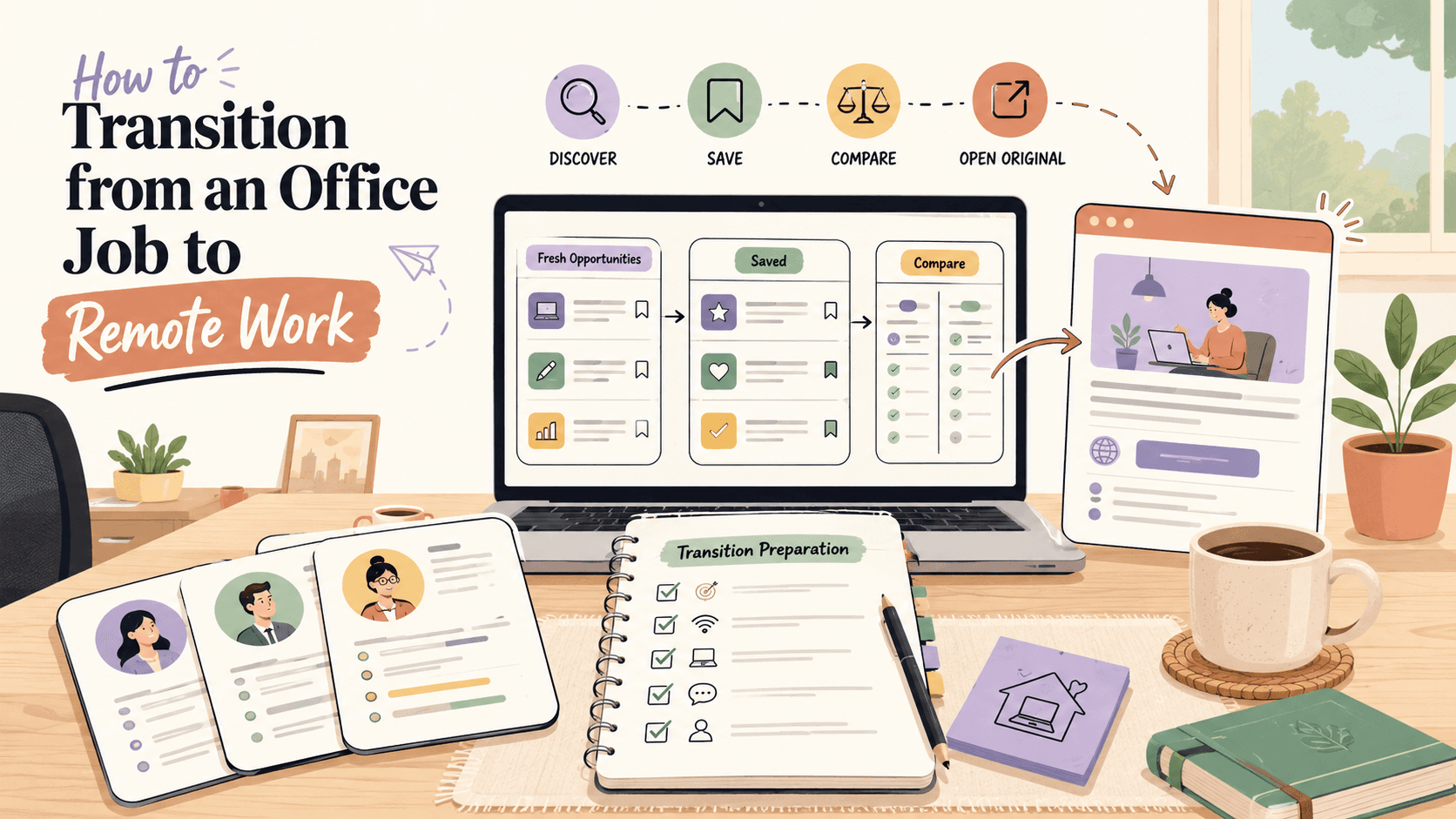
Sidequestboard helps you monitor fresh public opportunities in one cleaner feed so you spend less time bouncing between tabs and more time applying. It is especially useful during Weeks 2–3 of the 30-day plan, when you are searching daily across multiple sources.
You can save relevant opportunities, revisit them later, and open the original source when you are ready to apply or respond. Sidequestboard does not guarantee jobs, and it does not replace your judgment. But it can make the search process calmer and faster when you are trying to move from office work into remote work.
FAQ
Can I get a remote job with only office experience?
Yes. If your office work includes transferable skills like communication, coordination, documentation, reporting, operations, customer support, finance, or IT support, you may already be a fit for some remote roles.
What should I say in interviews when I am moving from office to remote work?
Focus on how you handle ownership, deadlines, communication, and independent work. Give examples that show you can stay organized, ask good questions, and keep work moving without constant supervision.
Should I use the same resume for every remote job?
No. Start with one remote-ready base resume, then tailor the title, summary, and top bullets to each role so the most relevant experience is easy to spot.
Can Sidequestboard guarantee I will get hired?
No. Sidequestboard helps you find, save, and revisit public opportunities more efficiently. You still need to evaluate each listing and apply or respond through the original source.
Should I quit my office job before finding remote work?
No. It is almost always safer to secure a remote role or a remote trial with your current employer before quitting. A steady income reduces pressure and gives you leverage in negotiations.
Do remote jobs pay less than office jobs?
Sometimes, but not always. Some companies adjust pay based on your location, while others pay the same regardless of where you live. Research salary ranges for your target role and negotiate based on the value you bring, not your zip code.