August 11, 2026
How to Discover Paid Projects from Niche Online Groups
To discover paid projects from niche online groups, monitor specific communities where buyers already post, sort by freshness, verify the poster, compare the project against realistic rates, and respond quickly with a tailored pitch. For designers, start with r/designjobs, r/forhire, Dribbble Jobs, Behance Joblist, and 99designs.
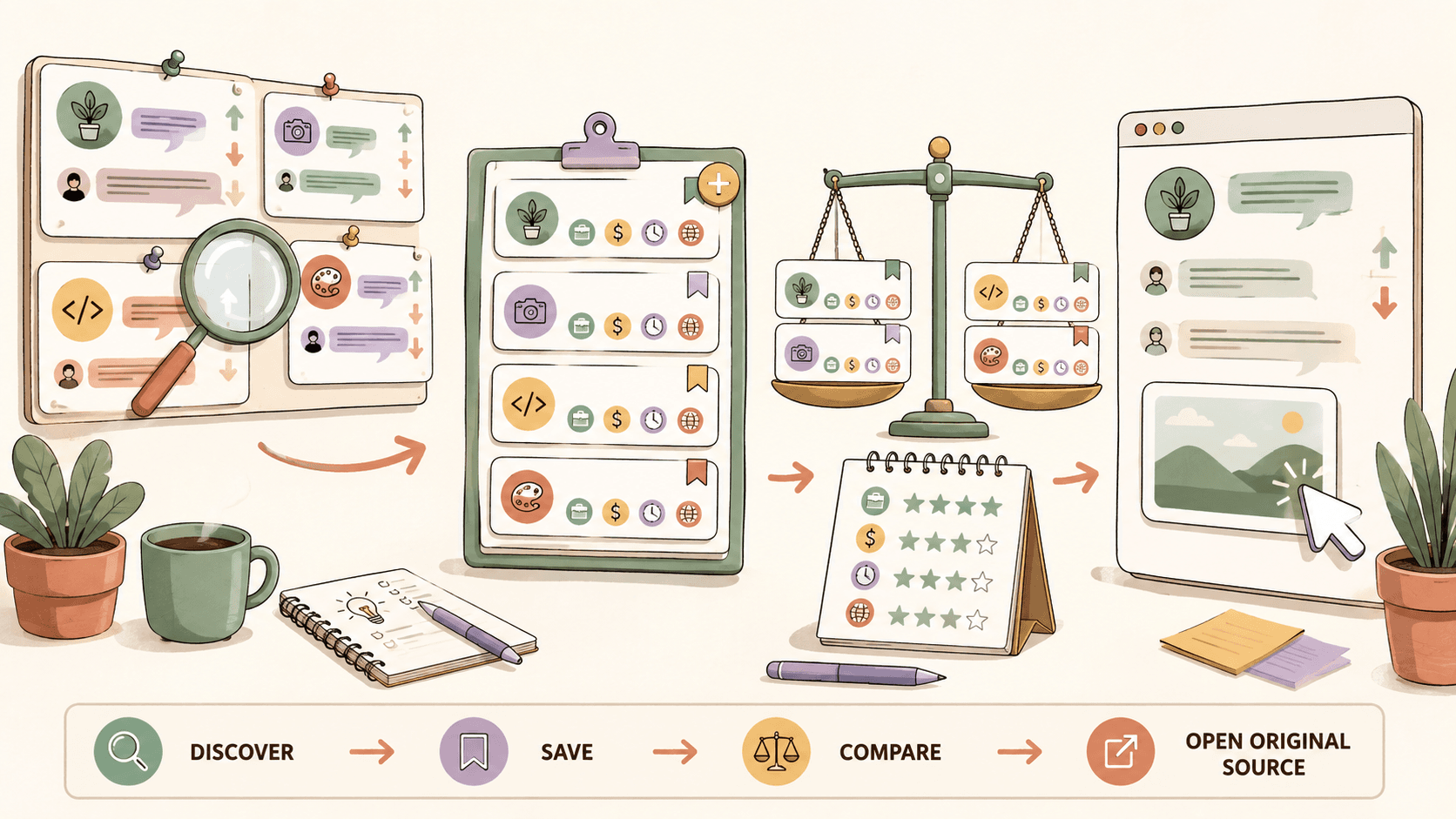
Where should you look first for paid projects from niche groups?
Start with places where paid intent is explicit. For design work, the strongest public sources from the research set are r/designjobs, r/forhire, r/Design, Dribbble Jobs, Behance Joblist, and 99designs.
Here is how I would prioritize them if I had one hour per day:
- r/designjobs: This subreddit has about 150K members and is useful because you can check the [Hiring] flair for design projects. It is more focused than a broad freelance community, so the signal-to-noise ratio can be better for logo, branding, product design, and visual design work.
- r/forhire: This is much larger, with about 1.3M members. It is noisier, but the volume is useful. Search within [Hiring] posts for terms like designer, design, logo, UI, UX, illustration, and brand.
- r/Design: With about 400K members, this is not only a direct hiring source. Use it for networking and lead discovery in discussions. People ask for feedback, vendor recommendations, portfolio critiques, and tool advice. Those threads can reveal companies or founders who may need help soon.
- Dribbble Jobs: The Dribbble job board at https://dribbble.com/jobs is strong for UI/UX, graphic design, and illustration. It is free to browse and tends to attract buyers who understand visual portfolios.
- Behance Joblist: Behance’s job list at https://behance.net/joblist is also free to browse and leans toward creative design roles. It is especially useful if your portfolio is already on Behance.
- 99designs: 99designs at https://99designs.com is contest-oriented, especially for logo and branding design contests. Commission and contest economics vary, so use it selectively rather than treating every contest as a good use of time.
A simple first action: open r/designjobs and filter by [Hiring], then open r/forhire and search designer inside [Hiring] posts sorted by New. Do that before browsing any general inspiration feed.
How do you separate real buyer intent from casual discussion?
Real buyer intent usually includes a specific deliverable, budget, timeline, and response instruction. A weak lead says, “Looking for someone creative.” A stronger lead says, “Need a logo and landing page hero illustration for a SaaS launch by next Friday, budget $800, send portfolio and availability.”
On r/designjobs, the [Hiring] flair is your first filter. After that, check for:
- A defined project type: logo design, UI screens, brand identity, illustration, pitch deck, landing page graphics.
- A budget that fits market ranges. For example, logo design commonly ranges from $200 to $2,000+, depending on scope and client type.
- A realistic timeline. A full brand identity in 48 hours for $100 is a red flag. A one-off illustration in one week for $300 may be plausible.
- A clear next step: email, form, DM, portfolio link, or application page.
- A poster history that looks normal. On Reddit, click the user profile and scan recent posts and comments before responding.
On r/forhire, volume is higher, so I use search terms rather than scrolling the front page. Search designer or design within [Hiring] posts, sort by New, and inspect anything posted in the last few hours first. Freshness matters because public posts can attract dozens of replies quickly.
On r/Design, buyer intent is more indirect. Look for comments like “we are rebranding,” “we need a designer for our app,” or “does anyone know a good illustrator?” Do not spam those threads. Add a useful comment, answer the design question, and only share your portfolio if it fits the conversation.
Action you can take now: create a browser bookmark folder named “Paid Design Leads” with direct links to r/designjobs [Hiring], r/forhire search results for “designer,” Dribbble Jobs, Behance Joblist, and 99designs.
Track fresh opportunities on Sidequestboard
What exact workflow should you use on r/forhire and r/designjobs?
Use a fast triage workflow. The goal is not to read every post. The goal is to find projects that match your skill, budget, and response window.
Here is a concrete walkthrough for r/forhire:
- Go to r/forhire, which has about 1.3M members.
- Search for designer or design.
- Filter to [Hiring] posts.
- Sort by New.
- Open posts from the last 24 hours first, then the last 72 hours if volume is low.
- Check whether the post mentions a budget. Compare it against realistic ranges: graphic design at $30 to $100/hr, UI design at $50 to $150/hr, or logo design at $200 to $2,000+.
- Open the poster’s Reddit profile. Look for account age, normal comment history, and whether they have posted the same project repeatedly with no hires.
- Respond only if you can mention one relevant portfolio piece.
Example response structure:
“Hi, I saw your [Hiring] post looking for a UI designer for a dashboard redesign. I’ve worked on SaaS dashboards with dense data tables and onboarding flows. Relevant example: [portfolio link]. For a 3 to 5 screen redesign, I usually estimate 8 to 15 hours depending on feedback rounds, at $X/hr. I’m available this week and can send a short outline after seeing the current screens.”
For r/designjobs, the process is similar but more specialized:
- Go to r/designjobs, about 150K members.
- Click or search for the [Hiring] flair.
- Prioritize posts with deliverables in the title, such as logo, brand identity, packaging, UI, or illustration.
- Ignore vague posts without budget unless the client provides strong context and a credible company link.
- Reply with the exact category of work they asked for. If they ask for illustration, do not lead with a generic branding portfolio.
Action you can take now: write three reusable pitch blocks, one for logo design, one for UI design, and one for illustration. Keep each under 120 words so you can customize quickly.
How can designers use Dribbble, Behance, and 99designs without wasting hours?
The trick is to treat each platform differently.
Dribbble Jobs at https://dribbble.com/jobs is useful for UI/UX, graphic design, and illustration roles. It is free to browse. Because Dribbble is portfolio-native, your visual proof matters immediately. If you apply to a UI/UX role, link directly to the relevant case study, not your homepage. A SaaS dashboard role should see SaaS dashboard work in one click.
Behance Joblist at https://behance.net/joblist is also free. Behance can work well for creative design roles because many employers already expect portfolio-based evaluation. If your Behance projects are outdated, update the top three before applying. A strong Behance project should show the brief, constraints, process, final visuals, and outcome. Even if you cannot share revenue numbers, show before-and-after visuals or user flow improvements.
99designs at https://99designs.com is different because it is known for logo and branding design contests. Commission and payout dynamics vary by contest, so do the math before entering. A $300 logo contest with dozens of designers competing may be a poor use of five hours if your close rate is low. A more specialized branding contest that fits your style may be worth testing if you can reuse some exploratory work in your portfolio.
Use rate benchmarks to make better decisions:
- Logo design: $200 to $2,000+ depending on concept count, revisions, usage, and client size.
- UI design: $50 to $150/hr for freelance UI work, especially when product thinking is involved.
- Graphic design: $30 to $100/hr depending on production complexity and turnaround.
- Illustration: $50 to $500+ per illustration, with licensing and complexity changing the price.
A practical rule: if a project cannot realistically reach at least your target hourly rate after revisions and admin time, skip it. For example, if you charge $60/hr and a logo contest would take six hours with uncertain payout, the expected value is weak unless it gives you a strategic portfolio piece.
Action you can take now: choose one platform for active applications this week. Use Dribbble Jobs for UI/UX, Behance Joblist for creative roles, or 99designs only for contests that match your exact visual niche.
How do you respond before a good project disappears?
Speed matters, but rushed replies lose. Your goal is to respond within the first few hours when possible while still sounding specific.
For Reddit posts in r/forhire and r/designjobs, I recommend a 10-minute response window:
- Minute 1: Read the post twice and identify the deliverable.
- Minute 2: Check budget against your rate range.
- Minutes 3 to 4: Open the poster’s profile and scan for legitimacy.
- Minutes 5 to 7: Choose one or two relevant portfolio links.
- Minutes 8 to 10: Write a concise reply that mirrors the project language.
Do not send a wall of text. Buyers reading 30 replies are looking for relevance. If the post asks for a packaging designer, your first sentence should mention packaging. If the post asks for a mobile app UI designer, mention mobile UI and link to a mobile UI case study.
Concrete scenario: you find an r/forhire [Hiring] post from three hours ago asking for a designer to refresh a landing page. The poster says they have a $750 budget and need it done within a week. That fits a mid-scope graphic or web design project if the deliverables are clear. You check their profile and see normal SaaS-related comments. Your reply should include one landing page example, your availability this week, and a short note like “I can start with a quick audit of the current hero, CTA section, and pricing area.” That shows you understand the actual work.
Action you can take now: create a saved text snippet called “fresh project reply” with placeholders for project type, relevant example, timeline, and rate.
How should you track niche group opportunities without a messy spreadsheet?
Manual tracking breaks down when you monitor more than three sources. You can use simple tools like Notion, Trello, or Google Sheets, but keep the system lightweight.
A practical Trello setup:
- Column 1: New leads
- Column 2: Verified
- Column 3: Responded
- Column 4: Follow up
- Column 5: Closed or skipped
For each card, save:
- Source: r/designjobs, r/forhire, Dribbble Jobs, Behance Joblist, or 99designs.
- Link to original post.
- Posted date.
- Budget.
- Project type.
- Response deadline or timeline.
- Your next action.
A Notion database can work better if you like filters. Add properties for skill type, budget range, source, and status. Then filter for “Posted in last 72 hours” and “Not responded.” The key is not the tool. The key is preserving the original source link and making a decision quickly.
If your biggest problem is tab chaos, this is where Sidequestboard can help. It is a curated opportunity discovery dashboard for fresh public opportunities from communities and social platforms. You can use it to discover relevant public posts in one calmer feed, save interesting opportunities, open the original source, and respond there directly. It is not a middleman and does not replace your judgment, but it can reduce the manual checking loop.
Action you can take now: pick one tracking method today and add five opportunities from named sources, even if you skip four of them. The habit matters more than the volume.
What red flags should make you skip a paid project?
Skip quickly when the opportunity does not respect scope, budget, or basic legitimacy.
On r/forhire and r/designjobs, watch for:
- No budget and a vague deliverable.
- Unrealistic scope, such as full brand identity, website, and social kit for $100.
- Requests for unpaid custom work before any agreement.
- Posters with brand-new accounts and no history, especially if they ask to move to a suspicious external link.
- Posts that say “great exposure” instead of compensation.
- Contests where the expected time investment does not match your odds of payment.
On 99designs, the red flag is not contests themselves. Some designers use them strategically. The problem is entering contests without calculating the expected value. If an illustration usually earns $50 to $500+ per illustration, a contest that requires multiple polished illustrations with uncertain payout may not make sense.
On Dribbble Jobs and Behance Joblist, watch for job descriptions that combine senior UI/UX, branding, motion, front-end coding, and social content into one underpaid role. If the role asks for UI design at a level that normally earns $50 to $150/hr, the compensation should reflect that skill set.
Action you can take now: write your personal skip rules. For example: “I skip logo projects under $300 unless they are extremely simple,” or “I skip UI work below $50/hr unless it is a short portfolio-building project.”
How can Sidequestboard fit into this workflow?
Once you know which sources produce good opportunities for you, the bottleneck becomes freshness and focus. Checking r/designjobs, r/forhire, r/Design, Dribbble Jobs, Behance Joblist, 99designs, and other communities manually can turn into an hour of browsing before you send one serious reply.
Sidequestboard is useful when you want a calmer daily routine for discovering fresh public opportunities without keeping too many tabs open. You can scan a curated feed, save relevant posts, open the original listing or source, and apply, pitch, or respond directly where the opportunity appeared. That matters most for public community posts because timing can change the response pool quickly.
A simple daily routine looks like this:
- Spend 15 minutes scanning fresh opportunities.
- Save only the posts that match your skill and rate floor.
- Open the original source for each saved post.
- Verify the poster or listing.
- Send a tailored reply with the right portfolio link.
- Move the opportunity into your tracker if follow-up is needed.
This keeps the work focused on responding, not endless searching.
Action you can take now: decide which part of your workflow is slowest. If it is discovery and saving, use a feed. If it is pitching, improve your portfolio links and response templates first.
What is the best weekly routine for finding paid projects from niche groups?
Use a weekly rhythm that combines fast daily scans with one deeper review.
Monday through Friday:
- Check r/designjobs [Hiring] posts.
- Search r/forhire for “designer” and “design” in [Hiring] posts.
- Scan Dribbble Jobs if you do UI/UX, graphic design, or illustration.
- Check Behance Joblist for creative design roles.
- Review 99designs only if contests fit your niche and rate expectations.
- Save or track anything that matches your budget floor.
Once per week:
- Review which sources produced replies.
- Compare project types against your target rates.
- Remove sources that create browsing but no responses.
- Update one portfolio case study to match the type of work you want next.
If you are a UI designer targeting $75/hr, prioritize Dribbble Jobs, Behance Joblist, and strong r/forhire posts with product context. If you are a logo designer targeting $800 to $1,500 packages, prioritize r/designjobs [Hiring] posts and selective 99designs contests where the brief is close to your style. If you are an illustrator, watch for projects that clarify usage rights because illustration can range from $50 to $500+ per illustration depending on complexity and licensing.
Action you can take now: block two 20-minute sessions on your calendar tomorrow, one for discovery and one for responses. Do not mix them. Searching and pitching are different jobs.
What should you do next if you want paid projects faster?
Pick five sources, set rate floors, and respond faster than the average browser. Start with r/designjobs, r/forhire, r/Design, Dribbble Jobs, and Behance Joblist. Add 99designs only if contests fit your risk tolerance and design niche.
The search process is simple but not easy: find fresh posts, verify intent, compare the budget to realistic rates, tailor the reply, and save the source link for follow-up. Most people fail because they either browse too widely or reply too generically.
If you want a cleaner way to monitor fresh public opportunities without bouncing between tabs, try Sidequestboard and build your daily scan around saved, relevant leads rather than random scrolling.
Related guides
- How to Get Freelance Clients on LinkedIn: Profile, Search, Outreach, and Lead Workflow
- How to Start Freelancing as a Graphic Designer: A 7-Day Launch Guide
- How to Start Freelancing as a Student with No Experience
- Freelance Work for Beginners: Get Brand, Video, and Film Clients
- How to Retract a 2 Weeks Notice Letter (With Template)