July 2, 2026
How to Get Freelance Clients on LinkedIn: Profile, Search, Outreach, and Lead Workflow
To get freelance clients on LinkedIn, make your profile clear for a specific buyer, search for people discussing problems you solve, share proof of your work, and send short personalized messages. Pair LinkedIn with public opportunity sources so you can find fresh leads before they go cold.
What is the fastest way to get freelance clients on LinkedIn?
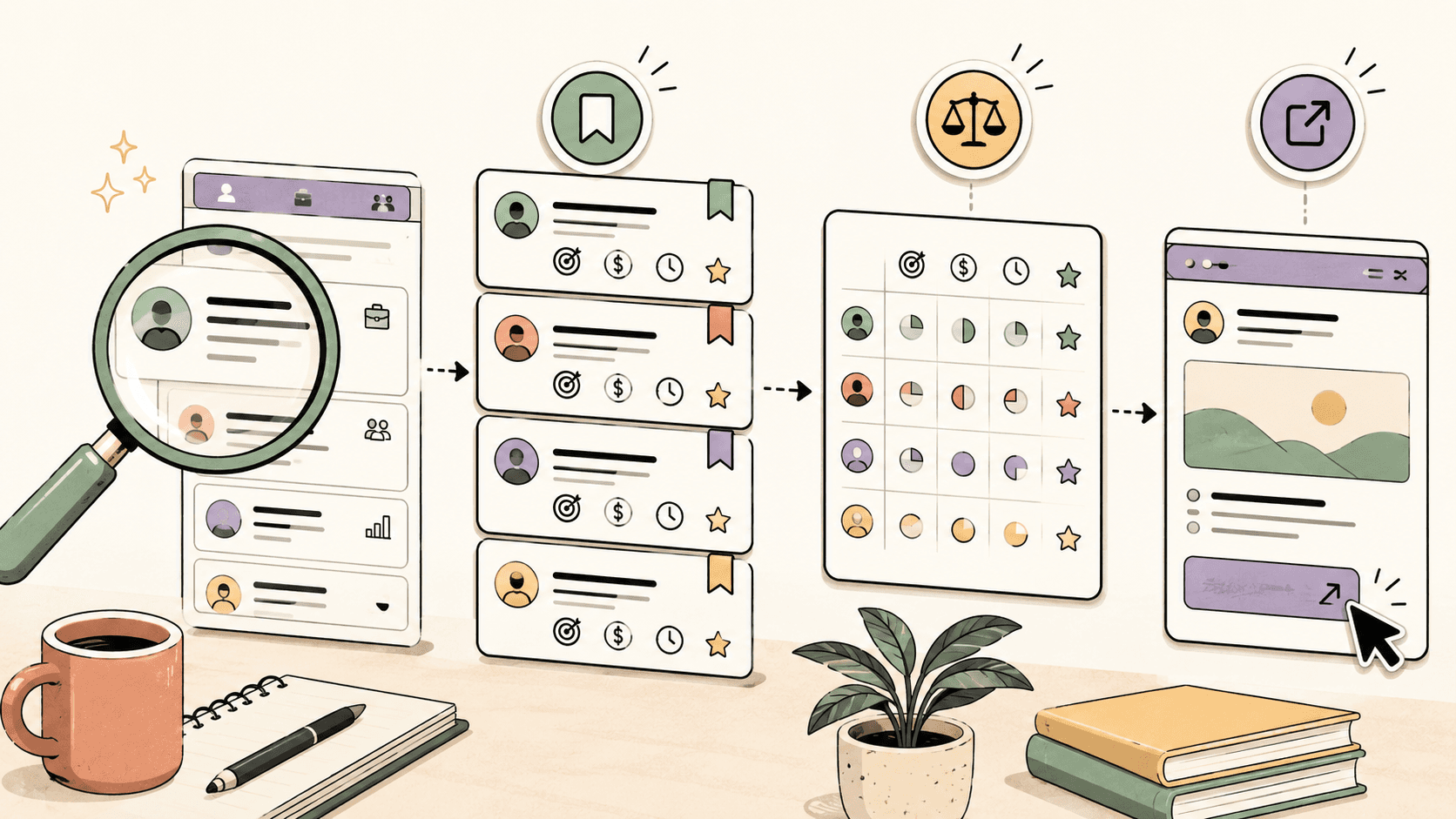
The fastest practical route is to optimize your profile for one clear buyer, then combine targeted search, useful comments, proof-based posts, and personalized outreach. Do not rely on LinkedIn alone; use it alongside public communities and freelance opportunity sources so you have more timely leads to act on.
A simple version looks like this:
- Choose one service and one buyer type.
- Rewrite your headline and About section around the buyer’s problem.
- Search LinkedIn for people talking about that problem.
- Comment helpfully before pitching when possible.
- Send short messages that reference a real trigger.
- Track every lead in a spreadsheet, CRM, Notion, Trello, Airtable, or Sidequestboard workflow.
LinkedIn is best when it is part of a lead system, not your entire lead system.
Step 1: Make your LinkedIn profile buyer-specific
Your profile should answer one question quickly: “Can this person solve my problem?” If a potential client has to decode your job title, service list, or vague positioning, they will probably move on.
Start with these four profile areas:
- Headline
- Banner
- About section
- Featured section
Improve your headline
A weak freelance headline usually talks about the freelancer. A stronger headline talks about the buyer and the outcome.
Instead of:
Freelance Writer | Content Creator | SEO Enthusiast
Try:
SEO content writer for B2B SaaS teams that need product-led blog posts and landing pages
Instead of:
Web Designer and Developer
Try:
Web designer helping local service businesses turn outdated websites into clearer lead-generation pages
Instead of:
Virtual Assistant | Admin Support | Data Entry
Try:
Virtual assistant for founders who need inbox, calendar, research, and operations support
The more specific your headline is, the easier it is for the right person to recognize you.
Rewrite your About section around the client
A useful About section does not need to be long. It should explain who you help, what problem you solve, what proof you have, and what someone should do next.
Use this structure:
I help [specific buyer] with [specific problem/outcome].

Common projects I support:
- [Project type 1]
- [Project type 2]
- [Project type 3]

A few signs I may be a fit:
- [Relevant experience or proof]
- [Industry or tool familiarity]
- [Process detail that lowers risk]

If you are working on [specific situation], send me a message with a little context and I’ll let you know if I can help.
Example:
I help early-stage SaaS teams turn product knowledge into clear SEO content, comparison pages, and onboarding articles.

Common projects I support:
- Bottom-of-funnel blog posts
- Feature and use-case pages
- Help center and onboarding content
- Refreshes of underperforming articles

I’m usually a fit when a team already has a product, a few customers, and subject-matter expertise, but not enough time to turn that knowledge into publishable content.

If you are planning a content sprint or need help turning product notes into useful pages, send me a message with the project context.
Use the Featured section as proof
Your Featured section should not be empty. Add assets that help a client trust you faster, such as:
- A portfolio page
- A case study
- A useful article you wrote
- A design sample
- A short Loom-style walkthrough
- A public GitHub project
- A Notion portfolio
- A testimonial image, if you have permission to share it
If you are new and do not have client work yet, create sample projects that match the work you want. For example, a freelance landing page designer could redesign a fictional local business homepage and explain the decisions.
Find current openings on Sidequestboard
Step 2: Search LinkedIn for buying signals, not just job posts
Most freelancers search for obvious posts like “hiring a freelancer.” That can work, but those posts often attract many replies quickly. Better search includes buying signals: people mentioning problems, projects, launches, hiring gaps, or tool changes.
Use LinkedIn search to look for phrases related to your service and client trigger.
Examples for writers:
- “looking for a freelance writer”
- “need a content writer”
- “hiring SEO writer”
- “content backlog”
- “updating our blog”
- “launching a new website”
Examples for designers:
- “looking for a designer”
- “website redesign”
- “landing page help”
- “brand refresh”
- “new product launch”
- “conversion rate”
Examples for developers:
- “looking for a freelance developer”
- “building an MVP”
- “Webflow developer”
- “Shopify help”
- “technical cofounder”
- “frontend help”
Examples for virtual assistants and operators:
- “drowning in admin”
- “need an assistant”
- “operations help”
- “inbox management”
- “founder support”
- “hiring a VA”
After searching, filter by posts and recent activity where possible. Look for signs that the need is current, not a months-old discussion.
Step 3: Build a lead list before you send messages
Do not pitch everyone you find immediately. First, collect and qualify leads.
Create a simple tracking table with columns like:
- Name
- Company
- Role
- LinkedIn URL
- Trigger or reason for outreach
- Potential need
- Last interaction
- Message sent?
- Follow-up date
- Status
- Notes
You can use Google Sheets, Airtable, Notion, Trello, a lightweight CRM, or your own system. The tool matters less than the habit: every promising lead should have a next step.
A qualified LinkedIn lead usually has at least two of these signals:
- They are in a buyer role or can influence hiring.
- They recently mentioned a problem you solve.
- Their company appears to be growing, launching, hiring, or changing.
- They already use freelancers or contractors.
- Your portfolio is relevant to their industry or situation.
Step 4: Warm up before you pitch when possible
Cold messages can work, but warm outreach often works better. A warm interaction can be as simple as a useful comment on a post before sending a connection request.
Good comments are specific. Bad comments sound like engagement bait.
Weak comment:
Great post! Totally agree.
Better comment:
The point about onboarding friction is important. I’ve seen SaaS teams reduce support questions just by adding clearer “first 10 minutes” guidance inside the help center. The product may be good, but users still need a path.
Weak comment:
Love this. Let’s connect.
Better comment:
The redesign looks much clearer, especially the pricing section. One thing I’d be curious about is whether you tested a shorter version for visitors coming from paid search versus organic traffic.
The purpose is not to show off. It is to demonstrate that you understand the client’s world.
Step 5: Send short personalized outreach messages
Your first message should be easy to read, specific to the person, and low pressure. Avoid long paragraphs, fake compliments, and immediate calendar links.
Connection request template
Hi [Name] — saw your post about [specific topic]. I work with [type of client] on [specific problem], so I found it relevant. Would be glad to connect.
First message after connecting
Thanks for connecting, [Name]. I noticed [specific trigger].

I help [buyer type] with [specific outcome]. If [problem] is something you are actively working on, I’d be happy to share a couple of ideas or examples.
Direct pitch template
Hi [Name] — I saw your post about [specific project/problem].

I help [similar teams/people] with [specific service]. A project like this usually needs [brief insight], especially if the goal is [desired outcome].

If useful, I can send over 2-3 relevant examples or a short note on how I’d approach it.
Follow-up template
Hi [Name] — quick follow-up in case this is still relevant.

I put together a short thought on [specific problem]: [one useful idea].

No pressure if timing is off. If it becomes a priority later, happy to help.
A good follow-up adds value. It does not just ask, “Any update?”
Step 6: Post proof, not vague availability updates
Posting on LinkedIn helps when it gives buyers evidence that you understand their problems. You do not need to post daily, but you should post consistently enough that your profile feels active.
Useful post types include:
- Before-and-after breakdowns
- Short case studies
- Lessons from a recent project
- Checklists buyers can use
- Mistakes you see in your niche
- Teardowns of public examples
- A clear explanation of your process
Instead of posting:
I’m available for freelance work. DM me.
Post something like:
I reviewed 12 SaaS onboarding emails this week. The biggest issue was not the subject line. It was that most emails explained features before reminding users what they were trying to accomplish. A better first email usually does three things: confirms the user’s goal, points to the next action, and removes one point of confusion.
That kind of post quietly sells your thinking.
Step 7: Use LinkedIn with other freelance lead sources
LinkedIn is valuable, but it is not the only place clients show intent. Many freelance opportunities appear first in public communities, niche forums, Reddit posts, X/Twitter threads, Discord communities, Slack groups, newsletters, and freelance platforms.
Depending on your niche, you may also check places such as:
- Reddit communities like r/forhire, r/HireaWriter, r/freelance_forhire, r/WorkOnline, or niche-specific subreddits
- Upwork
- Fiverr
- Contra
- PeoplePerHour
- Toptal
- Wellfound for startup roles and contract opportunities
- Industry Slack or Discord communities
- Public founder and creator communities
Fees, commissions, visibility rules, and application rules can change on freelance platforms, so verify current terms on each platform’s official pricing, help, or terms pages before relying on them.
The advantage of combining sources is timing. A great opportunity can go cold quickly once dozens of people reply. If you only check one platform occasionally, you may miss the moment when your response has the best chance.
This is where a calmer discovery workflow helps. Sidequestboard can be a natural part of that routine because it helps you find and save fresh public freelance or work opportunities from communities and social platforms, then open the original source to apply or respond directly. When appropriate, you can also draft a faster first reply and personalize it before sending it at the original source.
Step 8: Run a 30-minute daily lead block
The best LinkedIn client system is repeatable. You should know what to do when you sit down, instead of scrolling until you feel productive.
Here is a simple 30-minute lead block:
Minutes 0-5: Check saved leads
Review yesterday’s leads and follow-ups. Decide who needs a reply, a follow-up, or a status update.
Minutes 5-15: Search for fresh buying signals
Search LinkedIn for your best trigger phrases. Save promising profiles and posts. Do not message everyone yet; qualify them first.
Minutes 15-20: Check public opportunity sources
Review your communities, freelance platforms, and saved searches. If you use Sidequestboard, this is the moment to scan one cleaner feed for fresh public opportunities instead of opening too many tabs.
Minutes 20-27: Send targeted messages
Send a small number of thoughtful connection requests, replies, or follow-ups. Quality matters more than volume.
Minutes 27-30: Update your tracker
Log what you sent, when to follow up, and which opportunities are worth acting on next.
This workflow works because it separates discovery from pitching. You first find relevant signals, then you respond with context.
Step 9: Avoid common LinkedIn freelancing mistakes
Many freelancers fail on LinkedIn because they make the channel about themselves instead of the client.
Avoid these mistakes:
- Sending the same pitch to everyone
- Leading with your life story instead of the client’s problem
- Pitching before understanding the trigger
- Using vague positioning like “I help businesses grow”
- Posting only availability updates
- Arguing in comments to get attention
- Forgetting to follow up
- Not tracking leads
- Waiting for inbound leads before doing outbound work
A strong LinkedIn presence is built from relevance, proof, and consistent follow-through.
How long does it take to get freelance clients on LinkedIn?
There is no guaranteed timeline. It depends on your niche, offer, proof, network, pricing, and consistency. Some freelancers get conversations quickly; others need weeks of profile improvement, posting, commenting, and outreach before leads convert.
Instead of judging the system by one message, track leading indicators:
- Profile views from relevant people
- Connection acceptance rate
- Replies to your messages
- Calls booked
- Proposals requested
- Follow-ups that reopen conversations
- Referrals from past conversations
If nobody replies, your targeting or message may be off. If people reply but do not book calls, your offer or proof may need work. If calls happen but do not close, your proposal, pricing, or qualification process may be the issue.
A simple weekly LinkedIn client plan
Use this weekly plan if you want a realistic routine:
Monday
- Search for new buying signals.
- Save 10-20 relevant leads.
- Send a small batch of personalized connection requests.
Tuesday
- Comment on posts from qualified leads.
- Send first messages to people who accepted.
- Update your lead tracker.
Wednesday
- Publish one proof-based post.
- Follow up with older leads where appropriate.
- Check public opportunity sources for fresh posts.
Thursday
- Search for new triggers again.
- Send another small batch of targeted outreach.
- Review which messages are getting replies.
Friday
- Follow up.
- Save strong opportunities for next week.
- Review your numbers and improve one part of your system.
You do not need to spend all day on LinkedIn. You need a focused routine that puts you in front of the right people at the right time.
Where Sidequestboard fits in this workflow
LinkedIn helps you build relationships and start conversations. But freelance opportunities often appear across many public places at once, and manually checking every source can become a distraction.
Sidequestboard is useful when your problem is discovery: too many tabs, too many noisy communities, and good opportunities found too late. It gives you a cleaner feed for fresh public opportunities, lets you save interesting ones, and sends you to the original source to apply or respond directly.
A practical workflow is:
- Use LinkedIn to build trust and contact buyers.
- Use public communities and platforms to spot active opportunities.
- Use Sidequestboard to reduce tab-hopping and save relevant leads.
- Reply at the original source with a tailored message.
- Track follow-ups so good leads do not disappear.
That keeps LinkedIn as a relationship channel while making opportunity discovery less chaotic.
Final checklist
Before you spend another week scrolling LinkedIn, make sure you have:
- A headline that names your buyer and outcome
- An About section that explains your services clearly
- Featured proof or sample work
- A list of search phrases for buying signals
- A lead tracker
- Short outreach templates you personalize
- A weekly posting habit focused on proof
- A way to monitor fresh public opportunities beyond LinkedIn
Freelance clients rarely come from one perfect tactic. They come from a repeatable system: clear positioning, timely discovery, useful outreach, and consistent follow-up.