July 1, 2026
How to Find Project-Based Work Without Bidding on Marketplaces
To find project-based work without bidding on marketplaces, monitor public communities and niche job boards where people post direct needs. Start with r/forhire, r/designjobs, Dribbble Jobs, Behance Joblist, and relevant Discord or social feeds. Sort by newest, verify the poster, save strong leads, and respond quickly with a short, specific pitch.
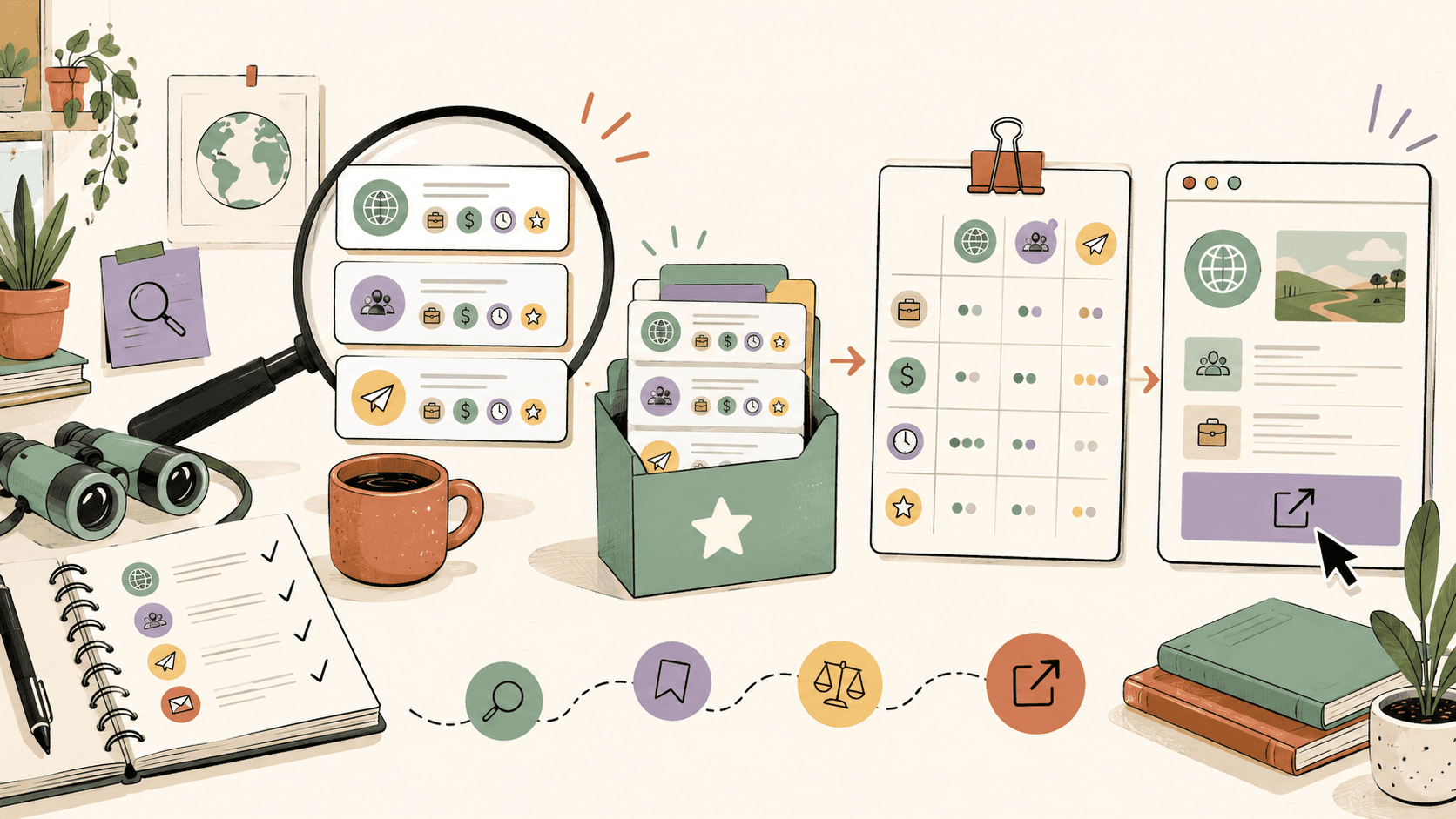
Where can you find project-based work before it turns into a bidding war?
Start with places where clients, founders, creators, and small teams ask for help in public. The best sources are specific enough that you can scan them quickly, but active enough that new work appears every day or week.
Use these sources first:
- r/forhire, which has about 1.3M members. Search within the subreddit for [Hiring], then add terms like “designer,” “design,” “logo,” “UI,” “illustration,” “copywriter,” “developer,” or “contract.” Sort by New, not Hot.
- r/designjobs, which has about 150K members. Check the [Hiring] flair for design projects. This is especially useful for brand identity, graphic design, product design, and creative production work.
- r/Design, with about 400K members. This is not only a job lead source. It is useful for networking, spotting founder discussions, and joining threads where someone is asking for portfolio feedback, vendor recommendations, or help choosing a direction.
- Dribbble Jobs at
https://dribbble.com/jobs, which focuses on UI/UX, graphic design, and illustration roles. It is free to browse. - Behance Joblist at
https://behance.net/joblist, which lists creative design roles and is also free to browse. - r/freelance, with about 300K members, for contract advice, client red flags, pricing discussions, and occasional opportunity mentions.
Here is the immediate move: open r/forhire, search [Hiring] designer, sort by New, and inspect only posts from the last 24 to 48 hours. Freshness matters because project-based posts get overwhelmed quickly, especially when the budget is clear.
How should you search Reddit for direct project leads?
Reddit can be productive if you treat it like a lead feed, not a place to endlessly browse. The mistake is opening r/forhire, reading random posts, and hoping something fits. Use search operators and a short qualification checklist.
A practical r/forhire search workflow:
- Go to r/forhire.
- Search for [Hiring] remote designer or [Hiring] logo.
- Sort results by New.
- Open posts from the last 1 to 12 hours first.
- Check whether the post includes scope, budget, deadline, and contact instructions.
- Click the poster’s profile and look for normal account history, not a one-day-old account with no context.
- Reply exactly as requested, either by comment, DM, email, or application link.
For design work, repeat the same process in r/designjobs using the [Hiring] flair. Search “brand,” “logo,” “Figma,” “landing page,” “pitch deck,” and “illustration.” If you do UI work, combine terms like UI, UX, SaaS, dashboard, and mobile app.
Walkthrough example: suppose you search r/forhire for [Hiring] logo and find a post from 3 hours ago that says a small food brand needs a logo and packaging refresh. The poster lists a $750 budget and asks for portfolio links. Do not send a generic “I’m interested.” Send a tight reply:
Hi, I design brand identities for small consumer products. This project sounds close to the packaging refresh I did for [short example]. My portfolio is here: [link]. For a $750 scope, I’d suggest starting with 2 logo directions, one revision round, and basic packaging layout guidance. If useful, I can send 3 relevant examples today.
That message works because it responds to the stated project, frames the budget, and shows you understand scope. Your immediate action: create three saved Reddit searches today, one broad, one skill-specific, and one niche-specific.
Track fresh opportunities on Sidequestboard
Which design job boards are worth checking for project-based work?
For creative work, Dribbble Jobs and Behance Joblist are worth checking because they attract companies already looking at visual portfolios. They are not perfect for tiny one-off gigs, but they are useful for contract roles, short-term creative support, and part-time project work.
Use Dribbble Jobs at https://dribbble.com/jobs if you do UI/UX, graphic design, or illustration. Filter for your skill area, then look for words like “contract,” “freelance,” “temporary,” “project,” “part-time,” and “remote.” Dribbble is free to browse, so your cost is time, not platform fees.
Use Behance Joblist at https://behance.net/joblist for creative design roles. Behance is especially useful if your portfolio already lives there, because your work samples can match the environment where the lead was discovered. Search by discipline, then prioritize listings that match your strongest portfolio category.
A simple board-checking routine:
- Monday, Wednesday, Friday: check Dribbble Jobs for UI/UX, brand, and illustration listings.
- Tuesday, Thursday: check Behance Joblist for creative roles and contract listings.
- Daily: check r/forhire and r/designjobs sorted by New.
Walkthrough example: if you are a UI designer charging $50 to $150/hr, open Dribbble Jobs and search for UI/UX contract roles. When you find a startup looking for a dashboard redesign, respond with one case study that shows before and after screens, not five unrelated logos. Mention your availability in hours per week and your typical range, such as “For UI design projects, I usually work in the $75 to $100/hr range depending on scope.”
Your immediate action: bookmark Dribbble Jobs and Behance Joblist, then create a three-day-per-week calendar reminder so you check them consistently instead of randomly.
How do you avoid low-quality leads and scams?
Project-based work without bidding still requires filtering. Public communities move fast, and not every post is legitimate or worth your time. A strong lead has clear scope, a plausible budget, a real contact path, and signs that the poster understands what they need.
Use this qualification checklist before responding:
- Budget clarity: Does the post mention a range, fixed price, or hourly expectation?
- Scope: Does it say what needs to be delivered, such as a logo, landing page, illustration set, pitch deck, or UI mockup?
- Timeline: Does it include a deadline or desired start date?
- Poster history: On Reddit, does the account have normal activity outside one suspicious post?
- Contact instructions: Does the poster explain whether to comment, DM, email, or fill out a form?
- Payment safety: Are they willing to use a deposit, milestone, or written agreement?
Compare the posted budget to realistic rates. Logo design commonly ranges from $200 to $2,000+ depending on usage, discovery, revisions, and brand system depth. UI design commonly sits around $50 to $150/hr. Graphic design often ranges from $30 to $100/hr. Illustration can range from $50 to $500+ per illustration, depending on complexity and rights.
If a post asks for a full brand identity, social templates, packaging, and unlimited revisions for $75, skip it. If someone wants a single spot illustration for a blog header and offers $150 with clear art direction, that may be worth considering.
Your immediate action: write your minimum acceptable project ranges in a note. For example: “Logo minimum $500, UI minimum $75/hr, illustration minimum $150 per piece.” Use that list to reject weak leads faster.
How should you respond when you find a fresh project post?
Speed helps, but specificity wins. A fast generic reply is easy to ignore. A focused reply sent within the first few hours of a post can stand out, especially on r/forhire and r/designjobs where posters may receive many messages.
Use this five-part response:
- Name the project type: “I saw your post about a logo for a local coffee brand.”
- Show relevant proof: Link one portfolio page or one case study, not your entire internet presence.
- Confirm scope understanding: Mention the deliverable, timeline, or budget.
- Suggest the next step: Offer a short call, a few sample links, or a written estimate.
- Keep it short: 120 to 180 words is usually enough for a first reply.
Example for r/designjobs:
Hi, I saw your [Hiring] post for a landing page redesign. I’m a UI designer with recent SaaS and creator-tool examples. This case study is closest to your project: [link]. For a 3 to 5 page marketing site refresh, I usually work hourly in the $75 to $110/hr range or quote a fixed project after reviewing scope. If you’re still reviewing designers, I can send a short approach and availability today.
Example for illustration:
Hi, I saw you need three editorial illustrations. My style fits bright, character-driven web illustrations: [link]. For this type of work, my usual range is $150 to $300 per illustration depending on detail and usage. If that fits your budget, I can share a rough timeline and two similar samples.
Your immediate action: save three reply templates, one for fixed-price projects, one for hourly projects, and one for unclear-scope posts where you need to ask a clarifying question.
How can you build a repeatable system instead of checking tabs all day?
The goal is not to monitor everything constantly. The goal is to create a daily lead routine that takes 20 to 40 minutes and produces qualified opportunities you can act on.
Use a simple tracking board in Notion, Trello, or a spreadsheet. Create these columns:
- New lead
- Qualified
- Responded
- Follow-up
- Closed or skipped
Track these fields for each opportunity:
- Source, such as r/forhire, r/designjobs, Dribbble Jobs, or Behance Joblist
- Post age, such as 2 hours old or 1 day old
- Project type
- Budget or rate
- Contact method
- Response deadline
- Link to original post
- Notes about fit
A realistic daily routine:
- 10 minutes: r/forhire search sorted by New.
- 5 minutes: r/designjobs [Hiring] flair.
- 5 minutes: Dribbble Jobs or Behance Joblist, alternating days.
- 5 minutes: update your Notion or Trello board.
- 10 to 20 minutes: respond to the best 1 to 3 leads.
Do not aim to respond to everything. If you send three relevant responses per day to good-fit opportunities, that is usually better than sending twenty generic messages. Public project posts can go cold quickly, so prioritize the ones posted within the last day.
Your immediate action: make a lead tracker with the columns above and add your first five leads, even if you skip three of them. Skipped leads teach you what not to chase.
When do Upwork, Guru, and 99designs still make sense?
If you want to avoid bidding, you do not have to delete every platform account. You just need to use them intentionally.
Upwork can still be useful for short-term contracts and project work, especially if you have a strong profile and can filter for specific budgets. The downside is that many projects attract heavy competition, and the proposal process can become time-consuming.
Guru also supports fixed-price and hourly contracts. It can be worth checking for certain service categories, but you should still compare the time spent applying against the quality of opportunities you find elsewhere.
99designs is different because it is known for logo and branding design contests. Contests can help some designers practice briefs or get exposure, but they can also require work before payment. If your goal is direct paid project work, prioritize confirmed-budget leads from r/forhire, r/designjobs, Dribbble Jobs, and Behance Joblist before spending hours on speculative contest work.
A practical split is 70 percent direct public leads, 20 percent niche boards, and 10 percent platform experiments. For example, spend most of your search time on r/forhire and r/designjobs, check Dribbble and Behance several times per week, and only use Upwork, Guru, or 99designs when a listing clearly matches your rate and scope.
Your immediate action: audit the last 10 opportunities you pursued. Mark whether each came from a direct community, niche board, or bidding-heavy platform. Keep the sources that produced serious conversations.
How can Sidequestboard make this workflow calmer?
Once you understand the manual workflow, the bottleneck becomes obvious: too many tabs. r/forhire, r/designjobs, r/freelance, Dribbble Jobs, Behance Joblist, X/Twitter searches, Discord communities, and saved posts can turn into a messy daily routine.
Sidequestboard is built for people who monitor public communities and social platforms for fresh work opportunities. It gives you a cleaner discovery dashboard where you can find public opportunity posts in one calmer feed, save relevant leads, open the original source, and respond directly where the post lives.
That matters most when freshness matters. If a strong project post appears in the morning and you find it three days later, you may already be too late. Sidequestboard helps reduce tab chaos so you can spend less time searching and more time applying, pitching, or responding.
Use it alongside the workflow above:
- Keep your rate benchmarks and qualification checklist.
- Save promising public opportunities when you see them.
- Open the original listing or source before responding.
- Draft a specific first reply instead of spraying generic messages.
- Track what you responded to so you are not relying on memory.
Sidequestboard is not a guaranteed source of work, and it does not replace your portfolio, pricing, or judgment. It helps with the discovery and organization layer so you can act faster when relevant public opportunities appear.
Your immediate action: if your current lead system is a pile of tabs and half-saved links, move to a calmer feed and save only opportunities that match your skill, rate, and timing.
What is the best weekly routine for finding project-based work?
A sustainable weekly routine beats occasional bursts of searching. Here is a simple schedule for designers, illustrators, and creative freelancers, using the sources covered above.
Monday: Search r/forhire for [Hiring] posts, check r/designjobs [Hiring] flair, and review Dribbble Jobs. Respond to 2 to 3 fresh leads.
Tuesday: Check Behance Joblist, scan r/freelance for pricing and contract discussions, and update your lead tracker. Improve one reply template based on what you saw.
Wednesday: Search r/forhire again using narrower terms like “Figma,” “brand identity,” “illustrator,” or “landing page.” Follow up on Monday responses.
Thursday: Review Dribbble Jobs and Behance Joblist again. Save roles that mention contract, freelance, part-time, or project-based work.
Friday: Review your numbers. Count leads found, leads qualified, responses sent, replies received, and calls booked. Remove bad sources and double down on the ones producing serious conversations.
For rates, keep your floor visible. If logo design usually ranges from $200 to $2,000+, do not chase $50 full-brand requests. If your UI work is worth $50 to $150/hr, do not hide your range until the third message when the post clearly expects professional help.
Your immediate action: choose your first five search terms and schedule three search blocks this week. Treat them like client work, not optional browsing.
FAQs?
Is it possible to find project-based work without using bidding platforms?
Yes. Many project opportunities appear in public communities and niche job boards before they become crowded. Start with r/forhire, r/designjobs, Dribbble Jobs, and Behance Joblist, then respond quickly with a relevant portfolio link and a clear next step.
What is the best subreddit for project-based freelance work?
r/forhire is one of the broadest options, with about 1.3M members and regular [Hiring] posts. For design work, r/designjobs is more focused, with about 150K members and a useful [Hiring] flair.
How fast should I respond to a project lead?
For public posts, aim to respond within the first few hours when possible. Leads from r/forhire and r/designjobs can receive many replies quickly, so sort by New and prioritize posts from the last 24 hours.
What rates should designers use for project-based work?
Common benchmarks are $200 to $2,000+ for logo design, $50 to $150/hr for UI design, $30 to $100/hr for graphic design, and $50 to $500+ per illustration. Adjust based on scope, rights, revisions, and timeline.
Should I still use Upwork, Guru, or 99designs?
They can still be useful, but use them selectively. Upwork and Guru can have short-term contracts, while 99designs is known for logo and branding contests. If you dislike bidding, prioritize direct public leads and niche boards first.
Related guides
- How to Get Freelance Clients on LinkedIn: Profile, Search, Outreach, and Lead Workflow
- How to Find Freelance Leads in Online Communities
- How to Find Job Opportunities in Reddit Communities
- How to Find Freelance Work as a Graphic Designer
- My Coworker Hard Quit: What Should I Do Next for My Job Search?